SHIFT + Step-Chord takes back to main step screen editing
STEP CHORD BUTTON BEHAVIOR
- First press -> enables chord menu
- Second press if there hasn’t been any chord modification in the menu -> Substep menu
- Second press if there has been any chord change from the menu -> Back to normal step editing
- Shift + Step-Chord: Back to normal step editing
CHORD ARPEGGIATOR
The chord mode has a built-in arpeggiator which takes the notes from the chords as an input.
These arpeggiator parameters are equivalent to the ones shown in the ARP screen with one
exception, OctOfs or Octave Offset instead of Gate. OctOfs sets the number of steps before there’s
any octave switch when Oct (octavation) is different to 0. The arp note gate length can be controlled
globally with the 3rd encoder.
The arpeggiator can run at a different speed than the sequence.
CHORD KEYBOARD
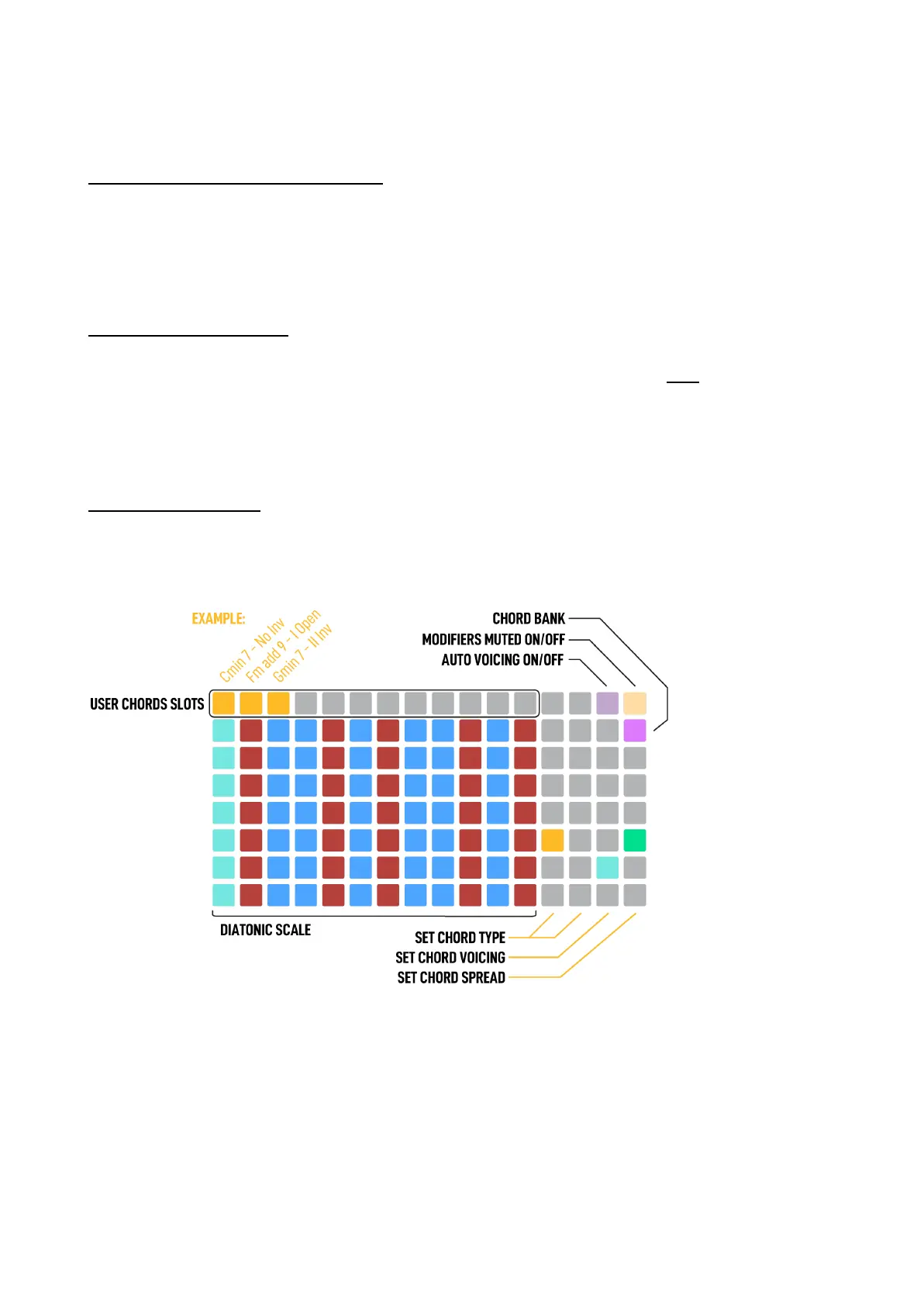
The keyboard layout includes a large amount of intuitive shortcuts and tools to make playing chords
equally fulfilling for the experienced music theorist as for the inexperienced, to allow for learning and
exploration without barriers.
The keyboard is split in two sections, the first 12 columns of the Grid are the performance area that
triggers the chords. Each pad is defined by the root note of the chord it triggers. Each column is a
semitone filtered by scale, moving vertically is an octave up or down.
The second section is from the 13th column to the end.
13th and 14th columns select the chord type given the scale and the root note played.



 To Next Page