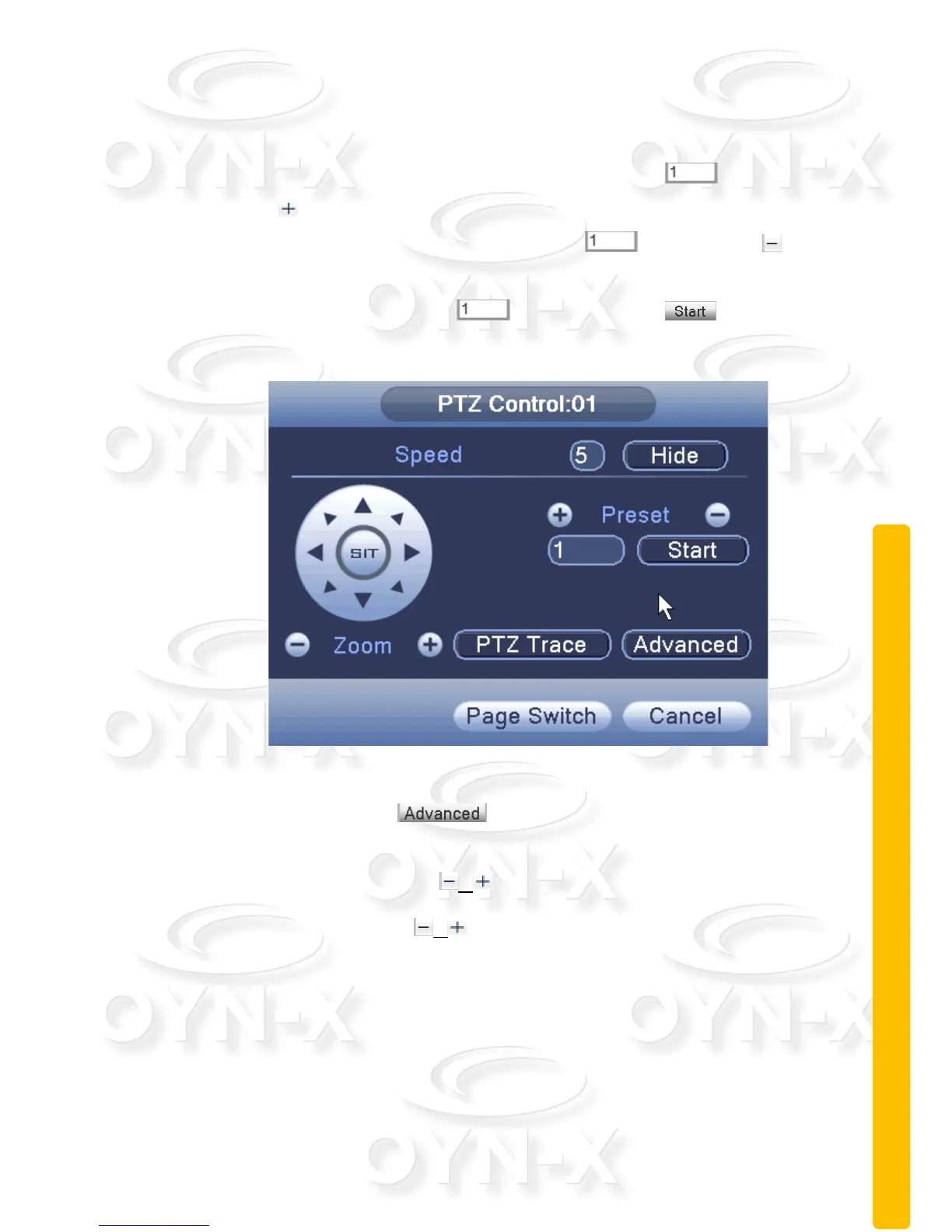
Preset option:
To set a location for the preset, the procedure is as follows :
Step 1: Increase the preset point: Enter a number in ,then click
the button, you can then add a preset point.
Step 2: Deleting preset: Enter a number in ,then click the
button, you can delete a preset point.
Step 3: Enter a number in ,Then click on the button,the
camera head will rotate to the preset position.
Figure 2.13 preset configuration
[Advanced]: click on the button, as shown in Figure 2.13, and enter
a new operation menu page.
[Focus]: Click either buttons / to adjust the focus of the camera.
[Iris]: Click either buttons / to adjust the iris of the camera.



 To Next Page