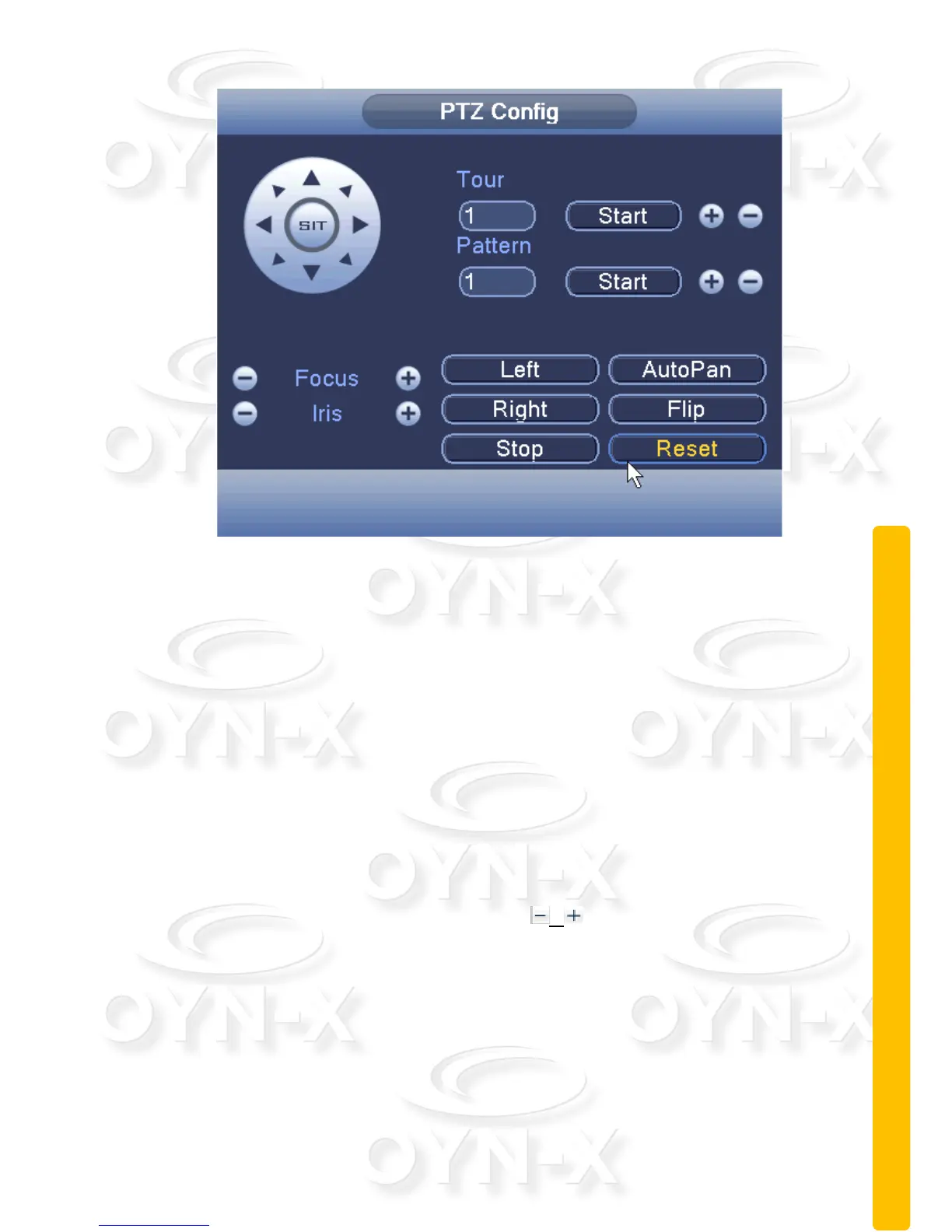
Figure 2.14 PTZ Control
Cruise between Points: You can set a cruise preset by setting the PTZ
camera at a start point and then moving it to an end point. Choose
different start and end points and allocating them to a preset number.
Tour: Cruise lines are connected by multiple preset points, setting
procedure is as follows:
How to create a cruise preset:
Step1: The directional keys shown in Figure 2.12 will turn the PTZ to
designated location then the user will need to click the ‘Advanced’
button to enter the menu as shown in Figure 2.14,
Step 2: Enter a number in the ‘Tour’ field to allocate a preset cruise
motion to that number. Click the / keys to increase/decrease the
preset number. Click ‘Start’ and control the PTZ camera with the
function keys from one single directional point to another (using the
Focus and Iris controls to adjust picture clarity/sharpness). Click on the
‘Stop’ button when you have completed programming the cruise preset.
Step 3: repeat Step 1 and Step 2, until set out all the preset have been
designated cruise lines.



 To Next Page