To allow access to the ISP (Internet Service Provider) provide the PPPoE
username and password then restart the system after saving. After restarting,
the DVR will automatically establish a network connection to the PPPoE mode,
when successful, the IP [IP address] will automatically modify the dynamic
WAN IP address obtained.
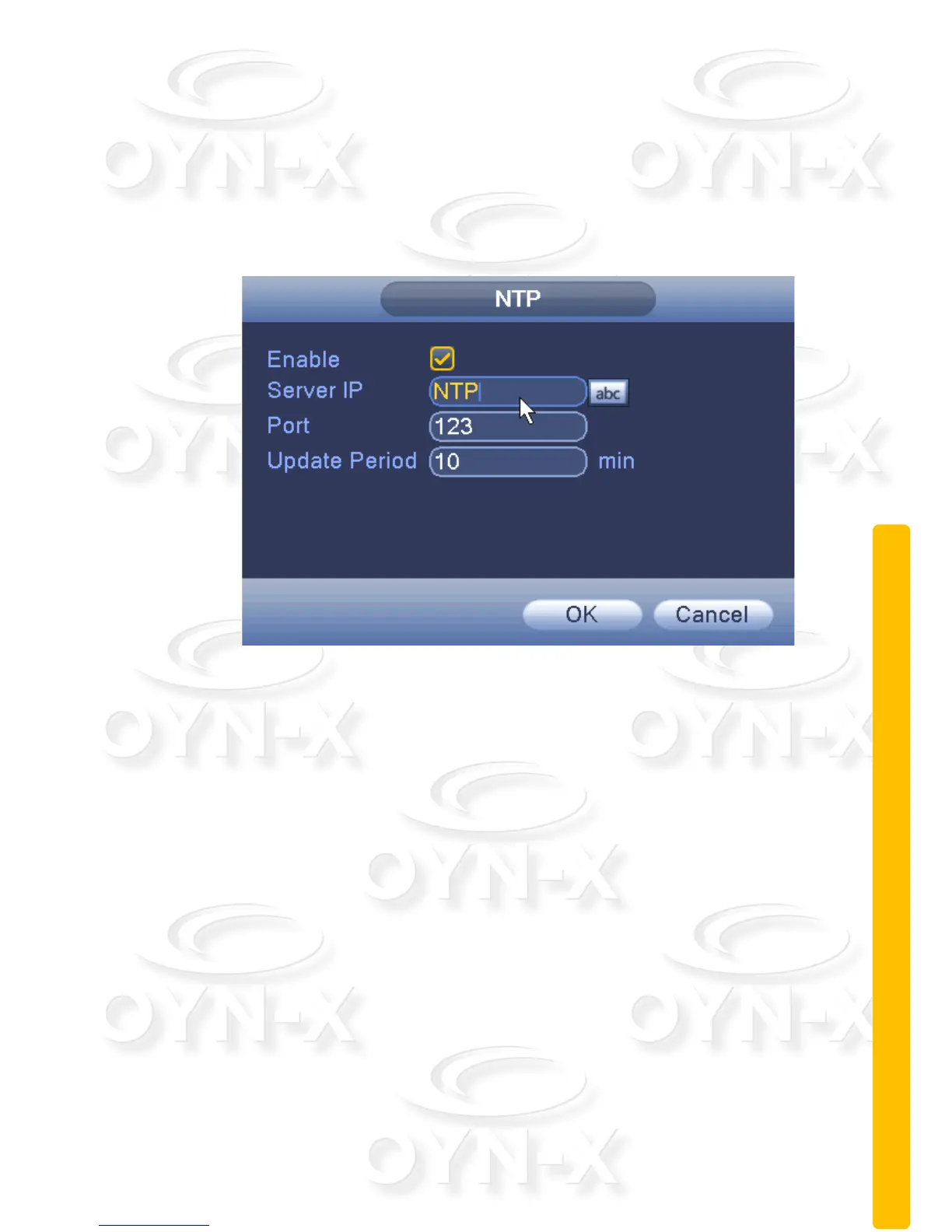
NTP:
Figure 3.19 NTP settings
You need to install the NTP service on a PC before setting up the details in this
menu.
[Enable]: When the box is ticked the NTP is enabled.
[Server IP]: Enter installed NTP server PC’s IP;
[Port]: The default NTP port 123, the port settings can be based on actual NTP
server;
[Update Period]: the same NTP server check interval, the default is 10
minutes.


 To Next Page
 Loading...