Email:
Set the e-mail addresses for camera sent and received alarm information.
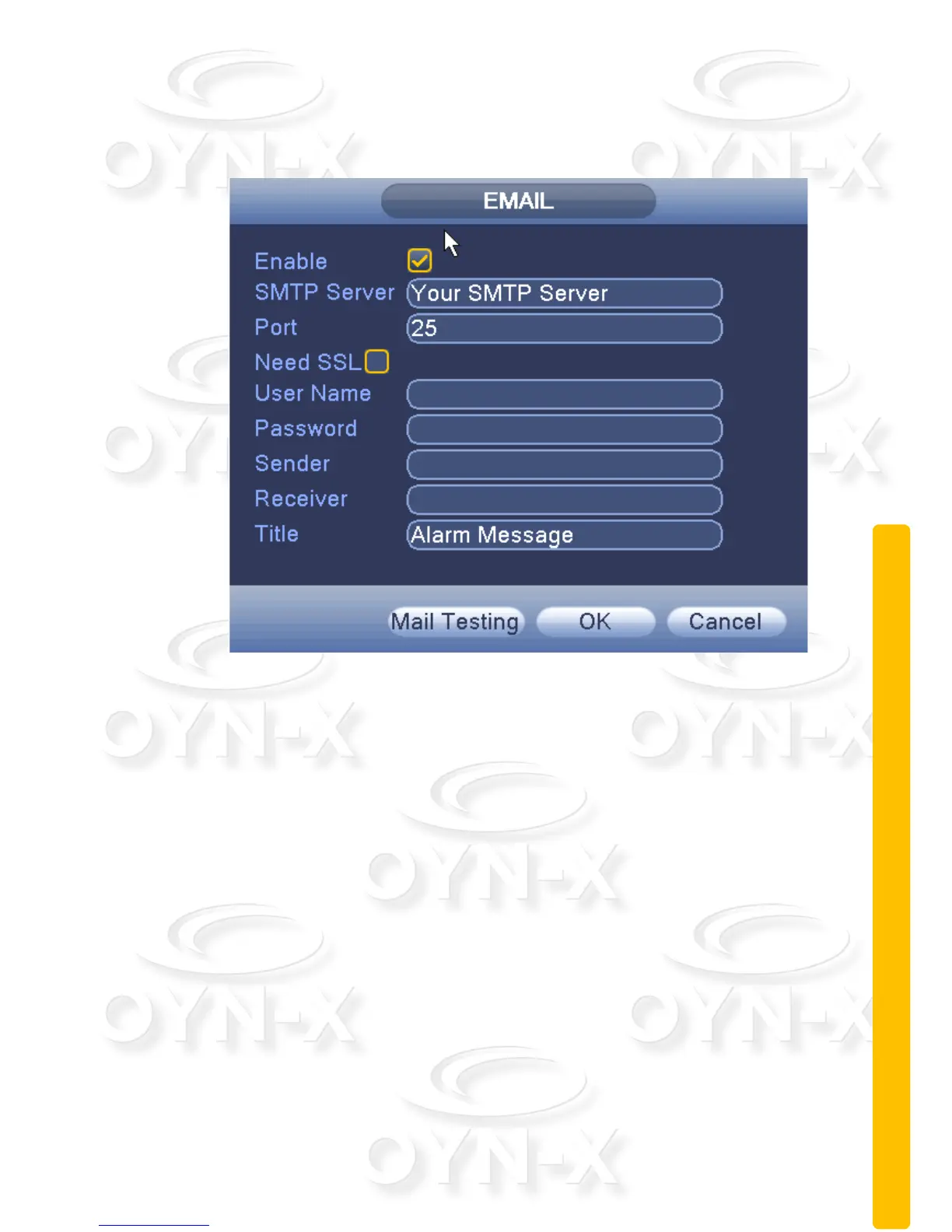
Figure 3.20 Email settings
[SMTP server]: Log mailbox to query entry method SMTP server in mailbox
settings.
[Port]: The mail server port number;
[SSL]: consistent with the mailbox configuration, you can log in to view the
mailbox into the mailbox settings.
[User Name]: Only fill in email address before the @.
[Password]: Password for the user name of the application.
[From]: Set the message sender EMAIL address.
[Recipient]: You can set up to three e-mail address, separated by a
semicolon, can outbox the same e-mail address.
[Subject]: subject of the message, you can set your own.


 To Next Page
 Loading...