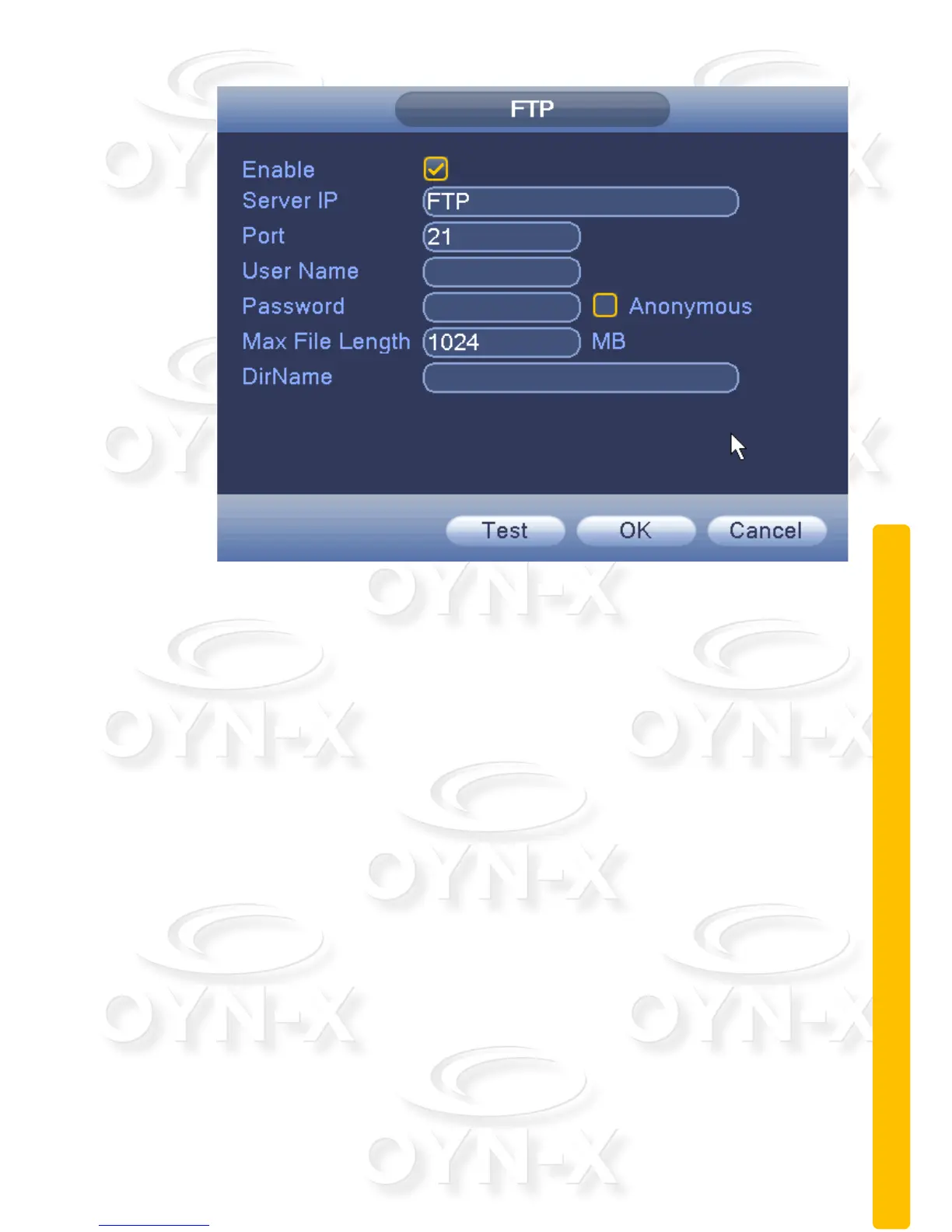
Figure 3.23 FTP settings
[Enable]: When ticked, you have enabled the FTP function;
[Host IP]: IP address of the FTP server;
[Port]: FTP port number field, the default port number is 21;
[User name]: Input your registered Username;
[Password]: The username's password;
[Anonymous]: When ticked, you have chosen to be anonymous, you do not
need to set the user name and password;
[Maximum file length]: Each data package uploads a maximum file size, the
default is 1028Mb;
[Remote directory]: file directory to upload files to.


 To Next Page
 Loading...