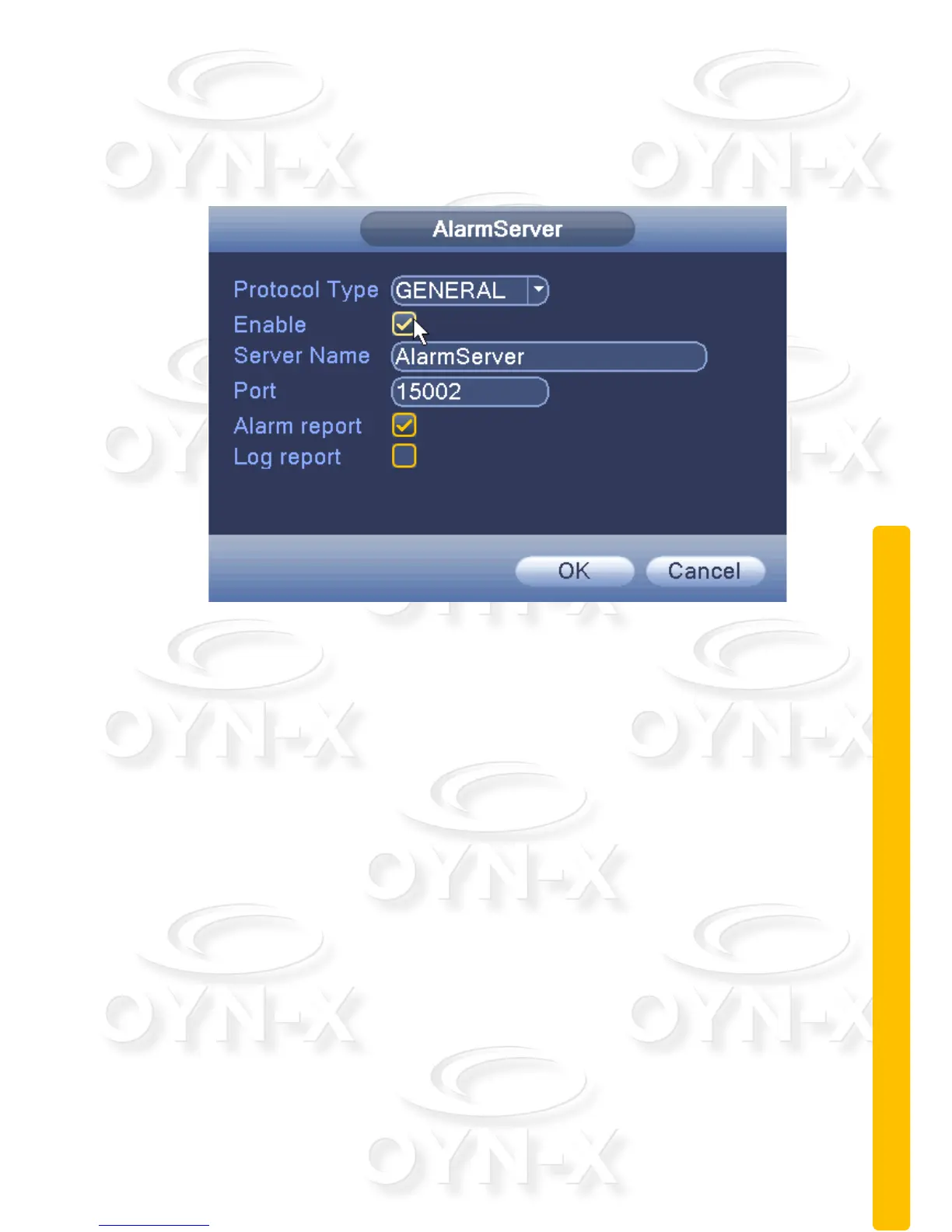
Alarm center:
To allow an alarm signal to be sent to a remote device you need to setup an
alarm server.
Figure 3.25 alarm center
[Protocol type]: GENERAL;
[Enable]: When ticked, you have enabled the AlarmServer function;
[Server Address]: IP address of alarm server;
[Port number]: port number of the device;
[Alarm]: When ticked the device will send information, relevant to the police, to
the server;
[Log reporting]: When ticked it means that when an alarm has been triggered
the device will send a send a report to the server’s log.



 To Next Page