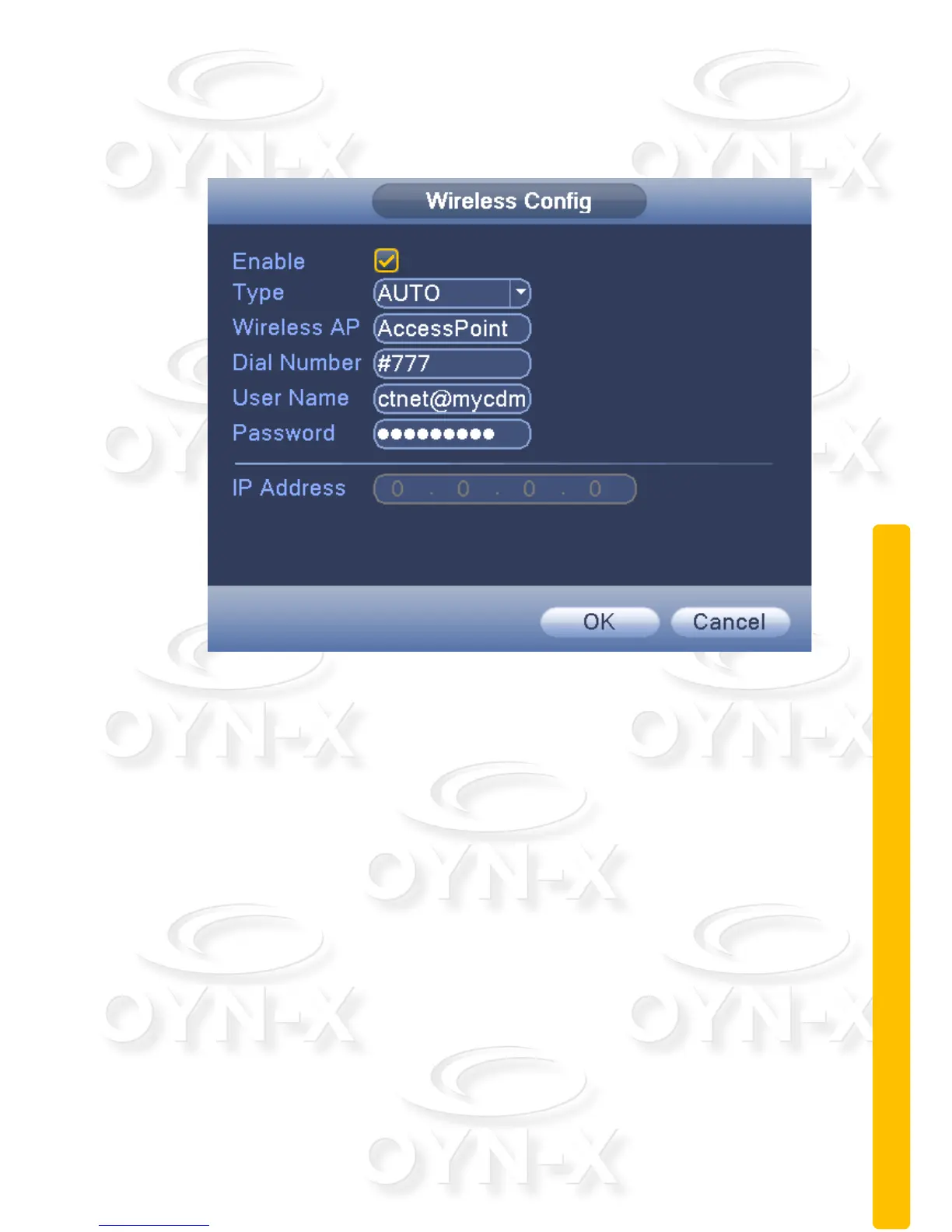
Wireless Config:
Setup a connection to the Internet access via a wireless router.
Figure 3.26 Wireless Config
[Enable]: When ticked, you have enabled this function;
[Type]: Dial type, default is automatic (AUTO);
[AP]: Wifi access point
[Dialing number]: Provide the Wifi dial number
[User name]: Provide the Wifi username
[Password]: Provide the Wifi password
[IP address]: The IP address of the dial-up number to get



 To Next Page