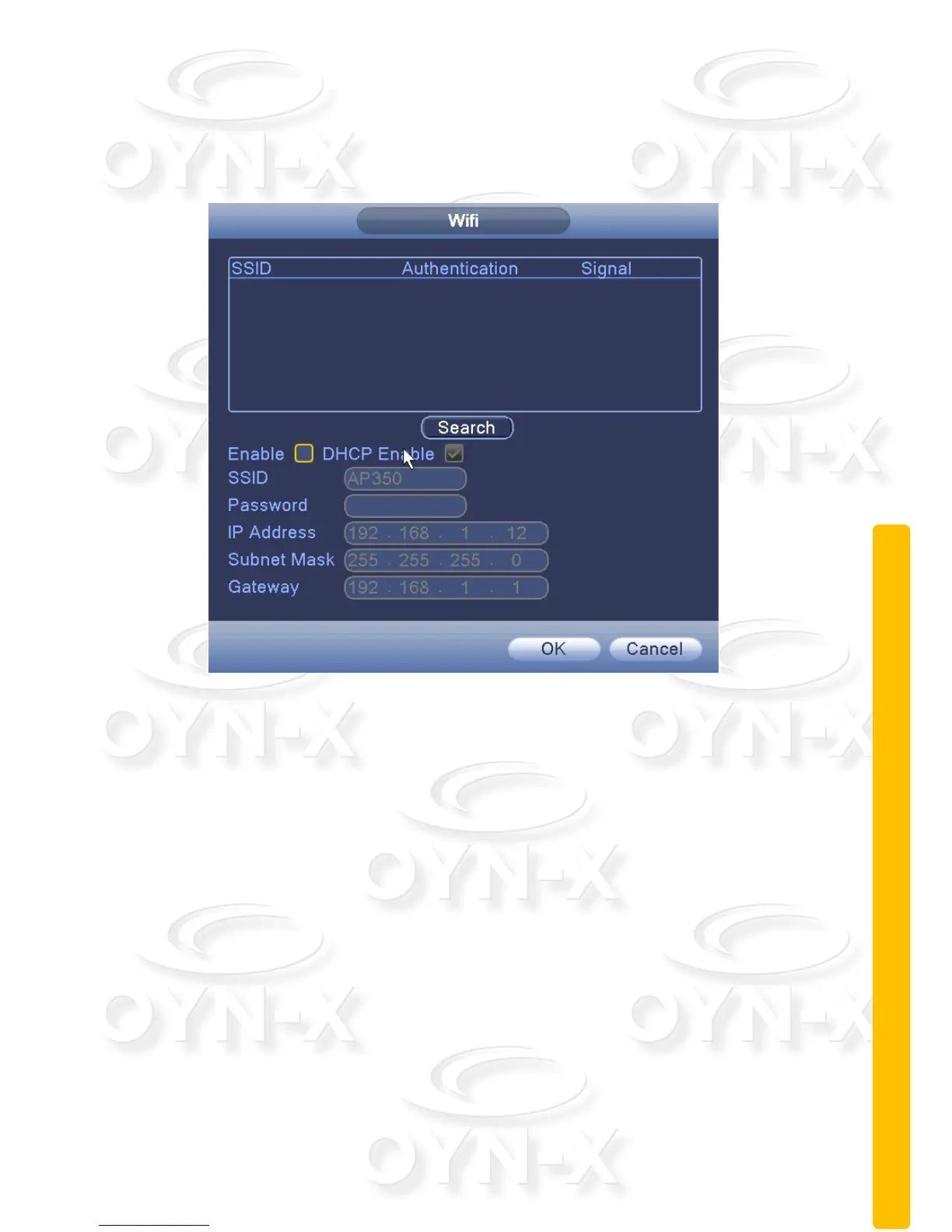
WIFI:
Connect to the wireless router using a Wifi card attached to the DVR’s main
board. This is dependant on whether your device has the module fitted.
Figure 3.28 WIFI settings
[Search]: Click the ‘Search’ button to search out available Wifi connections
within the current range of the wireless device;
[Enable]: When ticked you will enable the Wifi module;
[DHCP Enable]: When ticked the device will obtain an IP address
automatically;
[SSID]: Wireless LAN name; automatically matches to your connected wireless
devices;
[Password]: Wi-Fi router's password;
[IP address]: Set the device's IP address, default: 192.168.1 9
[Subnet Mask]: Set the device subnet mask, default: 255.255.255.0
[Default Gateway]: Set the device's default gateway, default: 192.168.1.1



 To Next Page