VQT4R68
12
12
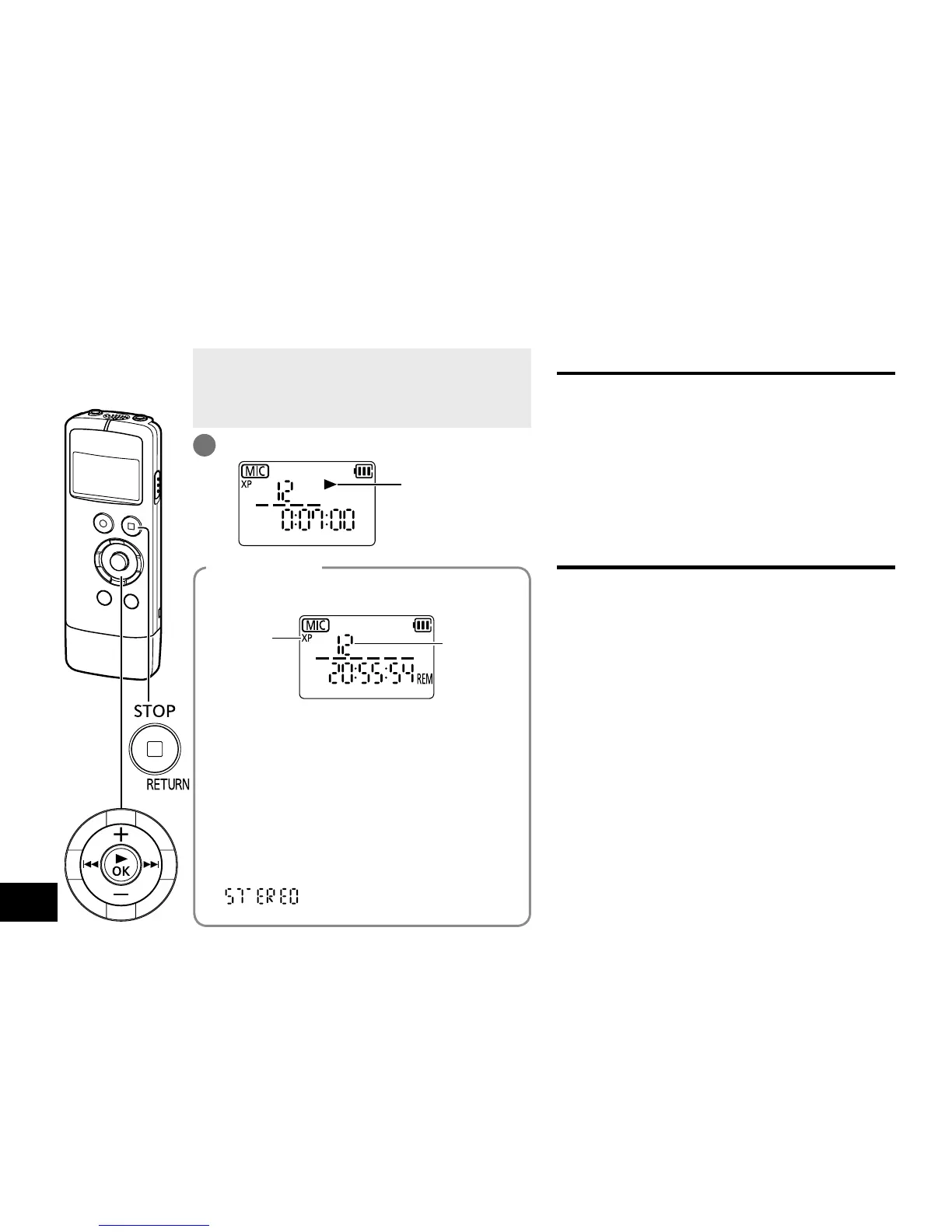
• When the unit is not in the stop state, press
[g STOP/RETURN].
• Select a folder. (
➜
page 10)
• Select a file. (See below)
1
Press [q OK]. (Playback starts.)
Displayed during
playback
Press u, i to select.
Each time you press, the file number changes.
File number
Recording
mode
∗
Information display
Each time [
g
STOP/RETURN] is pressed, the
displayed information will change as follows:
• remaining recording time
• total playback time (length of the selected
file)
• current time
• current date
• time of recording*
• date of recording*
•
* (for stereo files)
This is not displayed for “MUSIC” folder.
Select a file
Adjusting the volume
Turn up the volume: Press +.
Turn down the volume: Press –.
Volume range is 0 to 20.
(The factory setting is “12”.)
If you turn the unit off with the volume set to 17
or more, the volume will be set to 16 next time
the unit is turned on.
Operations during playback
Jump (Skip):
Press u, i.
Press u midway while playing a file and the
playback jumps back to the beginning of the
file. To return to the previous file, press u
again within approx. 2 seconds.
Fast backward/Fast forward (Search):
Press and hold u, i.
To stop:
Press [g STOP/RETURN].
Playing















 To Next Page