VQT4R68
13
13
ENGLISH
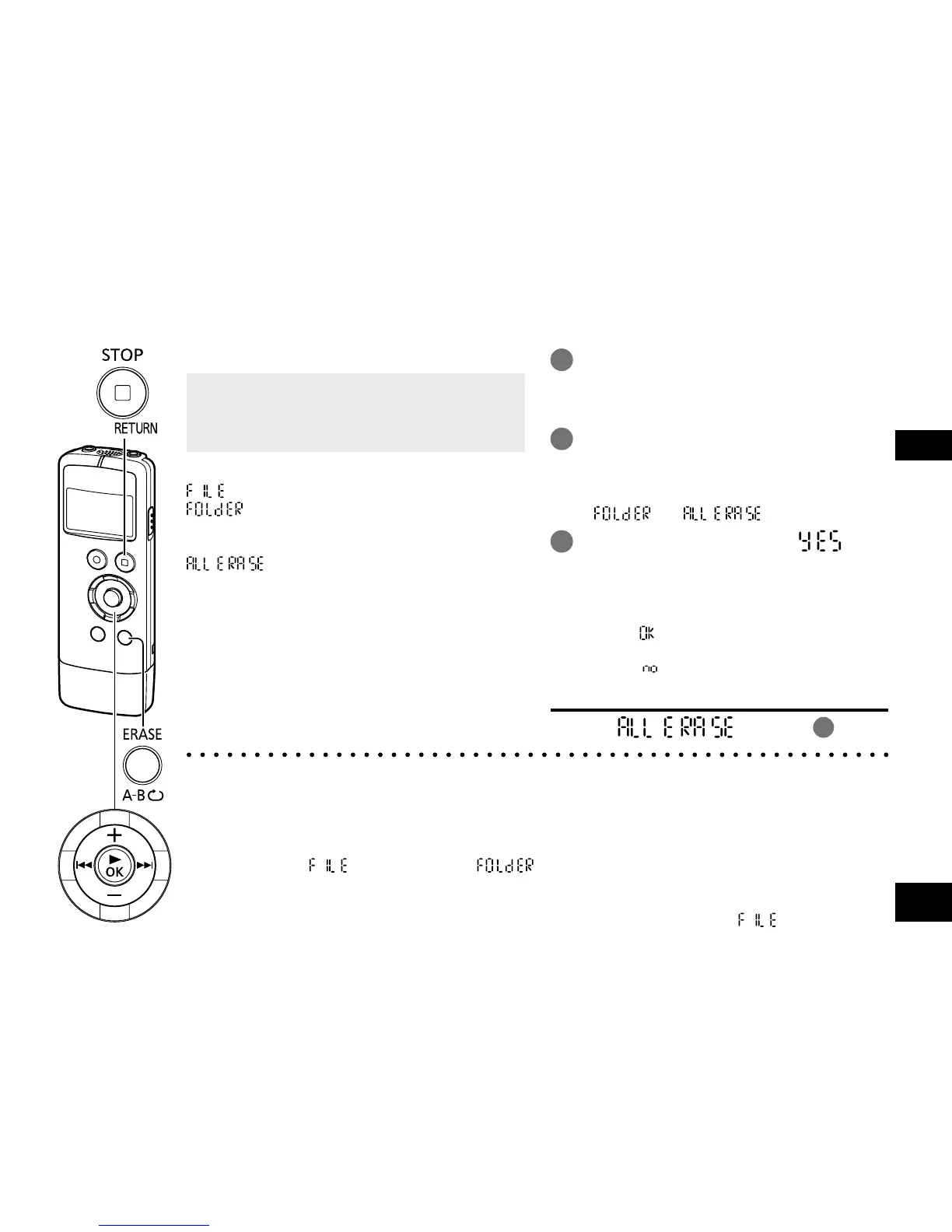
Delete unnecessary files.
• When the unit is not in the stop state, press
[g STOP/RETURN].
• Select the file or folder you want to delete.
(
➜
pages 10, 12)
There are three methods to delete files.
: Select one file and then delete it.
: Delete all files in the selected folder.
(The folder itself or the files in the
subfolders cannot be deleted.)
: Delete all data such as all files in
the internal memory and data in the
folders displayed when the unit is
connected to a computer.
“MANUAL” folder (
➜
page 32) is
also deleted. For recovery, see
“PDF COPY” of “Common settings”.
(
➜
page 29)
1
Press [ERASE/A-B&].
• To cancel the deletion, press
[ERASE/A-B&] again or press
[g STOP/RETURN].
2
Press u, i to select the deletion
method and press [q OK].
• When you want to delete only one file,
make sure you do not accidentally select
“
” or “ ”.
3
Press u, i to select “ ”
and press [q OK].
The operation indicator blinks during deletion.
It may take several minutes until the
deletion is complete.
•
When “ ” appears, deleting or formatting
is complete.
• Select “ ” to stop deleting or formatting.
Formatting
Select “ ” in step
2
.
Deleting files and formatting
● Deleted files cannot be restored.
● Save necessary files to the computer or external devices before formatting.
● Cancelling is not possible while formatting.
● Before deleting data, check that there is sufficient battery power remaining.
● Do not remove the battery while formatting.
●
With file deletion “ ” and folder deletion “ ”, only files that can be played on this unit can be deleted.
However, read-only music files transferred from the computer cannot be deleted using this unit.
Delete them on the computer. (
➜
page 31)
● The file numbers displayed on this unit are moved forward after file deletion “ ”.















 To Next Page