FOLDER
VQT4R68
14
14
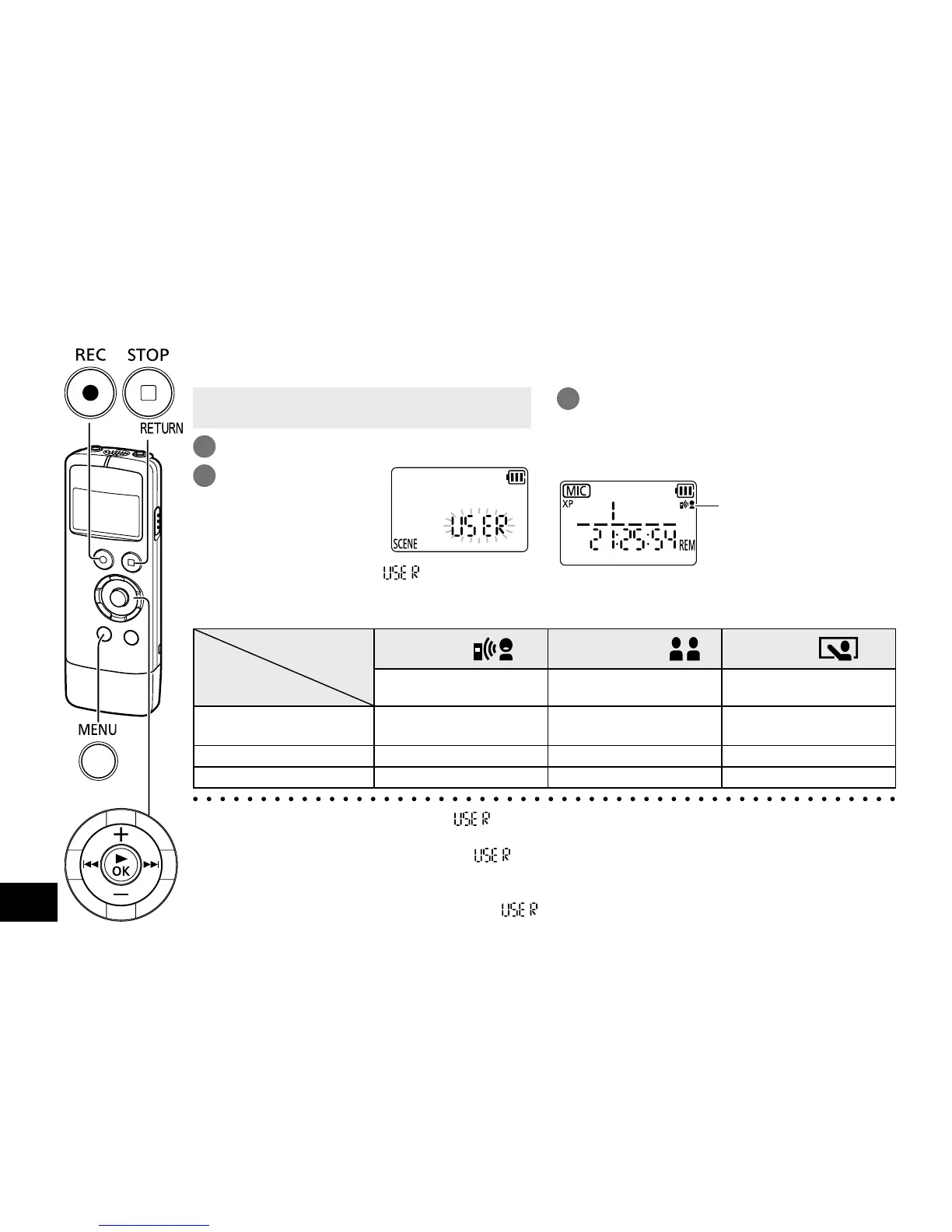
Selecting the recording scene (SCENE SELECT)
This unit offers recommended recording settings for each recording scene. Selecting a recording
scene enables easy recording with the most appropriate settings.
g Setting items of recording scenes
Recording Scene
Application
Setting Item
(page)
Practice
Conversation
Lecture
Recording your own voice for
pronunciation practice etc.
Recording other people’s voices
for interviews or meetings etc.
Recording sounds such as
in classroom lectures etc.
Sound quality
(recording mode) (15)
XP: 192 kbps LP: 96 kbps XP: 192 kbps
Microphone sensitivity (16)
HI (high) LO (low) HI (high)
LOW CUT FILTER (16) OFF ON ON
● If the recording scene is not used, “ ” is selected automatically. If setting values of “Sound
quality, Microphone sensitivity and LOW CUT FILTER” are changed, the changed values are
overwritten on the previous values of “
”.
● Even if the recording scene is selected, if setting values of “Sound quality, Microphone sensitivity
and LOW CUT FILTER” are changed, the recording scene is cancelled and the changed values
are overwritten on the previous values of “
”. The recording scene indication will disappear.
• When the unit is not in the stop state, press
[g STOP/RETURN].
1
Press [MENU/FOLDER].
2
Press u, i to
select “SCENE”
and press [q OK].
(The factory setting is “ ”.)
3
Press +, – to select the recording
scene and press [q OK].
To exit the setting screen, press
[g STOP/RETURN].
The selected recording
scene is displayed.
When [
*
REC] is pressed, recording is performed
with the selected recording scene setting.















 To Next Page