FOLDER
VQT4R68
20
20
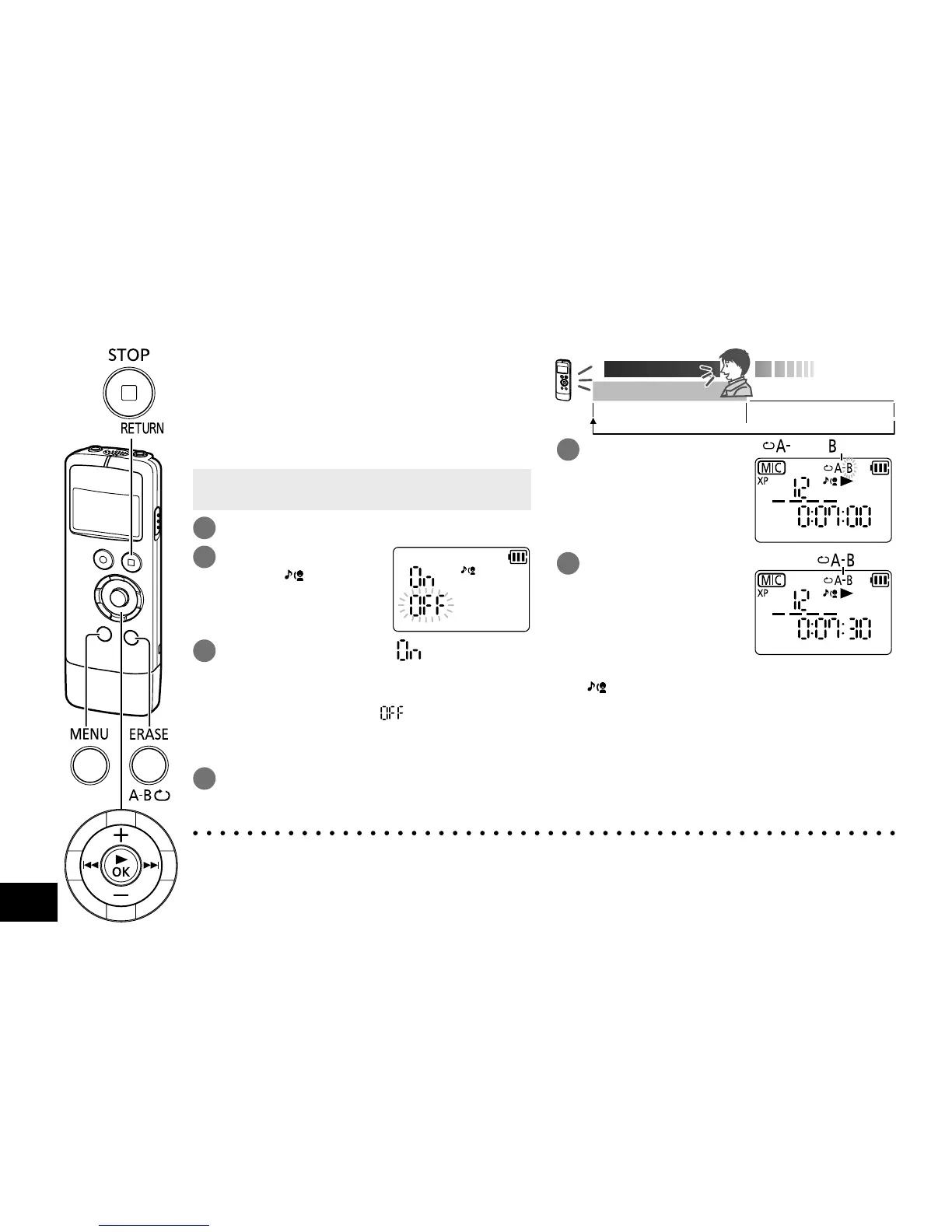
Shadowing is a learning method to repeat an
example immediately after it is heard. The
shadowing function of this unit repeats playback
with normal volume and no sound alternately
in A-B Repeat interval. This is convenient for
pronunciation or listening practice for language
learning.
• When the unit is not in the stop state, press
[g STOP/RETURN].
1
Press [MENU/FOLDER].
2
Press u, i to
select “ ” and
press [q OK].
3
Press +, – to select “ ” and press
[q OK].
The shadowing function turns on.
(The factory setting is “
”.)
To exit the setting screen, press
[g STOP/RETURN].
4
Select the file you want to play with
shadowing (
➜
pages 10, 12) and
press [q OK].
Practice
Example
A-B Repeat interval
(normal volume)
No-sound playback in
A-B Repeat interval
5
Press
[ERASE/A-B&].
The start point (A) is
set.
“ ” (lit), “ ” (blink)
6
Press [ERASE/A-B&]
at the finish point (B).
The finish point (B) is set.
Shadowing starts, and A-B
Repeat playback and no-
sound playback repeats
alternately.
“ ” lights on during A-B
Repeat playback, and
blinks during no-sound
playback.
“ ” (lit)
To cancel shadowing:
Press [ERASE/A-B&] again. (It can also be
cancelled with [
g
STOP/RETURN] or u or i.)
Shadowing
● Shadowing playback cannot be set when the length of time between the start point (A) and finish
point (B) is less than approx. 2 seconds.
● When only the start point (A) is set and playback continues to the end of the file without setting
point (B), the end of the file is considered as the finish point (B), and shadowing starts.
● Shadowing setting across 2 files cannot be set.















 To Next Page