VQT4R68
27
27
ENGLISH
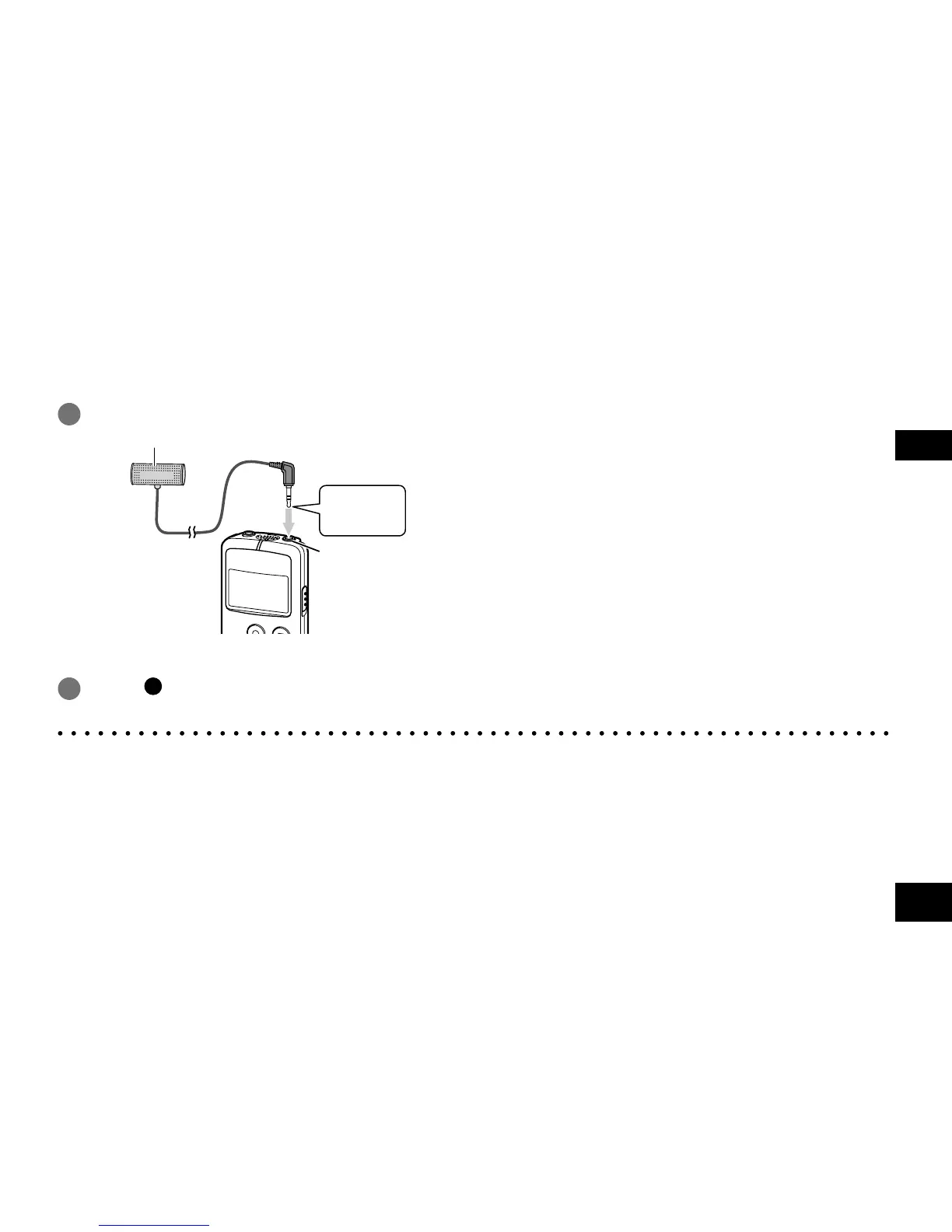
Recording by connecting an external microphone
Record by connecting an external microphone to the external microphone jack of the unit.
Using a stereo microphone enables stereo recording. (Except when the sound quality “SLP” is selected.)
With a monaural microphone, only L-channel audio can be recorded.
1 Connect the external microphone.
External microphone (not supplied)
Insert all
the way in.
External
microphone jack
Use a microphone with a plug-in-power function and ø 3.5 mm mini plug.
2
Press [ REC].
For recording operations, see “Recording”. (
➜
page 11)
● Also read operating Instructions for the device to be connected.
● If the recording level is too low or high, adjust the microphone sensitivity. (
➜
page 16)
● The built-in microphone of the unit does not work while a device is connected to the external microphone jack.















 To Next Page