FOLDER
VQT4R68
24
24
• Transfer music files to this unit from the
computer. (
➜
page 32)
Selecting a file from “MUSIC” folder:
See “Selecting the folder” (
➜
page 10) and
“Select a file” (
➜
page 12).
To select a subfolder, see “Folder cue function”.
(
➜
page 25)
1
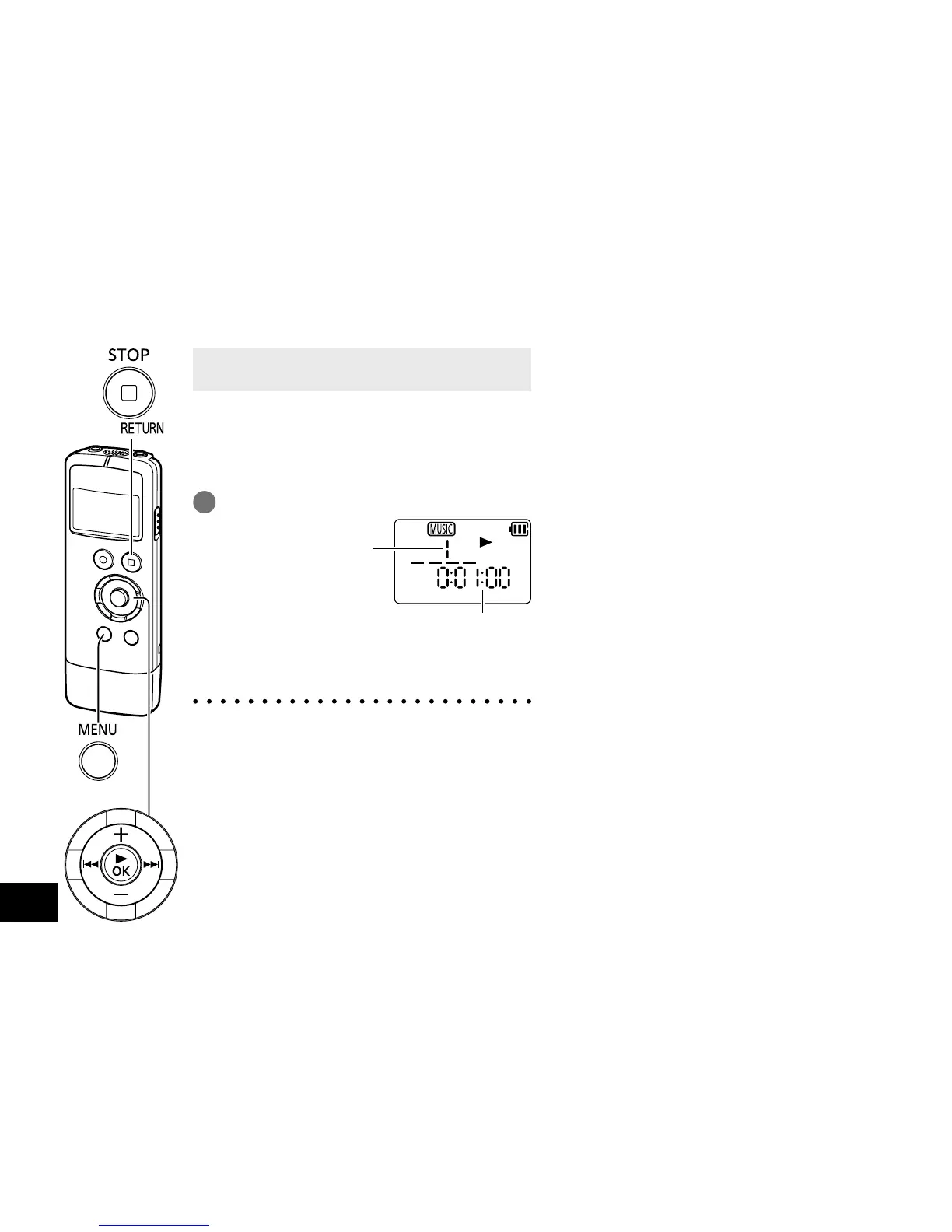
Select the file and press [q OK].
Playback elapsed time
File number in the
selected folder
For playback operations, see “Playing”.
(
➜
page12)
● In “MUSIC” folder, up to 199 files per one
folder can be recognised and played back. If
subfolders (
➜
page 34) are created, number
of files playable is reduced by the number of
subfolders created.
● Only MP3 music files can be played back.
● Copyright-protected MP3 music files cannot
be played.
• MP3: Abbreviated form of MPEG Layer-3
audio, a type of sound compression
standards
● The order of playback in “MUSIC” folder is
as below.
1
Files immediately under “MUSIC” folder
2
Files in subfolders of “MUSIC” folder
- If multiple folders are contained, they
will be played in the order in which they
were transferred.
- When multiple files are transferred at a
time, their playback will follow the order
of transfer determined by the computer.
- Adding numbers to the beginning of file
names enables playback in your desired
order. (
➜
page 33)
Listening to music on this unit















 To Next Page