FOLDER
VQT4R68
15
15
ENGLISH
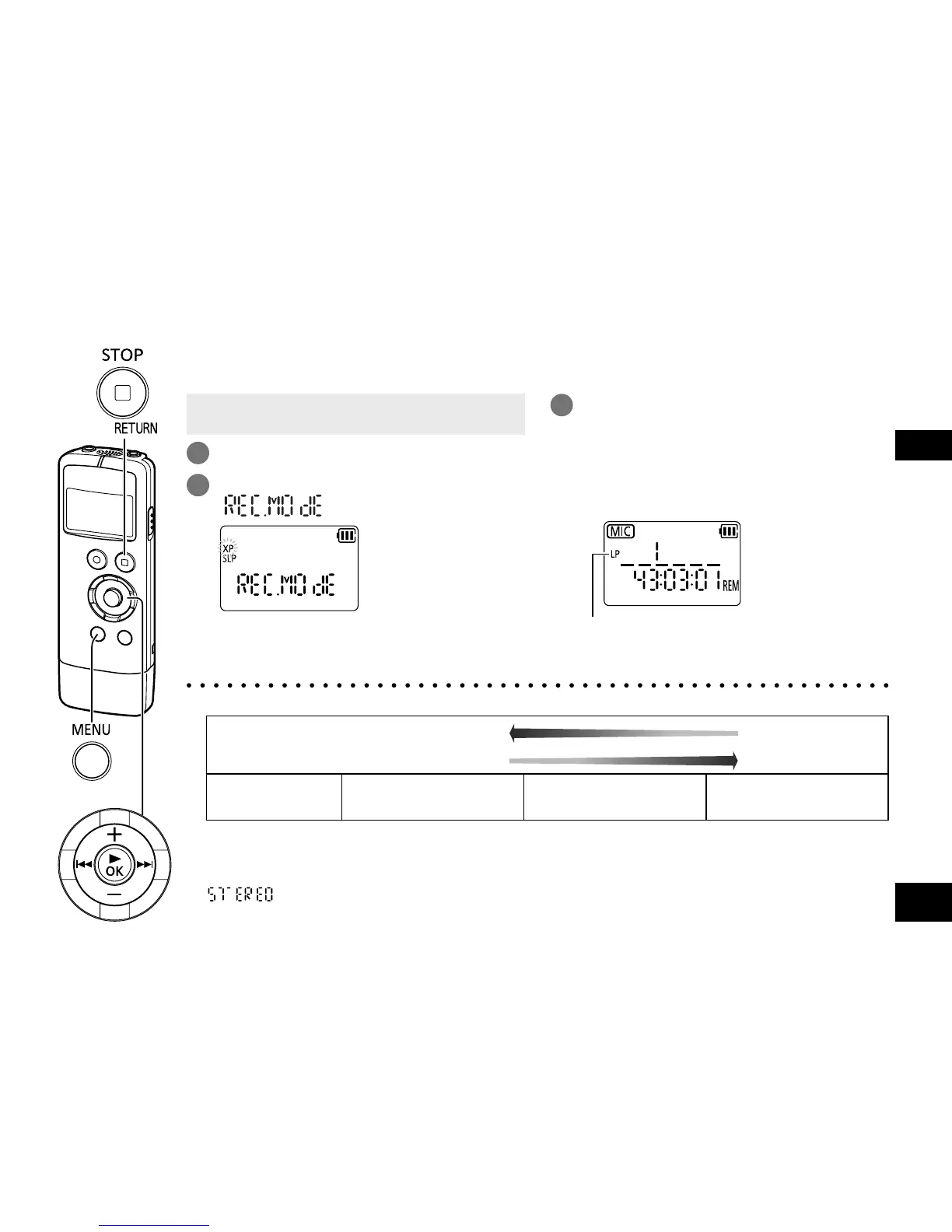
Changing the sound quality (Recording mode)
• When the unit is not in the stop state, press
[g STOP/RETURN].
1
Press
[MENU/FOLDER]
.
2
Press u, i to select
“
” and press [q OK].
3
Press +, – to select, “XP”, “LP”, or
“SLP” and press [q OK].
(The factory setting is “XP”.)
To exit the setting screen, press
[g STOP/RETURN].
The selected sound quality
is displayed.
You can change the sound quality. This allows you to select the best sound quality according to the
purpose.
● According to the sound quality, recording time (
➜
page 42) will change.
High quality recording
Long recording
Sound quality
(Recording mode)
XP
MP3 192 kbps
LP
MP3 96 kbps
SLP
MP3 32 kbps
● Recording with the built-in monaural microphone will turn out monaural recording.
● When recording is performed with an external microphone (
➜
page 27) or other devices
(
➜
page 28) connected, setting the sound quality to “XP/LP” will turn out stereo recording.
“
” is displayed on the information display. (
➜
page 12)
Setting the sound quality to “SLP” will turn out monaural recording. In this case, the setting
information is not displayed.















 To Next Page