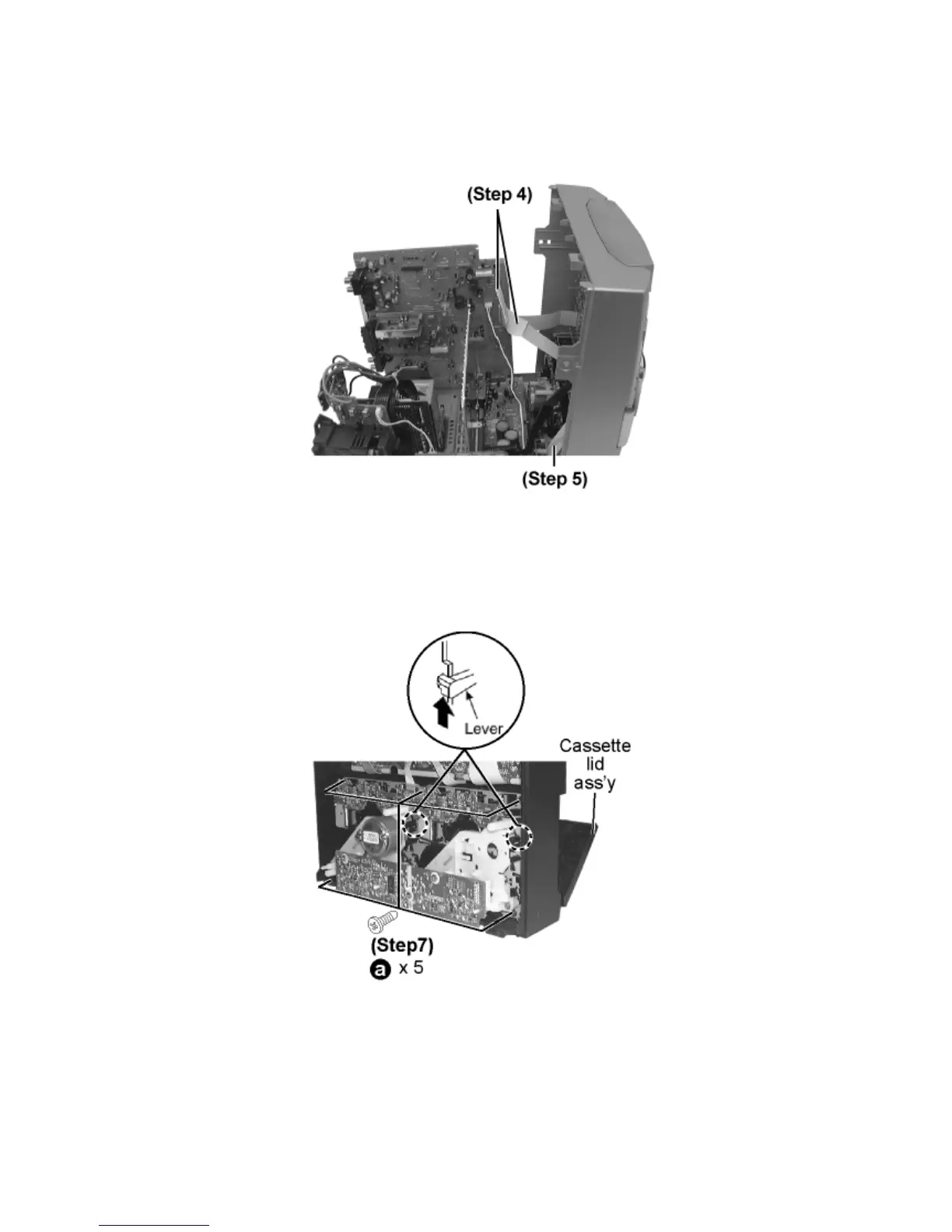
Step 2 Remove 2 screws.
Step 3 Remove the 2 claws, and then draw the front panel ass’y.
Step 4 Detach FFC Board (CN601 & CN602).
Step 5 Detach flat cable wire (CN1001).
Step 6 Push the lever upward, and then open the cassette lid ass’y (For DECK1 and DECK2).
Step 7 Remove the 5 screw.









 To Next Page