141
QR34662
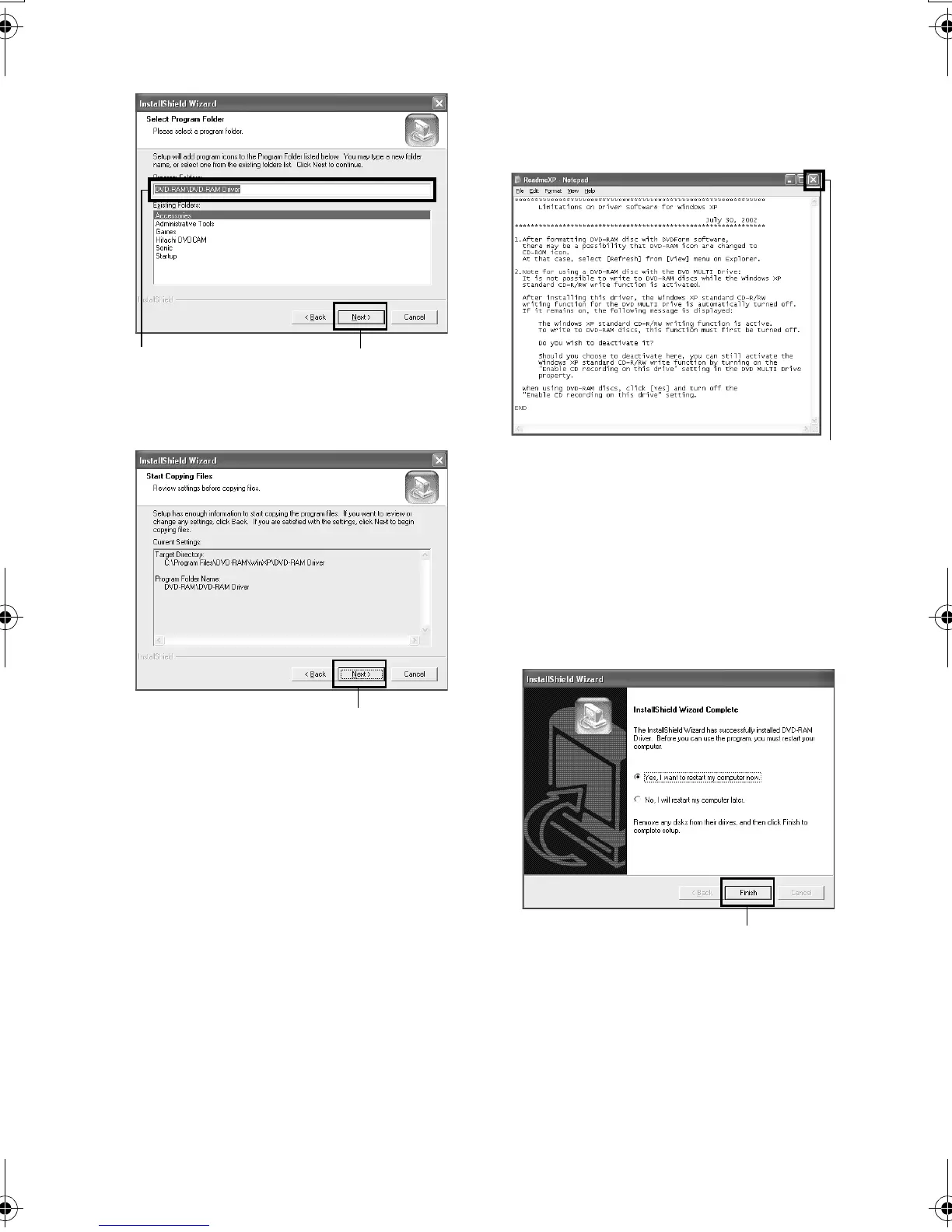
6 Check the program folder to be installed, and
then click “Next”.
7 Click “Next”.
8 Installation will start. When installation is
complete, some notes will appear: Check the
contents, and then click “x” at the top right of
window.
The contents displayed on actual screen may
differ from those in the figure.
9 If your PC uses Windows
®
XP / 98 Second
Edition / Me, a message that prompts you to
restart will appear: Click “Finish” and then
restart the PC.
Installing the DVD-RAM driver is now
complete.
If your PC uses Windows
®
2000 Professional,
proceed with step 10.
Click
Confirm
Click
Click
Click
VDR-M30PP_GB.book Page 141 Friday, March 14, 2003 8:53 PM













 To Next Page