142
QR34662
10
If your PC uses Windows
®
2000 Professional, a
message announcing the start for detecting
device will appear: Click “Finish”. The detection
of device will start, after which it will take
several minutes for PC to detect the device.
When detecting the device is complete, a
message that prompts you to restart will appear:
Click “Yes” and then restart the PC.
Installing the DVD-RAM driver is now
complete.
Installing DVD-MovieAlbumSE
Software “DVD-MovieAlbumSE” is used to edit movies that conform to DVD video recording standard,
and stills recorded on DVD-RAM disc.
1 Insert the provided CD-ROM into the CD-ROM
drive of PC.
2 Use Windows My Computer or Explorer to open
the folder where CD-ROM is stored.
3 Open the DVD-MovieAlbumSE folder, and then
double-click “Setup” or “Setup.exe”.
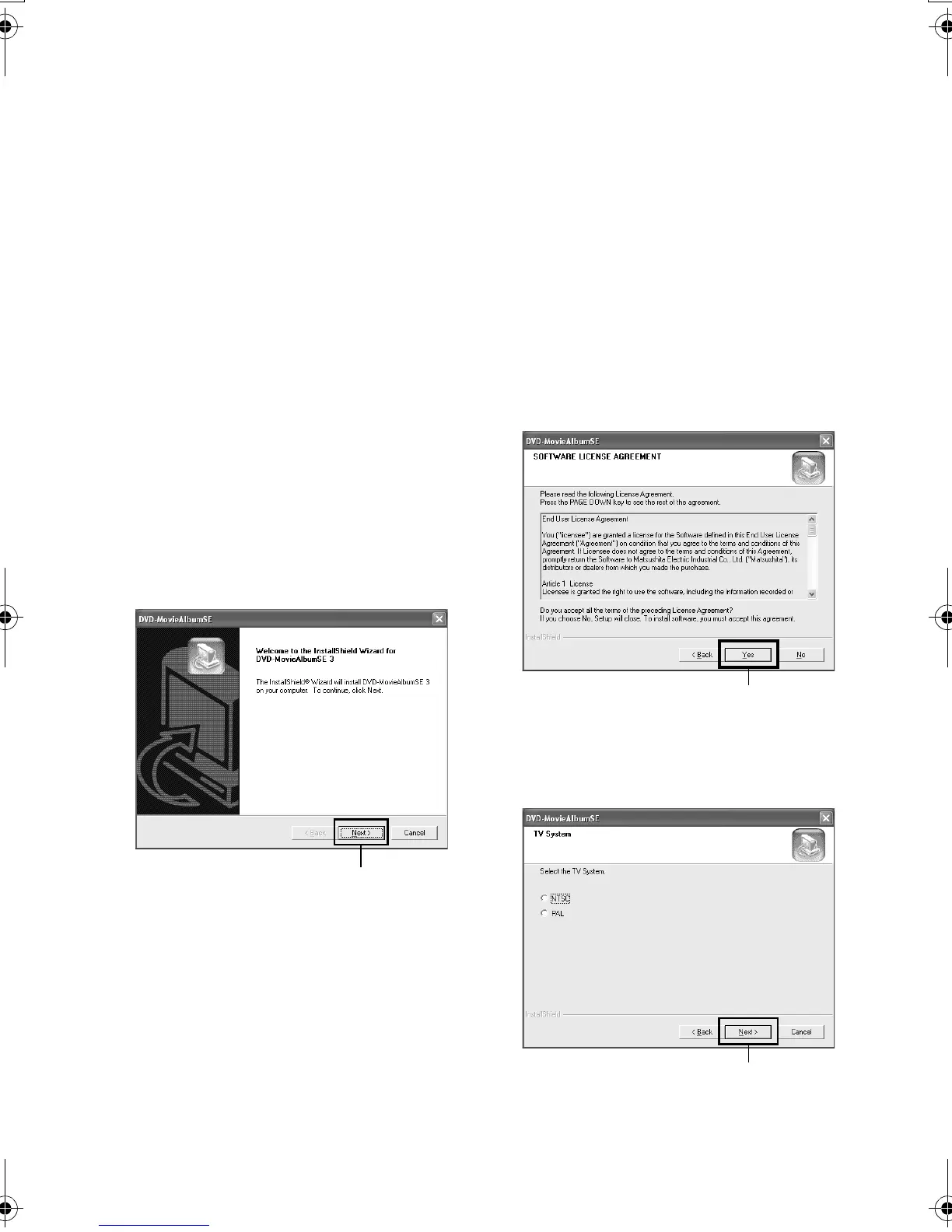
4 The screen for installing “DVD-
MovieAlbumSE” will appear: Click “Next”.
5 Carefully read the Software License Agreement:
If you accept it, click “Yes”.
6 Choose the TV broadcast system (NTSC or PAL),
click “Next”.
Click
Click
Click
VDR-M30PP_GB.book Page 142 Friday, March 14, 2003 8:53 PM













 To Next Page