78
QR34662
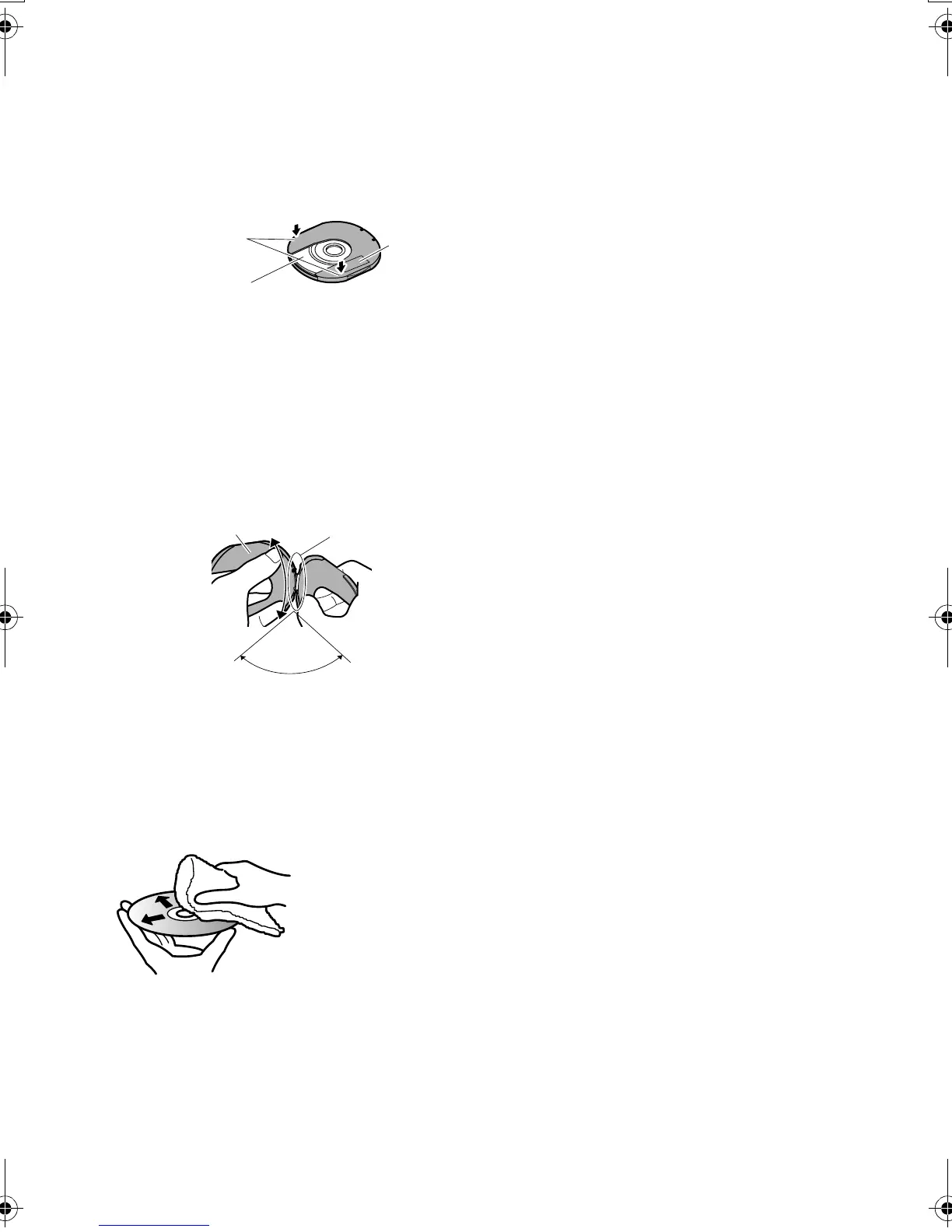
Replacing Disc in Round DVD Holder
1 Open SIDE A of the Round DVD Holder, and
replace the disc in the holder with the SIDE A
mark or label surface facing up, taking care not
to touch the disc surface.
2 Close SIDE A of the Round DVD Holder, and
push it to lock the release levers at positions (3).
When the Hinge of Round DVD Holder Comes Off
1 Push the hinged portion of the holder piece
marked SIDE A with thumb and middle finger,
and warp it in the direction of arrows (4).
2 Fit the hinged portion of the other holder piece
into the warped hinge portion.
Note:
• Handle the disc carefully so that no scratches, dirt,
fingerprints or dust adheres to the recording/playback
surface.
• When not using the Round DVD Holder, store it in a case:
Do not leave a bare holder as is.
• Be careful of dropping or impact: If you drop the Round
DVD Holder, the disc may pop out.
• Do not subject the Round DVD Holder to force.
Disc Cleaning
Use a soft, dry cloth to lightly wipe off any dust,
dirt, etc. adhering to disc, as shown in the figure.
Never use solvent. Do not use thinner, water, anti-
static spray, etc. to clean disc.
3
3
SIDE A
mark
OPEN marks
SIDE A mark side or
Label surface
4
SIDE A mark side
Hinged portions
Approx. 90°
Use soft cloth to clean
from inner to outer
circumference in axial
direction.
VDR-M30PP_GB.book Page 78 Friday, March 14, 2003 8:53 PM













 To Next Page