38
QR34642
Setting Up the Battery Pack
The CGA-DU14A battery pack provided with this DVD Palmcorder has not been charged at purchase time:
Charge it before using the DVD Palmcorder.
Note:Note:
• Be sure to use the specified battery pack CGA-DU14A (provided) for the DVD Palmcorder: Using other batteries could
cause the DVD Palmcorder to malfunction, or result in fire.
• Be sure to use the specified AC adapter/charger to charge the battery pack: Using other chargers could cause electric
shock or fire.
• Charge the battery pack at temperatures of 50 - 86ºF (10-30°C).
Charging Battery Pack
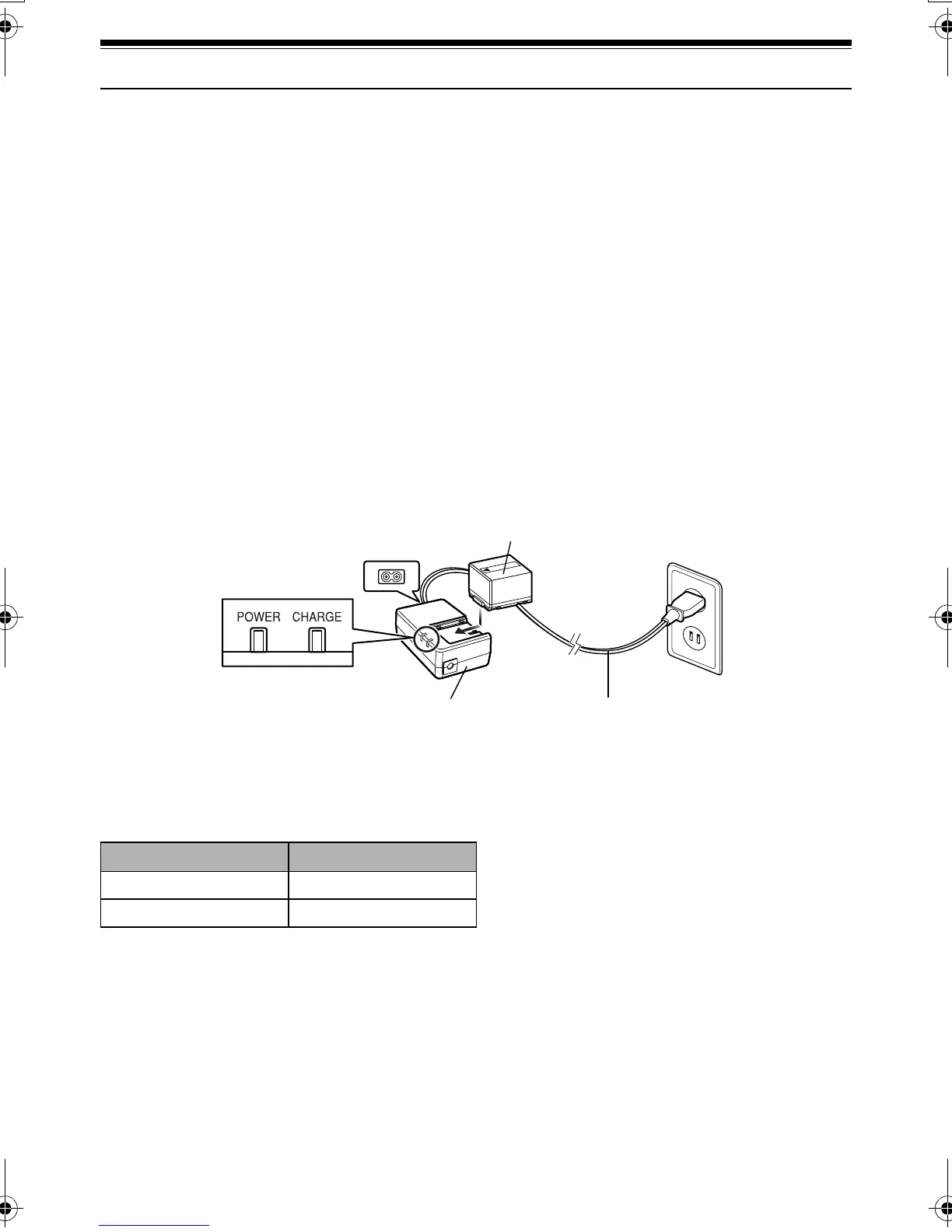
Use the provided AC adapter/charger to charge
the battery pack.
1 Connect the power cable to AC adapter/
charger.
2 Plug the power cable into AC outlet.
The CHARGE indicator on AC adapter/charger
will light.
3 Attach the battery pack to AC adapter/charger.
Note:Note:
When charging a battery pack, unplug the DC cord from the
DC output jack on AC adapter/charger.
●Battery pack charged status
You can find out the charged status of battery pack by checking the CHARGE indicator on AC adapter/
charger:
Note:Note:
See “Troubleshooting” on page 157 when the CHARGE
indicator blinks.
Power cable
POWER and
CHARGE indicators
AC adapter/charger
Battery pack
Charge status CHARGE indicator
During charge Lit
Charge complete Goes out
VDR-M30PP_GB.book Page 38 Friday, March 14, 2003 8:53 PM













 To Next Page