88
QR34662
Setting Up Record Functions
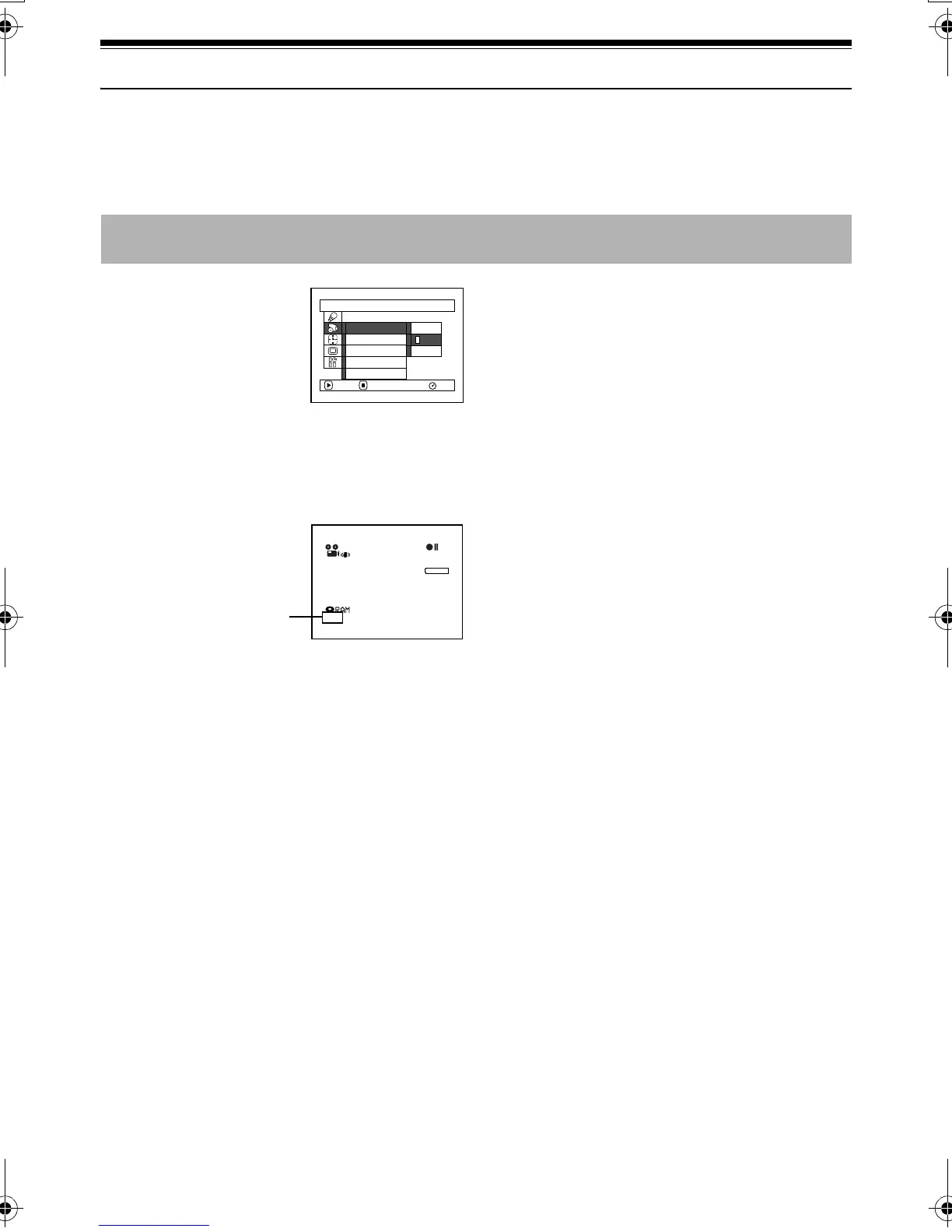
Switching Movie Quality (VIDEO Mode)
Choose the movie quality from “XTRA” (only with DVD-RAM disc), “FINE”, “STD” and “LPCM” (only
with DVD-R disc).
1 Press the MENU button,
choose “VIDEO Mode”
on the “Record Functions
Setup” menu screen, and
then press the
button.
2 Choose the desired quality mode, and then press
the button.
3 Press the MENU button to end the setting.
Note:
• The movie quality setting will be stored in memory even
when the DVD Palmcorder is turned off.
• The “VIDEO Mode” setting will not change even if the
DVD-RAM disc is replaced with a DVD-R disc, or vice
versa. However, if “XTRA” has been set with DVD-RAM
disc, or “LPCM” has been set with DVD-R disc, “FINE” will
be set when the disc is changed.
• When using DVD-R disc, you cannot switch the movie
quality while recording on the disc: The DVD Palmcorder
will be automatically set to the movie quality first used
with the disc for recording.
• The movie quality setting is effective only during movie
recording: Switching the movie quality will not work
during still recording.
It is recommended that you record critical subjects in the “XTRA” or “FINE” when you are using a DVD-
RAM disc, or in the “FINE” with a DVD-R disc.
Record Funct ions Setup
FINE
STD
RAM
XTRA
V I DEO Mode
PHOTO Input
Se l f T i mer
OSD Ou t p u t
Input Source
ENTER RETURN
3 0 MIN
0:00:00
REM
FINE
8 : 00AM
SEP
30
2003
Movie quality
VDR-M30PP_GB.book Page 88 Friday, March 14, 2003 8:53 PM




 To Next Page