99
QR34662
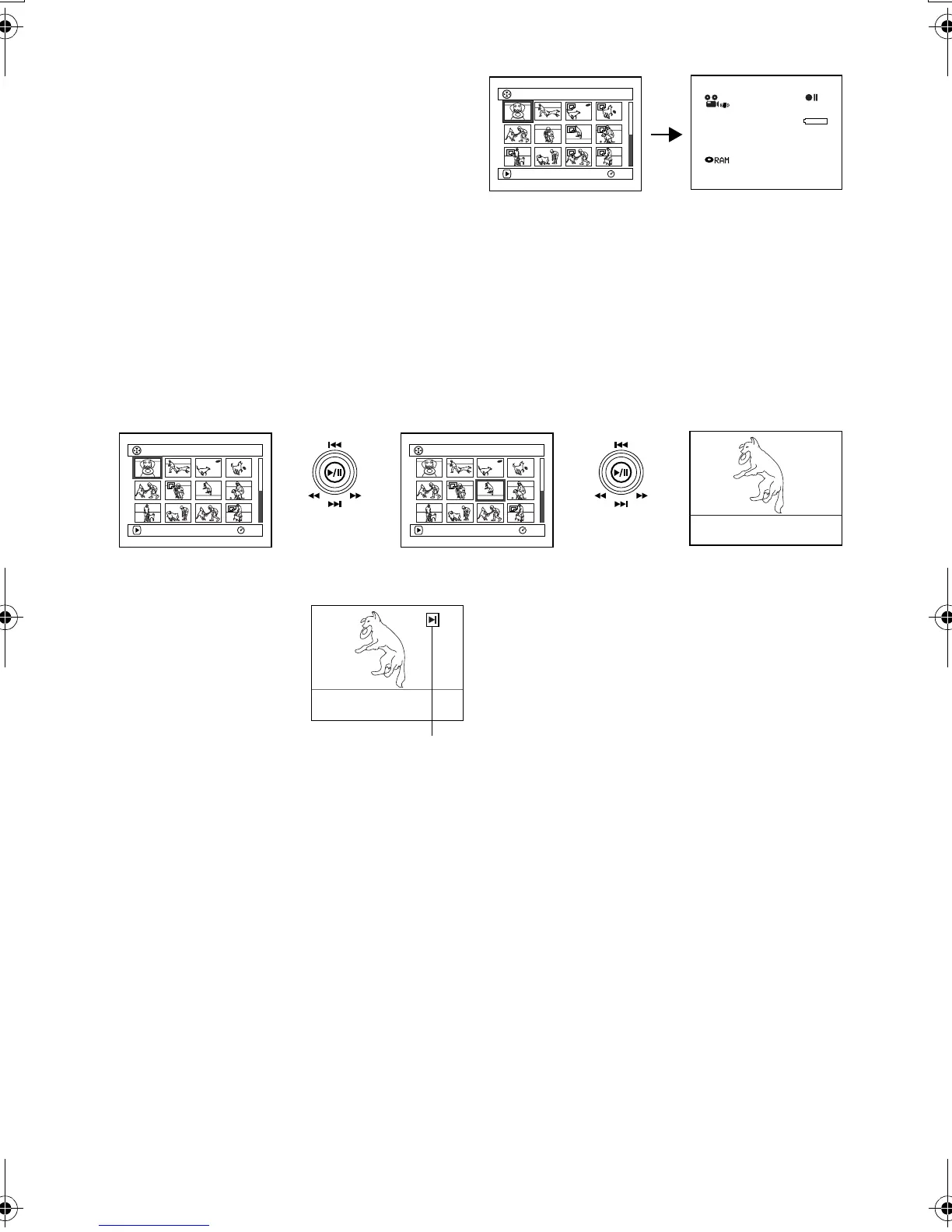
Exiting Disc Navigation
1 Press the DISC NAVIGATION button.
Disc Navigation will be terminated and the
DVD Palmcorder will enter the recording pause
status.
You can also press the button to end Disc
Navigation.
Playing Back from Disc Navigation Screen
1 Press the DISC NAVIGATION button.
2 Use the joystick to select the desired scene.
The selected scene will be framed: This is called
a “cursor”.
3 Press the button.
Playback will start from the selected scene.
Note:
Tilting the joystick to left or right will move the cursor to
the preceding or following scene.
Tilting it up or down will move to preceding or following
page.
●When playback ends:
The DVD Palmcorder will
enter the playback pause
status at the last image of last
scene.
Pressing the or DISC
NAVIGATION button will
restore the Disc Navigation
screen.
When the playback pause status continues for as
long as 5 minutes, the Disc Navigation screen will
automatically be restored.
●Playing back stills
A still will be displayed for approx. 3 seconds.
When playing back stills on card, playback will
stop after each still playback.
Note:
• Press the button to temporarily stop playback.
Pressing
again will start from that point.
• If you press the button after playback of the last
scene on disc finishes, playback will start again from the
beginning of disc.
• Pressing the button will always restore the Disc
Navigation screen.
• With playback on Disc Navigation, you can select desired
scenes for playback and skip unnecessary scenes.
• When playing back a still with a large number of pixels on
card, “Playback.” will appear, and it will take some time for
the still to appear.
001/ 014All Progra
m
s
PLAY
RAM
3 0 MIN
0:00:00
REM
FINE
8 : 00AM
SEP
30
2003
001/ 014All Progra
m
s
PLAY
RAM
007/ 014All Progra
m
s
PLAY
RAM
Up or Down
Left or Right
Playback pause
VDR-M30PP_GB.book Page 99 Friday, March 14, 2003 8:53 PM













 To Next Page