86
QR34662
Magnifying Subject Image (Dig. Zoom)
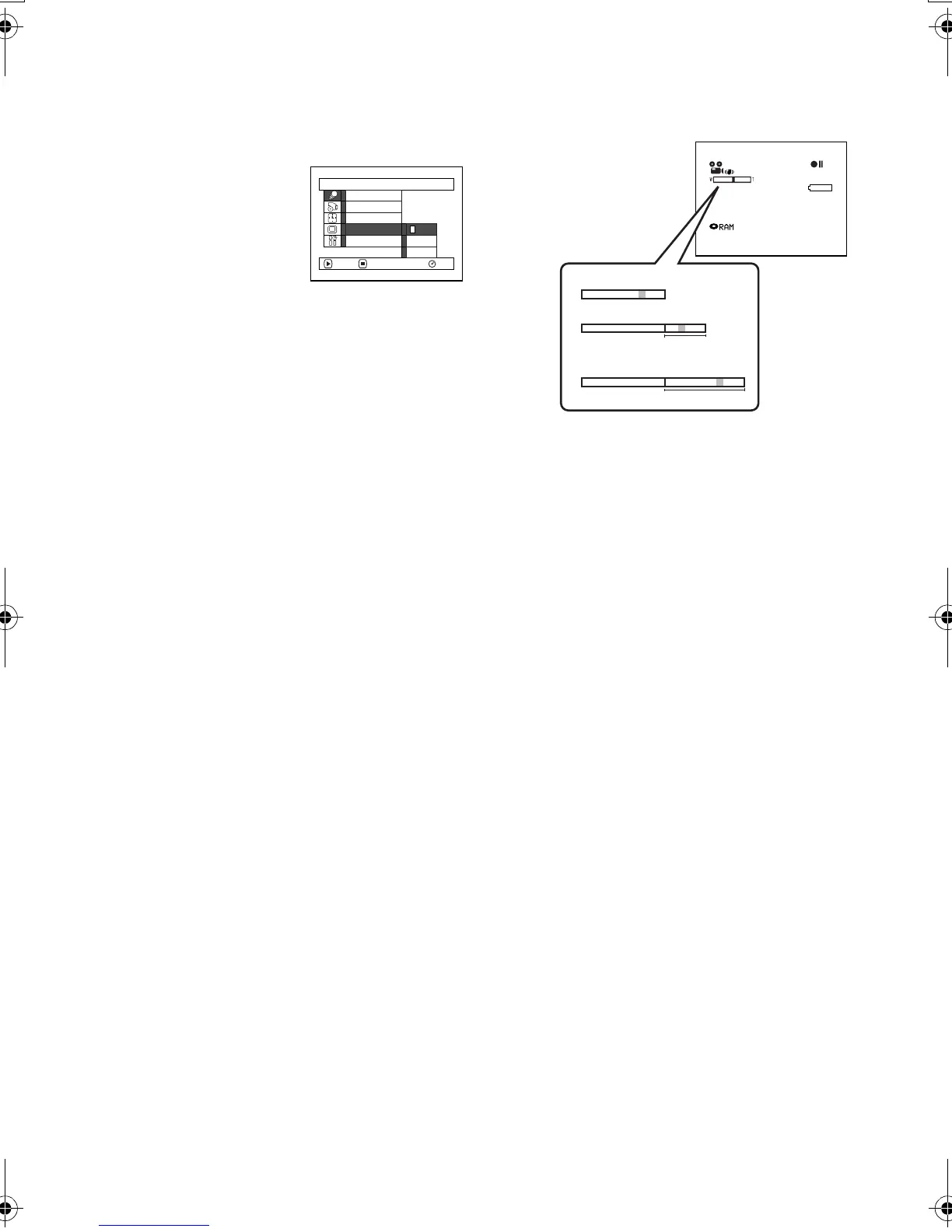
When the zoom lever is moved down to “T” control side with Dig. Zoom 40× or 240× specified, digital
zoom will automatically kick in when optical 10× zoom range is exceeded. You can set the digital zoom
to 40× or 240× for movie recording, or 40× for still recording.
1 Press the MENU button,
choose “Dig. Zoom” on
the “Camera Functions
Setup” menu screen, and
then press the
button.
2 Choose the desired magnification, and then
press the button.
3 Press the MENU button to end the setting.
Moving the zoom lever will display the digital
zoom bar.
Dig. Zoom “240×”, “40×” or “Off” setting will be
stored in memory even if the DVD Palmcorder is
turned off.
Note:
• You can check whether Dig. Zoom is “240×”, “40×” or
“Off” by pressing the DISPLAY button and reviewing the
on-screen information.
• You can also use the DIGITAL ZOOM button on remote
controller to switch the digital zoom setting: Pressing
the button during movie recording will switch the setting
between “Off”, “40×” and “240×”: Pressing the button
during still recording will switch between “Off” and
“40×”.
• When using card, zooming only up to 40× is possible,
even when “240×” or “40×” has been chosen.
• If the power switch is set to “ PHOTO” with DVD-RAM
disc loaded, zooming only up to 40x is possible, even
when “240×” has been chosen.
Ca
m
era Funct i ons Setup
Progra
m
AE
W
hi te Bal.
Dig. Z
oom
EIS
40x
240x
ENTER RETURN
RAM
Of f
W
ind
Cut
3 0 MIN
0:00:00
REM
FINE
8 : 00AM
SEP
30
2003
TW
W
W
T
T
When Dig. Zoom is "Off"
When Dig. Zoom is "On"(40x)
Digital zoom range
When Dig. Zoom is "On"(240x)
Digital zoom range
(only in movie recording)
VDR-M30PP_GB.book Page 86 Friday, March 14, 2003 8:53 PM













 To Next Page