73
QR34662
On-Screen Information Display
Information Display during Playback
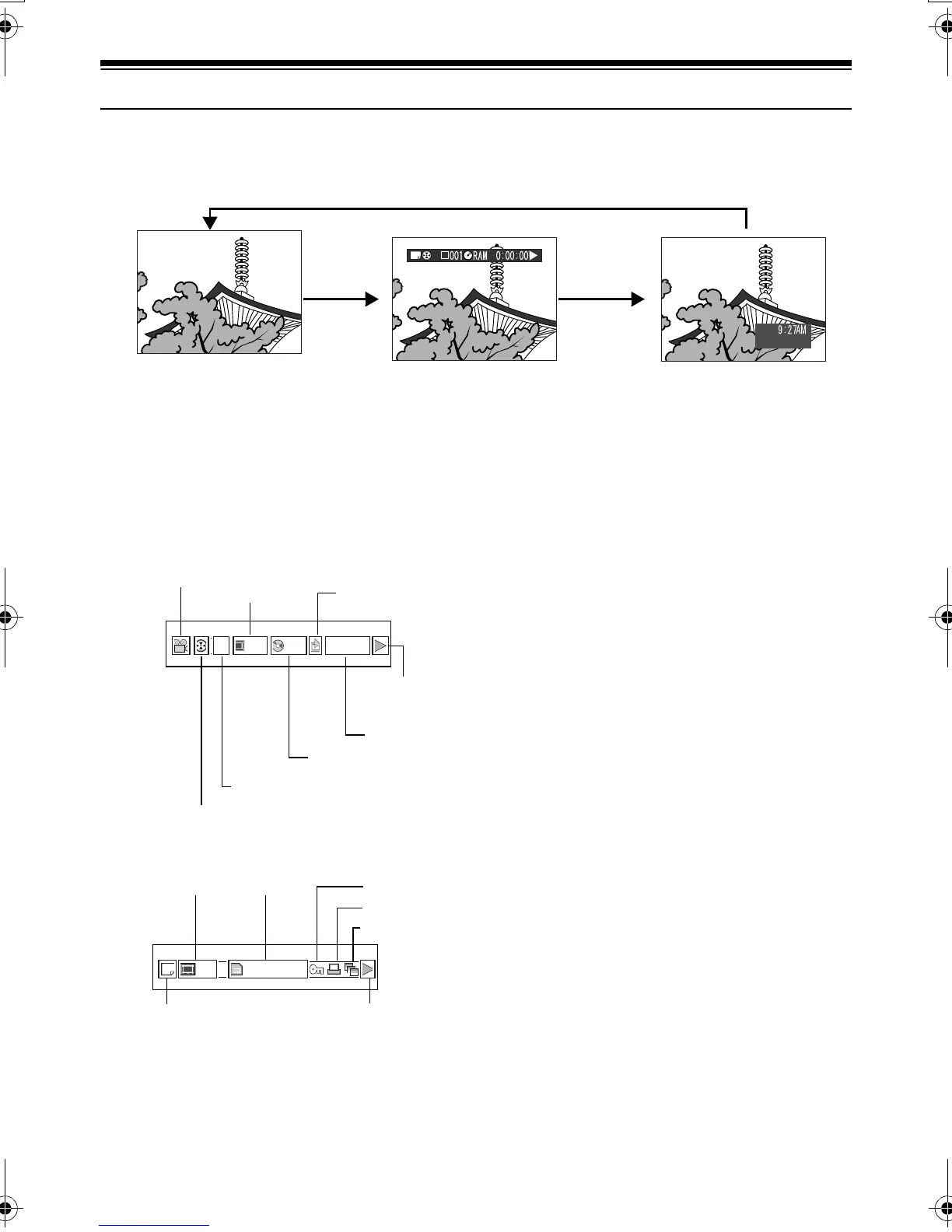
Various types of information on recording will be superimposed on playback image you are viewing.
●Switching the information display
mode
Press the DISPLAY button: You can switch the
display mode of on-screen information.
When using disc:
When using card:
*1
(VIDEO) or (PHOTO); Only (PHOTO)
with card.
*2
Program or Play List
*3
Number of program or play list being played
back (not displayed when all programs are being
played back)
*4
Refer to “Disc/Card type” on page 64.
*5
:Will appear when each function is specified
“On”
*6
" :Standard playback
# :Playback pause
$ :Forward search playback
% :Reverse search playback
& :Forward skip playback
' :Reverse skip playback
( :Forward frame advance
) :Reverse frame back
Refer to “Playing Back” beginning on page 69 for
how to operate.
The “+” mark will appear on the first image on
disc.
The “*” mark will appear on the last image on
disc.
• Recording date/time display: Shows the date/
time when recording was started. Even when
playback starts, the date/time display will not
advance.
• No display: No information will appear.
However, when the mode of playback operation
is switched, the symbol (") will appear for
approx. 3 seconds.
Note:
See “Using Disc Navigation” on page 97 and later for
explanation on program and play list.
SEP 30 2003
No display Playback information
display
Recording date/time
RAM
00606 0:00:16
Recording mode
*1
Scene No.
Repeat play
*5
Program No. or Play List
No.
*3
Program or Play List
*2
Counter
Disc type
*4
Playback
operation
*6
003 100—0003
Recording mode
*1
Scene No. File name Lock
*5
DPOF
*5
Playback operation
*6
Slide Show
*5
VDR-M30PP_GB.book Page 73 Friday, March 14, 2003 8:53 PM













 To Next Page