46
QR34642
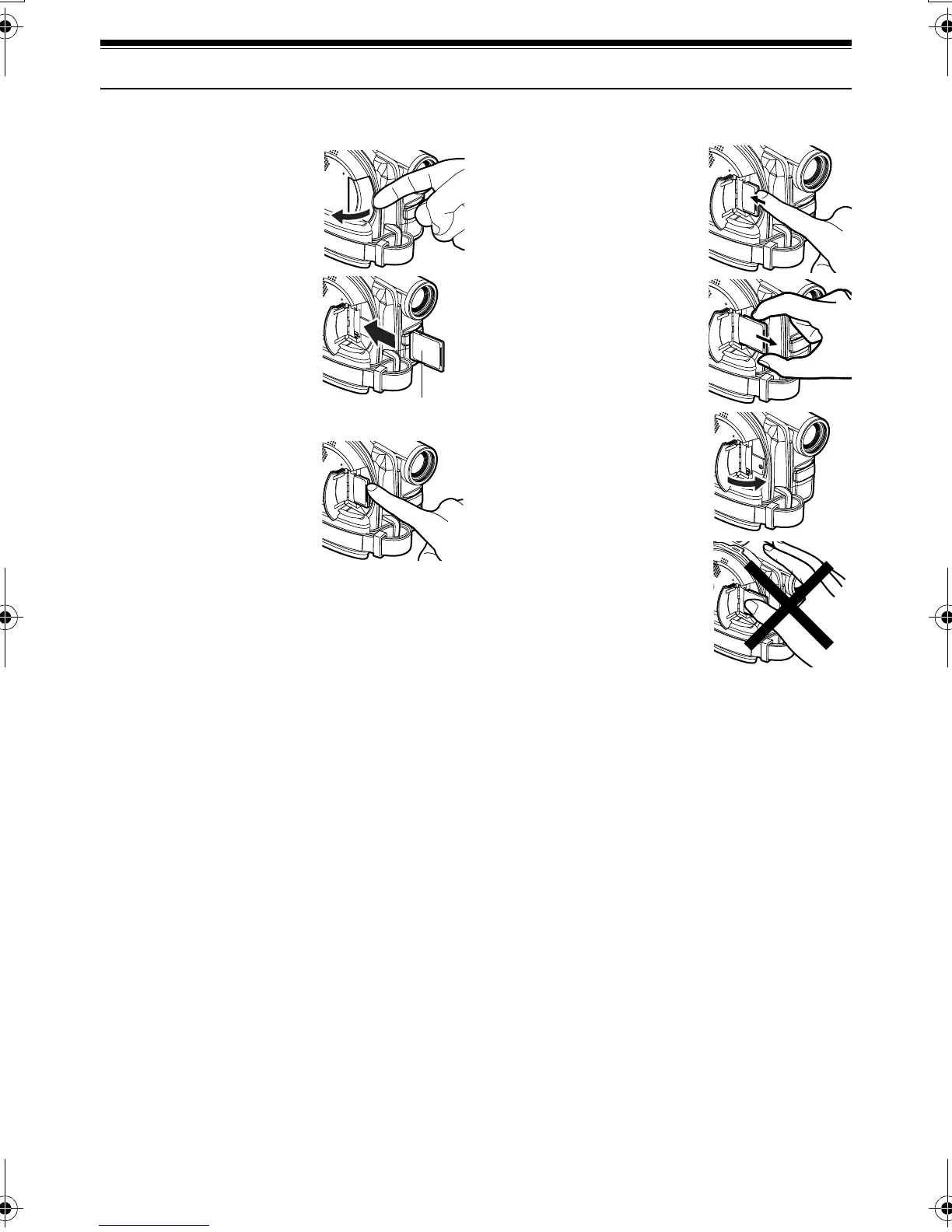
Inserting and Removing Card
Before inserting or removing card, set the power switch to “POWER OFF” to turn the DVD Palmcorder off.
1 Inserting Card
Open the cover of card
insertion block with power
turned off.
2 Insert card with its contacts
inward until it locks.
Removing Card
Push the center of card
edge: The card will come
out so that it can be held by
fingers.
3 Close the cover of card
insertion block.
Note:Note:
Do not push the label pasting
portion of SD Memory Card when
removing it: Doing so could
damage the SD Memory Card.
Label pasting
portion
VDR-M30PP_GB.book Page 46 Friday, March 14, 2003 8:53 PM













 To Next Page