20
QR34642
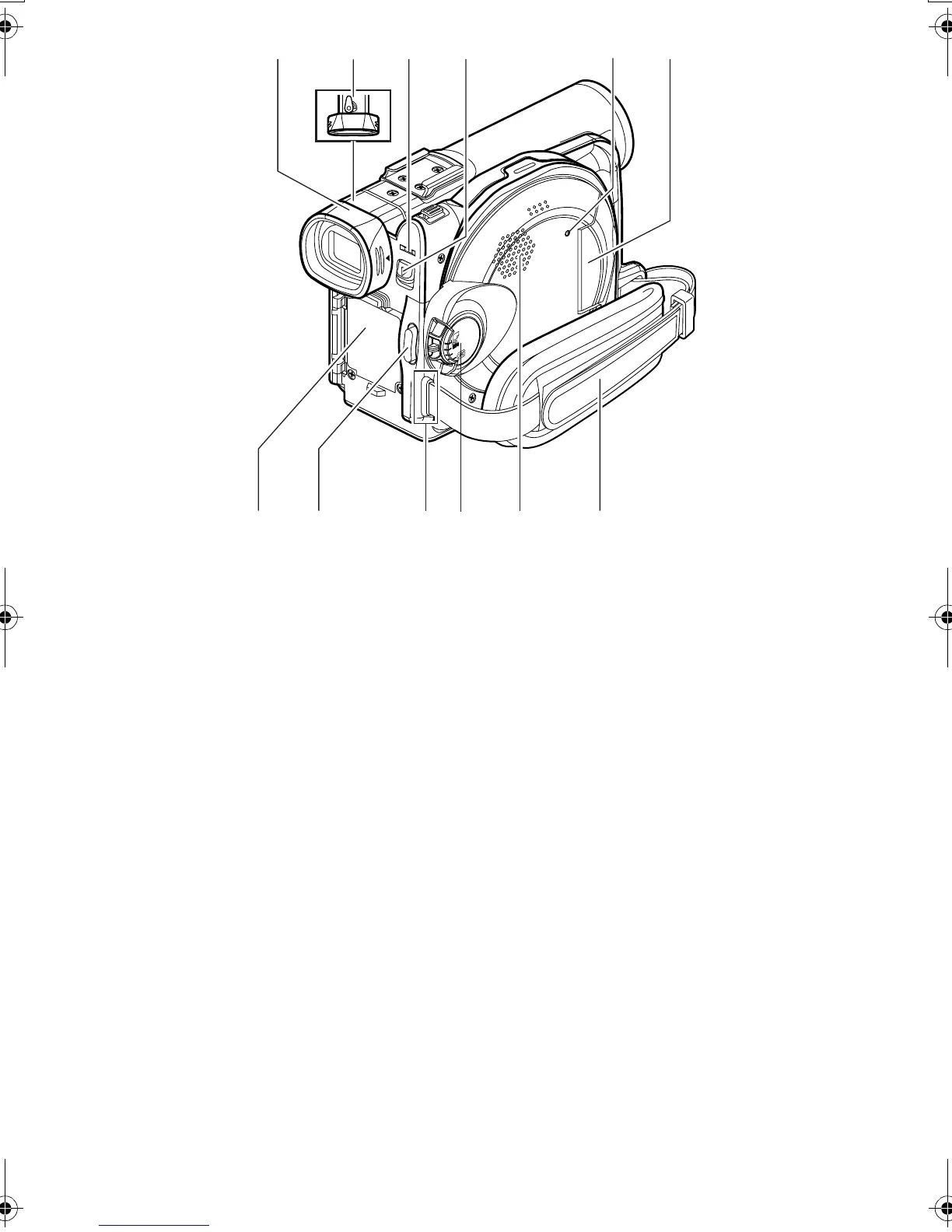
12 Viewfinder (P. 48)
13 Diopter control (P. 48)
To adjust the focus of image appearing in the
viewfinder. (Pull out the viewfinder.)
14 ACCESS/PC indicator (P. 9, 52, 55)
Will blink or light while the DVD Palmcorder is
operating.
15 DISC EJECT button (P. 43)
Press and release this button to open the disc
guide.
16 CARD ACCESS indicator (P. 9, 55)
17 Card insertion block (P. 46)
18 Battery attachment platform (P. 39)
19 Record button (REC) (P. 52)
20 Shoulder belt attachments portion (P. 35)
21 Power switch (P. 47, 52, 55)
22 Speaker (P. 69)
23 Grip Belt (Free Style Grip Belt) (P. 34)
12 13 14 1715
18 19 21 2322
16
20
VDR-M30PP_GB.book Page 20 Friday, March 14, 2003 8:53 PM













 To Next Page