18
6K Hardware Installation Guide
CONNECTIONS TO THE LINEARSERV DRIVE
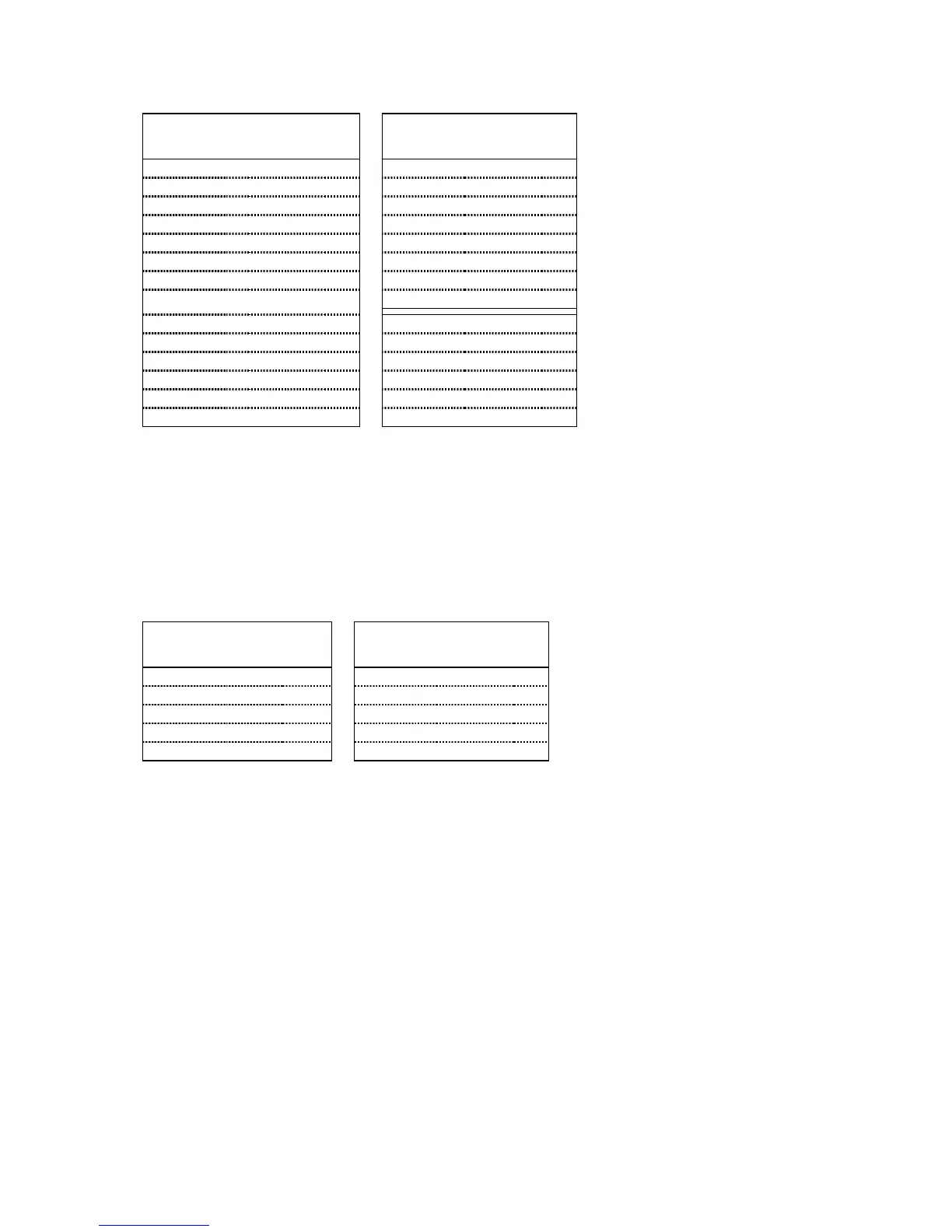
Linearserv Drive Connections 6K Connections
Signal Name Connector Pin Signal Name Connector Pin
Step + CN1 15
↔
Step + DRIVE 01
Step – CN1 39
↔
Step – DRIVE 09
Direction + CN1 13
↔
Direction + DRIVE 02
Direction – CN1 37
↔
Direction – DRIVE 10
Servo On – CN1 05
↔
Ground DRIVE 13
Servo On + CN1 01
↔
Shutdown – DRIVE 12
Servo Ready + CN1 31
↔
Drive Fault DRIVE 05
Servo Ready – CN1 26
↔
Ground DRIVE 13
A + CN1 17
↔
A + ENCODER 02
A – CN1 41
↔
A – ENCODER 03
B + CN1 19
↔
B + ENCODER 04
B – CN1 43
↔
B – ENCODER 05
Z + CN1 21
↔
Z + ENCODER 06
Z – CN1 45
↔
Z – ENCODER 07
NOTE
: These connections assume that the Linearserv is left in its factory default
setting for Position Mode (for accepting step and direction command
signals). Refer to your Linearserv user guide for verification.
CONNECTIONS TO THE PKH130M DRIVE
PKH130 Drive Connections 6K Connections
Signal Name Pin Signal Name Connector Pin
Clock 06
↔
Step – DRIVE 09
Direction 05
↔
Direction + DRIVE 02
Fault 02
↔
Drive Fault DRIVE 05
Reset 07
↔
Shutdown – DRIVE 12
0V 08
↔
Ground DRIVE 13
NOTE
: The PKH130M drive requires a
PULSE
setting of
PULSE8.0
.



 To Next Page