2
6K Hardware Installation Guide
%HIRUH#<RX#%HJLQ
!
#####:$51,1*6#####
!
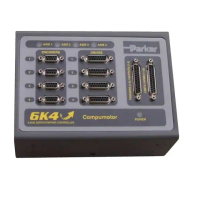
The 6K controller is used to control your system’s electrical and mechanical components.
Therefore, you should test your system for safety under all potential conditions. Failure to do
so can result in damage to equipment and/or serious injury to personnel.
ALWAYS REMOVE POWER TO THE 6K CONTROLLER BEFORE
:
•
Connecting and electrical devices (e.g., drive, encoder, I/O brick, inputs, outputs, etc.)
•
Accessing and adjusting internal DIP switches
Recommended Installation Process
1. Check the ship kit to make sure that you have all the items (see page 3).
2. Review the general specifications table (see page 4).
3. (optional) Set internal DIP switches for using the “RS-232/485” connector as an RS-485
serial port (default function is RS-232 and configured for connection to an RP240).
4. Mount the 6K controller (see page 6).
5. Connect all electrical system components (see pages 8-29).
Installation instructions for the EVM32 expansion I/O are provided on page 43.
6. Test the installation (see page 30).
7. Mount the motors and/or couple the loads.
8. Tune any servo axes or axes using the ZETA drive. Use the tuning utility in Motion
Planner (see page 51).
9. Program your motion control functions. Programming instructions are provided in the 6K
Series Programmer’s Guide and the 6K Series Command Reference. Use the programming
tools provided in Motion Planner (found in your ship kit).
Electrical Noise Guidelines
• Do not route high-voltage wires and low-level signals in the same conduit.
• Ensure that all components are properly grounded.
• Ensure that all wiring is properly shielded.



 To Next Page