Flat Bed Foil Printer User Guide
Peleman Industries
5.5.2 Printing on Spine
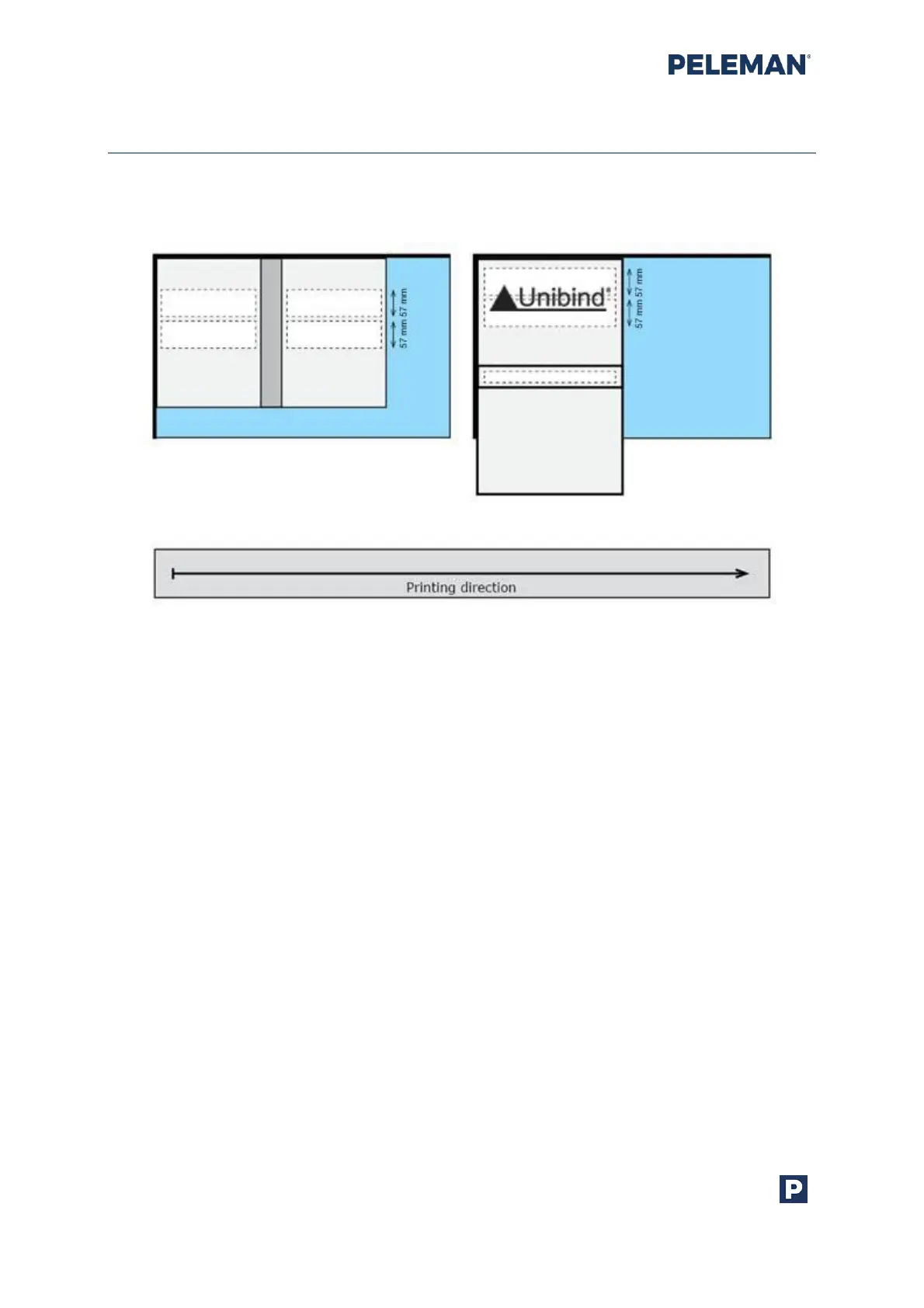
Printing on spine is only possible when the spine is horizontally oriented. Figure 18
illustrates the placement of print areas according to the orientation of the cover.
Figure 18: Vertical Spine Orientation (Left) and Horizontal Spine Orientation (Right)
Important notes about printing on spine:
• Select horizontal orientation of the spine for printing on spine.
• First, do a test print on the spine to double-check correct location.
• After a power cycle, the machine will auto calibrate on a bit different direction.
Recheck the spine location first before printing on actual cover.
• When set up correctly, the centre of the head will go down in the centre of the
spine.
• Elements inside a print area can be rotated at any degree but the direction of the
print areas is set when object orientation is selected.
• Vertical spine orientation is most likely to be selected when designing the front and
back of a cover, not the spine itself.
• The orientation of the design is saved during template selection. If the selected
design for cover requires more than one orientation, two individual designs are
needed on the same kind of template.



 To Next Page