Flat Bed Foil Printer User Guide
Peleman Industries
Group 4: Text Editing
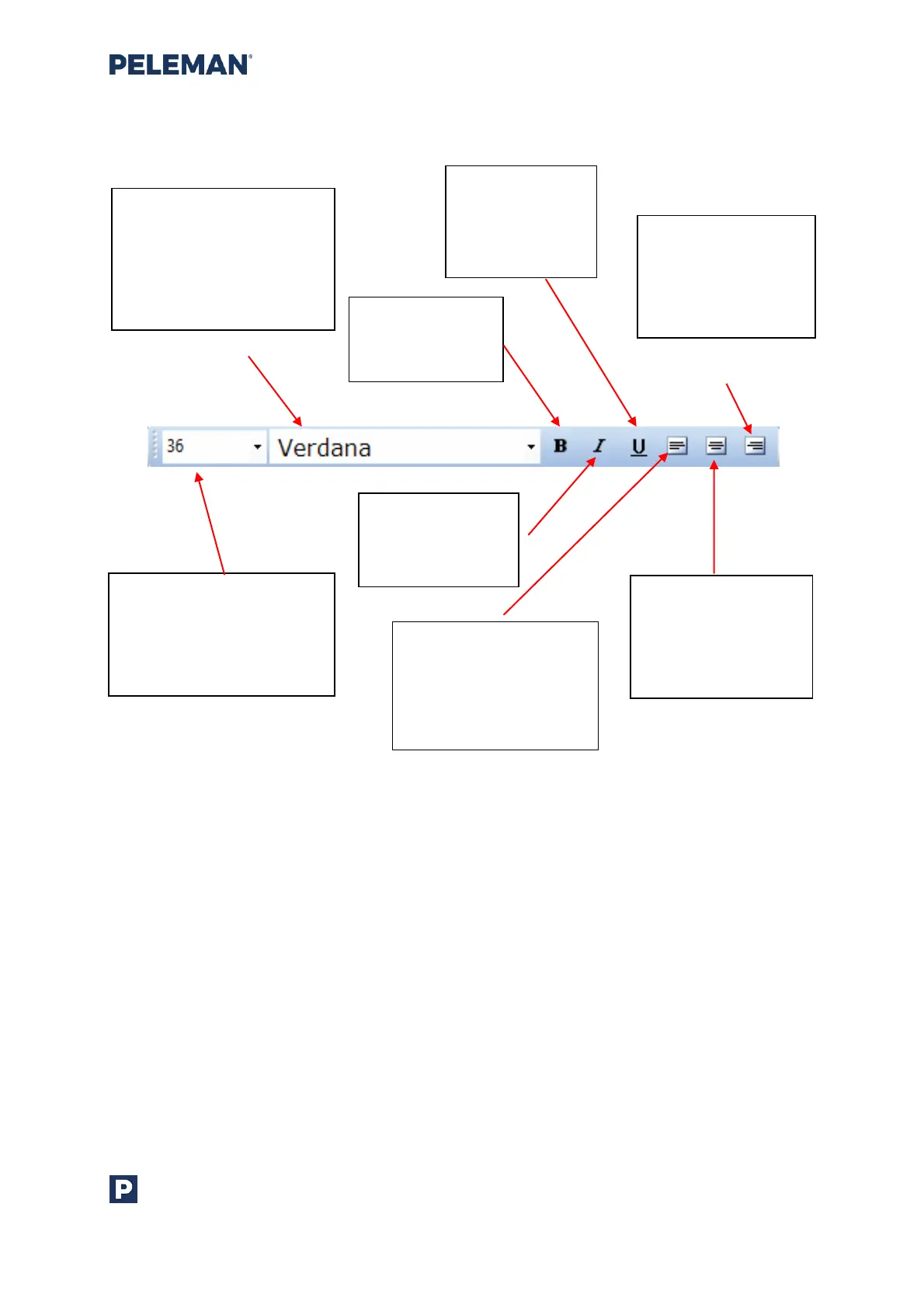
Figure 25: Design Toolbar Group 4 - Text Editing
Text Editing toolbar will only be shown when a text box is selected and text in it is being
inserted or edited. The given font options will apply to the selected text in the text box or to
the current cursor position if no text is selected. Similarly, the alignment options will apply
to the selected lines within a text box or to the current line, if no text is selected.
Font Family: Available
font types that can be
used in text boxes. Font
of the selected text boxes
will change according to
the user’s preferred font
Bold: Make the
text of selected
text boxes bold
Font Size: Select the size
of the font to be used for
different text elements.
User may also enter the
preferred size (up to 900)
Italic: Make the
text of selected
text boxes italic
Underline:
Underline the
text of selected
text boxes
Align Left: Align the
selected or current text
line of the selected text
box to the left-hand
side
Align Centre: Align
the selected or
current text line of
the selected textbox
to the centre
Align Right: Align
the selected or
current text of the
selected text box to
the right hand side



 To Next Page