Flat Bed Foil Printer User Guide
Peleman Industries
Group 2: Tools
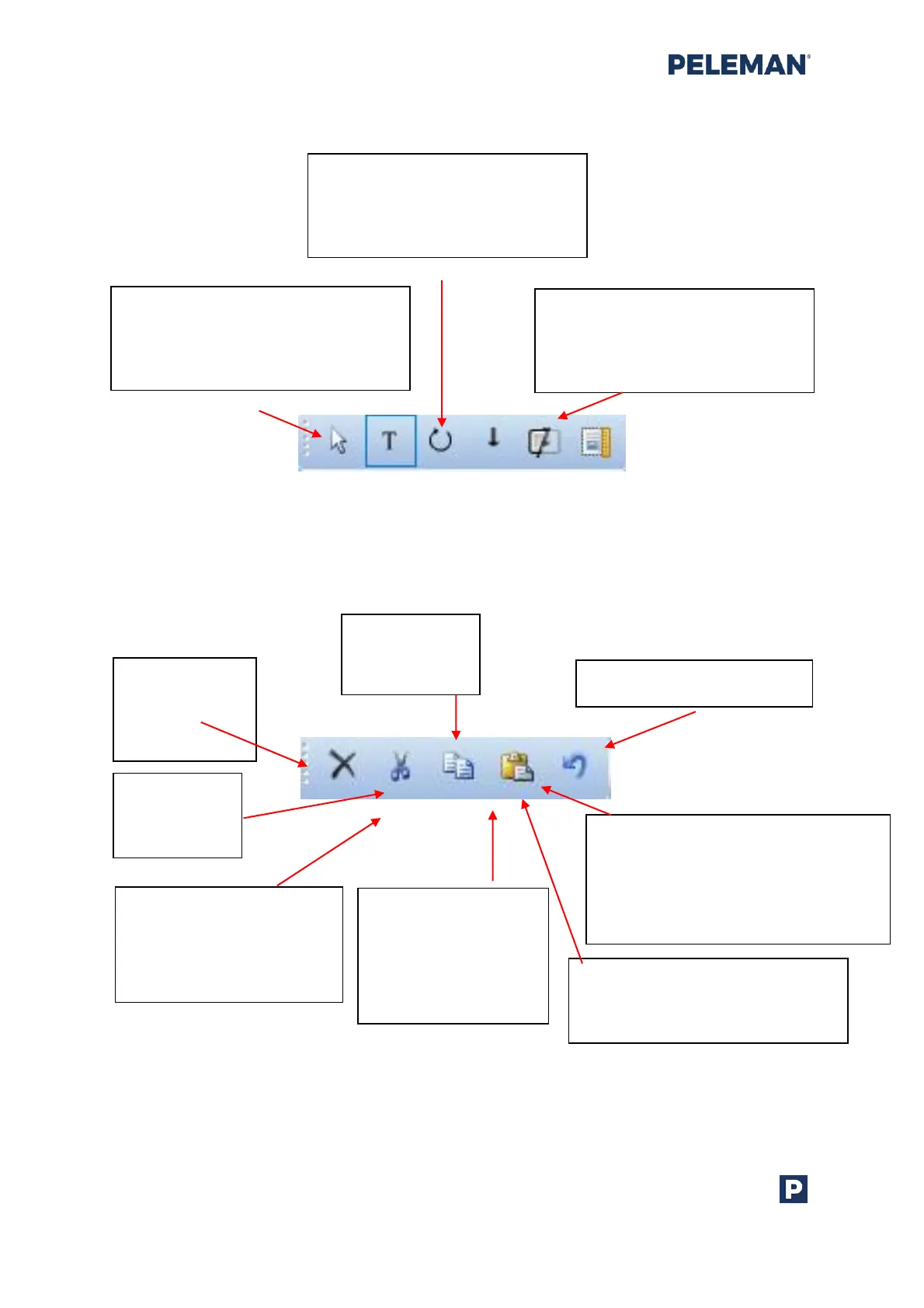
Figure 23: Design Toolbar Group 2 - Tools
Group 3: Edit Functions
Figure 24: Design Toolbar Group 3 – Edit Functions
Select Tool: Enable selection and
movement of design elements and
print areas. See section 5.5.9 for
more information
Text Tool: Create text
boxes and edit text inside
print areas. See section
5.5.8 for more information
Rotate Tool: Rotate a selected
element. Drag the element to
rotate it. See section 5.5.10 for
more information
Vertical Text: Change
horizontal text line to
a vertical text line
without changing
text direction / angle
Show / Hide Variable:
Show / hide the variable marking
checkbox used with the text
boxes
Show / Hide Background: Show /
hide the background colour of
the selected cover
Delete:
Delete
selected
elements
Cut:
Cut selected
elements
Copy:
Copy selected
elements
Paste: Insert cut or copied elements.
Elements will be inserted in the
centre of the selected print area.
Press the Shift key while inserting, to
move the elements in place
Undo: Undo recent actions



 To Next Page