Install Drivers for 9000 Boards
25
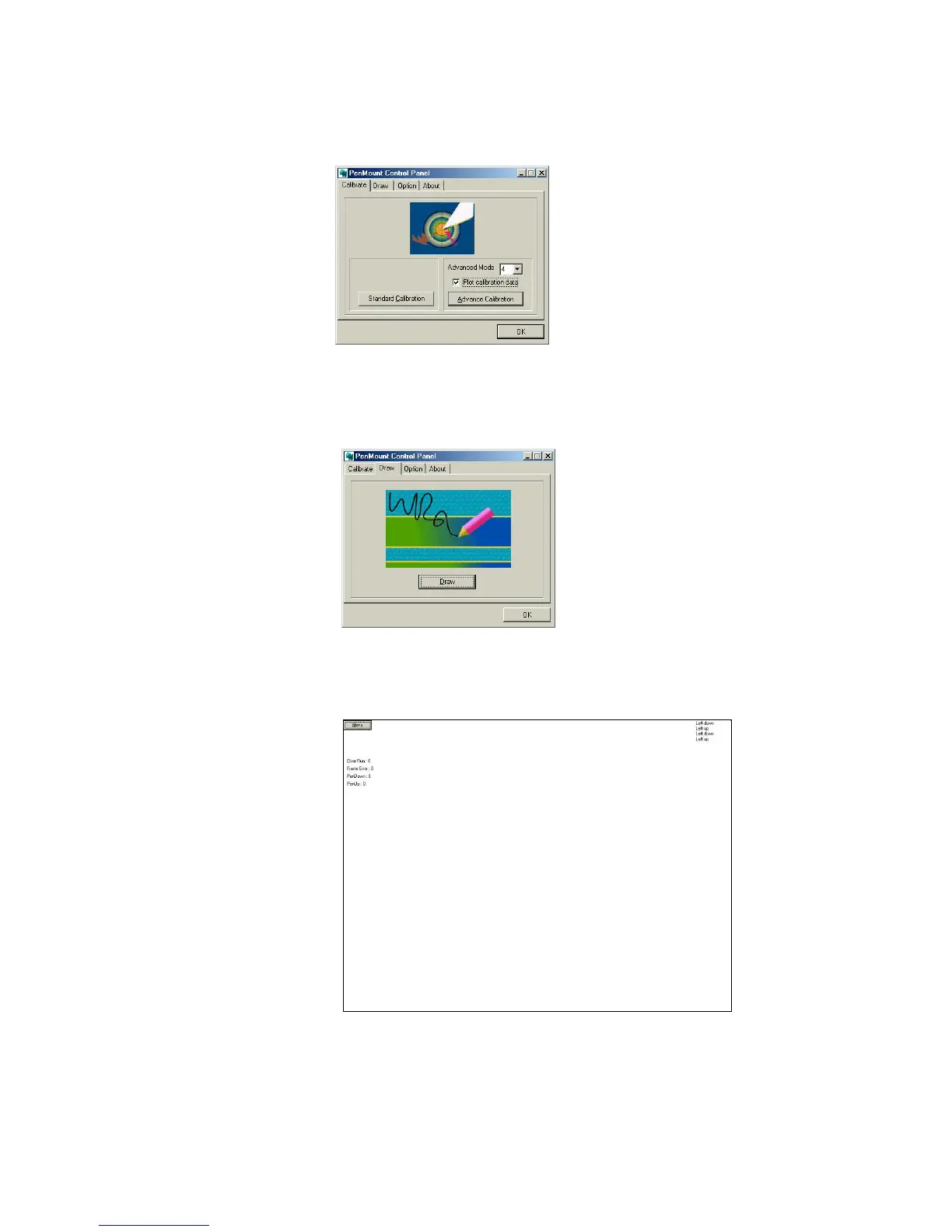
Plot Calibration Data
Check this function and a touch
panel linearity comparison graph
shows up when you finish the
Advanced Calibration. The black
lines reflect the ideal linearity
assumed by PenMount’s application
program while the blue lines show
the approximate linearity calculated
by PenMount’s application program
as the result of user’s execution of
Advance Calibration.
Draw
To test or demonstrate PenMount touch screen operations, the
display shows touch location. Click Draw to start.
Touch the screen with your finger or a stylus and the drawing screen
registers touch activity such left, right, up, down, pen up, and pen
down.
Click Clear Screen to clear the drawing.



 To Next Page