Chapter 4 New Handwriting/Mouse Mode
4-11
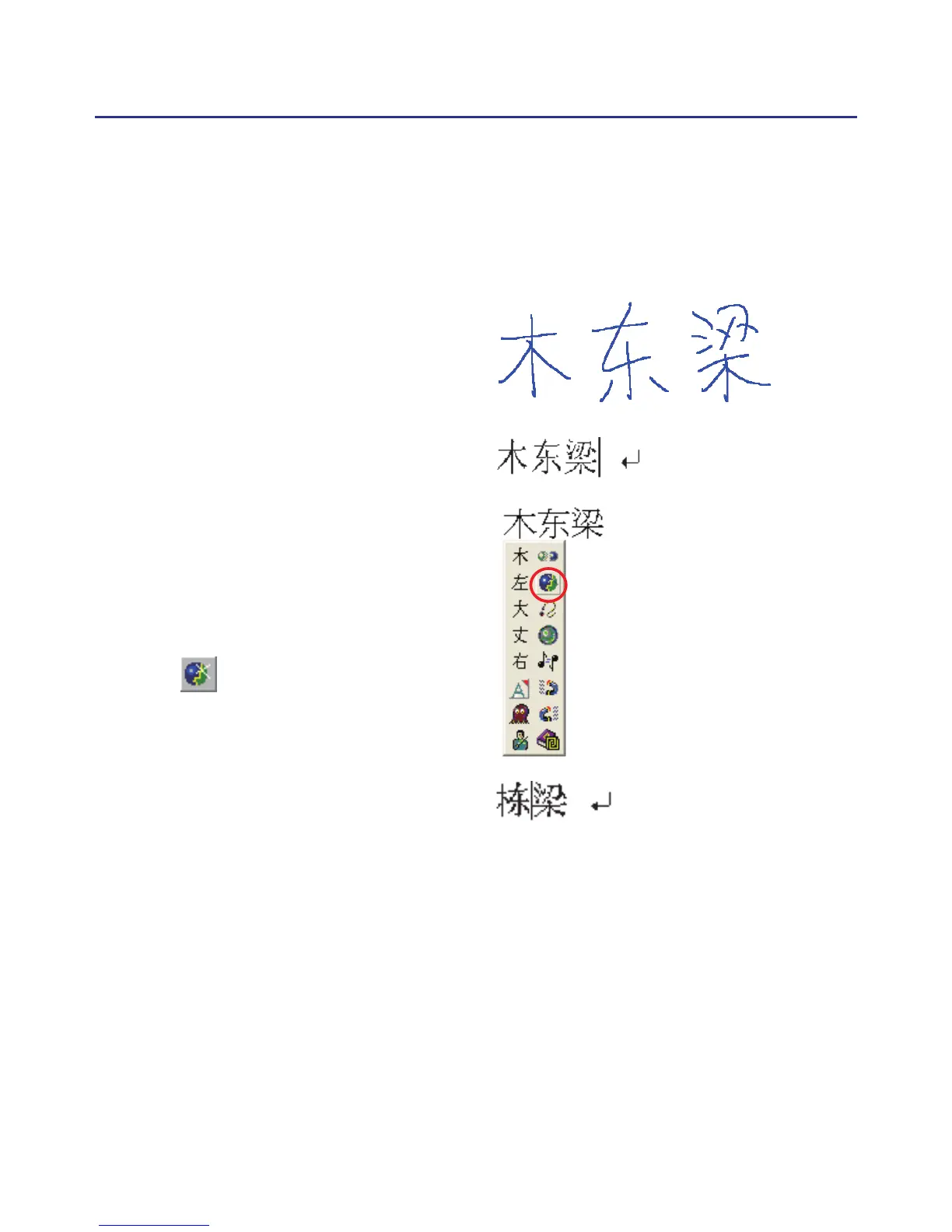
4.5.3 Merge
When some strokes of one word are written far away from each other,
they may be recognized as several words. You can use merge function to
combined them into one word.
1. Handwrite two words
『棟樑』
by free writing. The result would
be sent in the caret.
2. If
『木』
and
『東』
is written far
away from each other, you may
wrongly get three words of result
『木東樑』
.
3. Move the cursor on the rst word
『木』
for a while to pop up the
function tool bar.
4. Click button to merge
『木』
and
『東』
into
『棟』
.
Note : Only two continuous words could be merged at one time.



 To Next Page