4-22
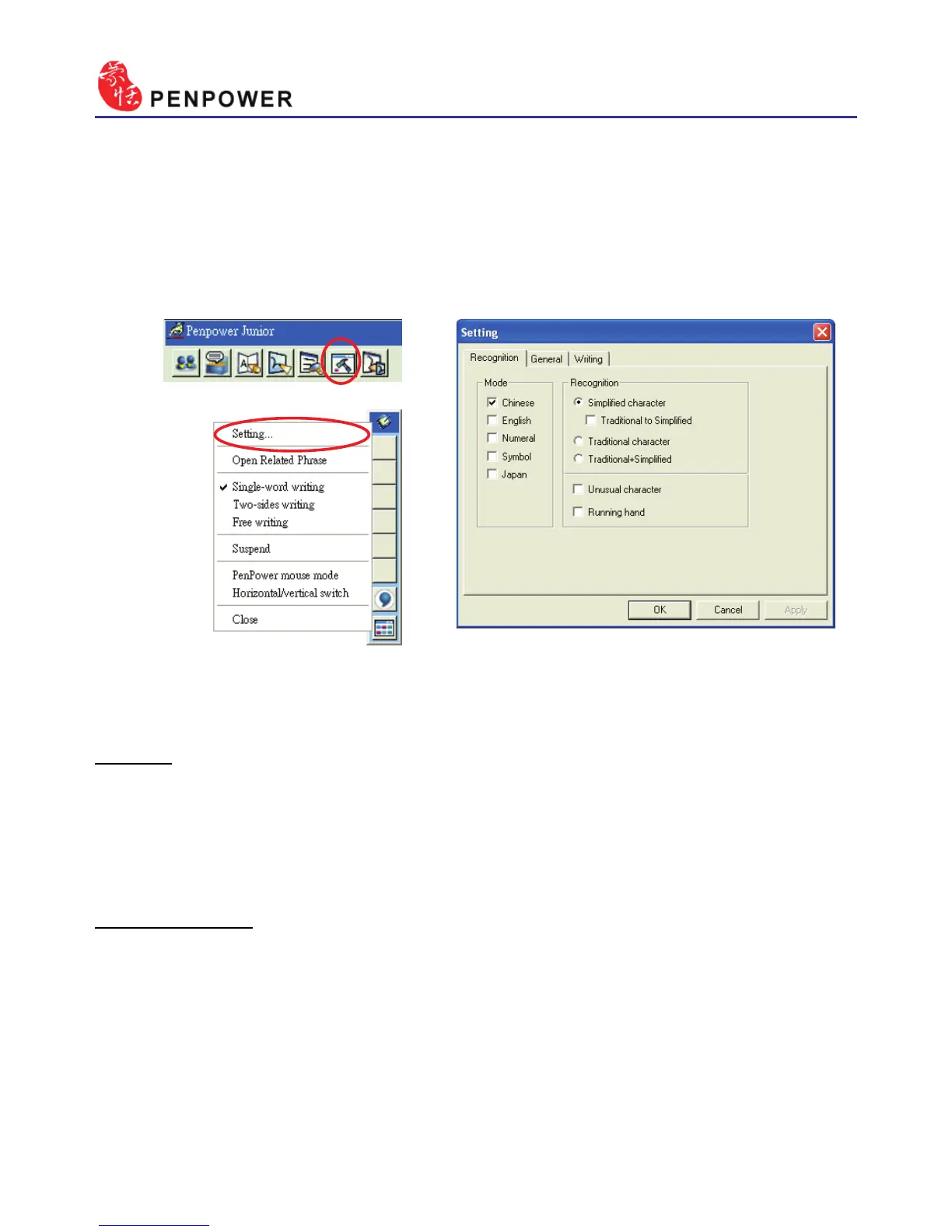
4.12.1 Recognition Setting
Mode:
The recognition mode of Chinese, English, Numeral, Symbol and Japa-
nese could be turned on/off individually. You could turn on several modes
at the same time.
Recognition:
a. Simplied character:All the results are simplied words. If you do not
know how to write traditional words, you can turn off “Traditional to
Simplied” option to disable the traditional writing.
Note : “Traditional to Simplied” option is available only when you switch to
simplied version.
4.12 Setting
In Mouse mode click on the “Setting” button or in Handwriting mode
choose the “Setting…” from the menu to open the settings page. You can
congure the recognition engine, output format or writing inkings here.



 To Next Page