Chapter 5 Traditional Mode
5-7
5.5.2 Update Phrase Database
There are thousands upon thousands default phrases that you can use in
the Penpower handwriting recognition. It also allows you to customize the
phrase database to meet your needs.
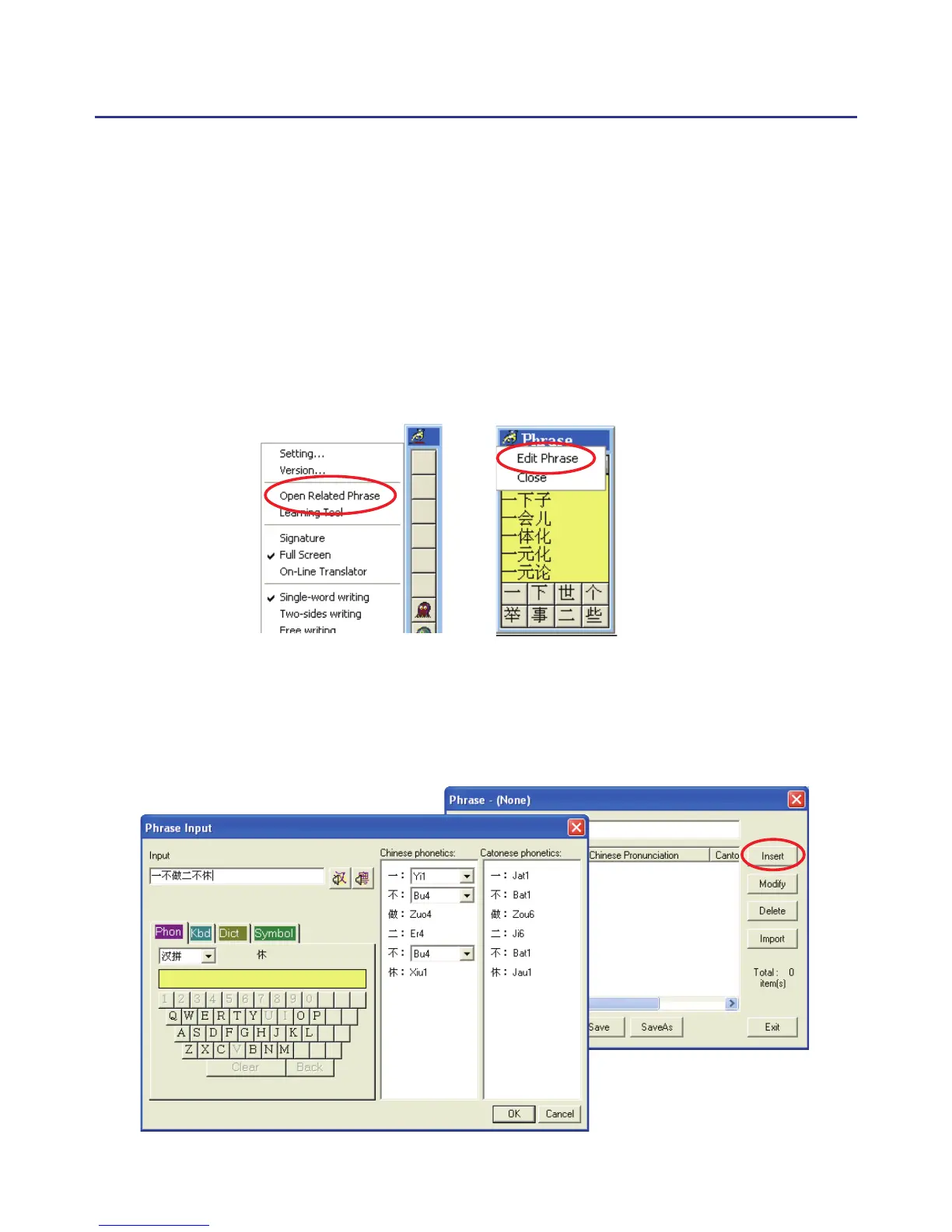
1. Open the PenPower Junior main menu and select “Open Related
Phrase”. Then select “Edit Phrase” from the Phrase menu to open the “Edit
Phrase” diolague to edit the dictionary.
2. Click “Insert” to open the phrase input dialog. You can input a new
phrase here.
Please see Chapter 4.7.2 for more details.



 To Next Page