Chapter 6 Assistant Tools
6-9
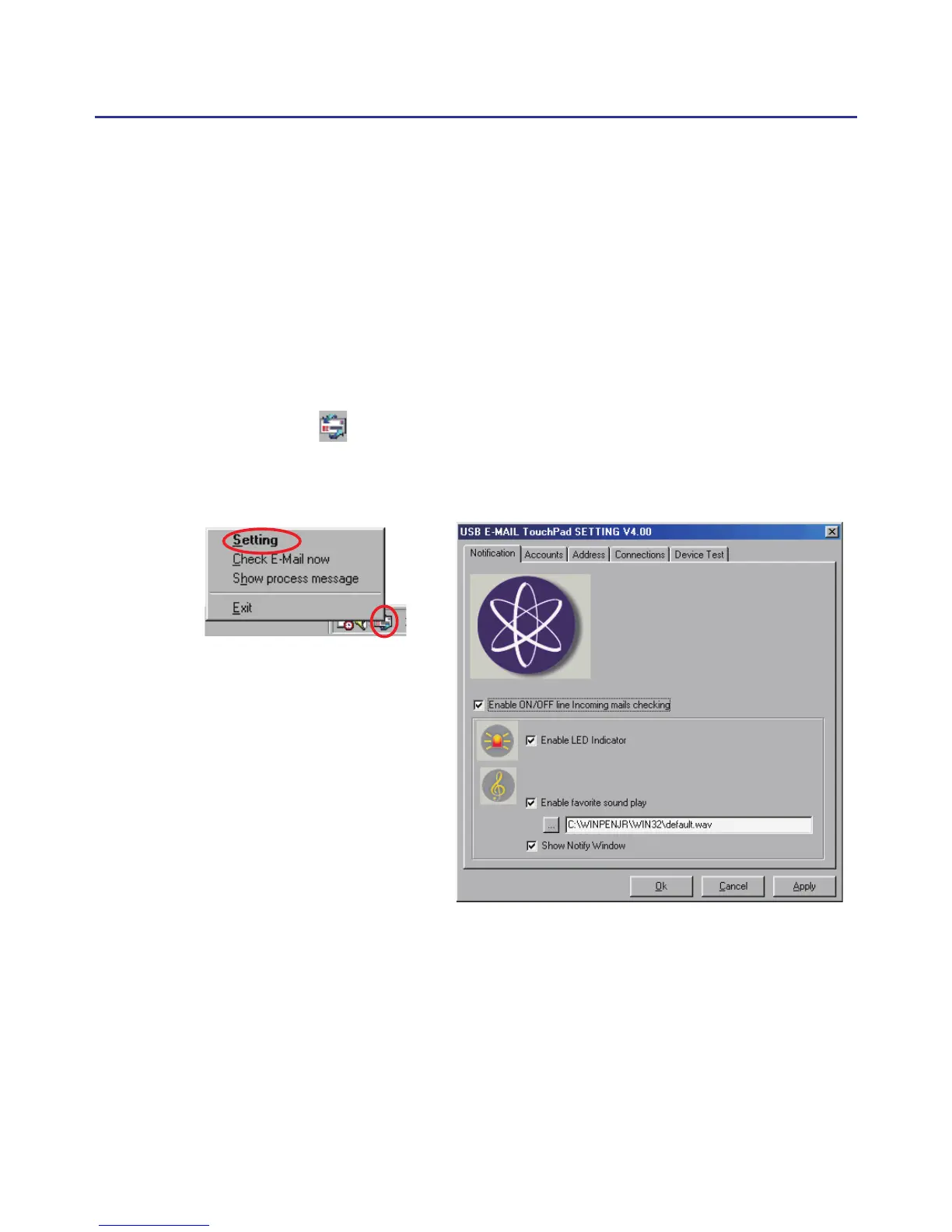
Enable LED Indicator : Blink the LED of touch-pad to hint the incoming
emails.
Enable Favorite Sound Play : Change the wav le of music to hint the
incoming emails.
Show Notiy Window: Show pop-up window to hint the incoming emails.
6.3 Penpower E-mail Touchpad
Note: The Penpower E-mail function is only supported for Penpower Junior
Crystal Touch, Penpower Junior Silver/Steel and Penpower Junior
Diamond.
6.3.1 Setting
If you have custom-installed the “Penpower Email Touchpad” com-
ponent, the email icon would be displayed on the task bar when the
windows start-up. Double-click the icon or right-click the icon to open the
menu, and then select “setting”. It will invoke the setting dialog.
Enable ON/OFF line incoming
mails checking : Enable/dis-
able the function of auto
mails checking.



 To Next Page