Chapter 5 Traditional Mode
5-9
Switch Version
Open the main menu. Select “Version...”. There are three Versions for
Choose. Please see Chapter 4.11 for more details.
Setting
In PenPower Junior’s options menu select “Settings” to open the set-
tings page. You can congure the recognition engine, output format or
writing tracks here. For more details on PenPower settings please refer to
the explanation provided in Chapter 4.12. The only difference is that in
Traditional mode the writing pad display can be congured here.
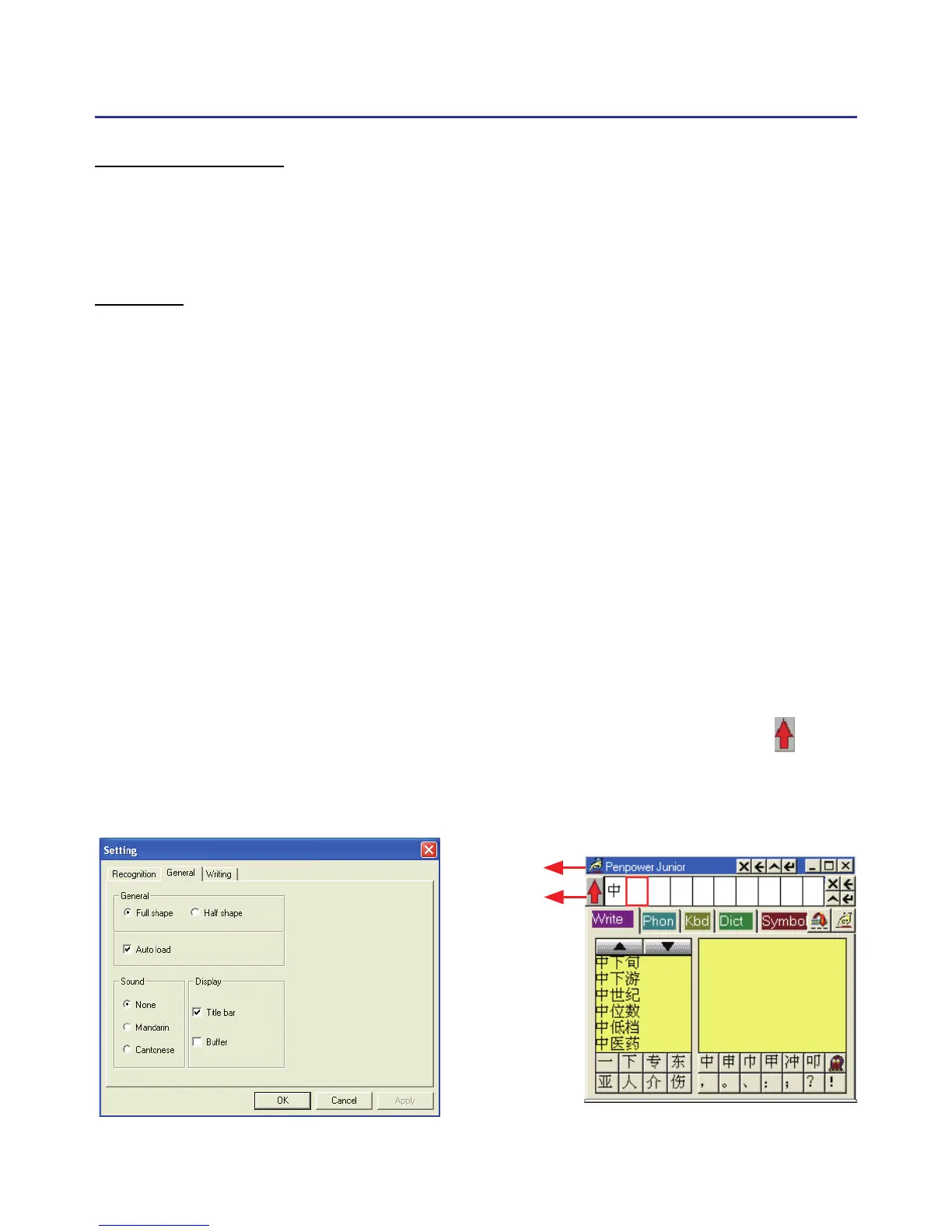
Please switch to the “General” setting page and in the “Display” area
you can choose whether to display the window title and the buffer area.
Title bar : Show/hide the caption of writing-pad.
Buffer: Show/hide the text buffer of Writing-pad. If the buffer is displayed,
all the recognition result would be put here. After the buffer is full, the
rst word would be popped out into the caret. You can also click but-
ton to force all the result popped out and clear the buffer anytime. If the
buffer is hidden, the recognition result will be send to the caret directly.
Title bar
Buffer
Title bar
Buffer



 To Next Page