117
Shooting Functions
4
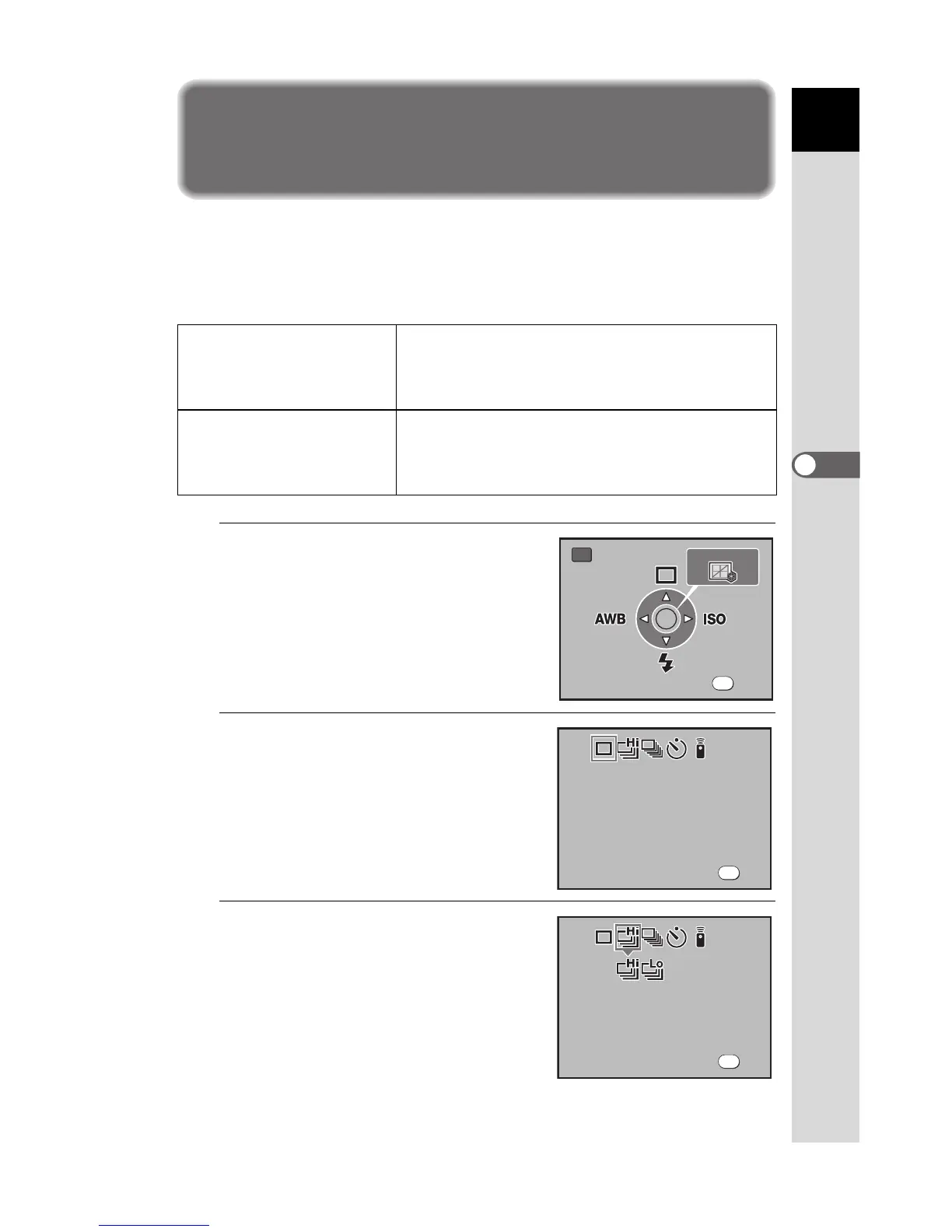
Continuous Shooting
Pictures can be taken continuously while the shutter release button is held
down.
You can select from g (Continuous shooting (Hi)) and h (Continuous
shooting (Lo)) for continuous shooting.
1
Press the { button.
The Fn menu appears.
2
Press the four-way controller
(2).
The Drive Mode options screen appears.
3
Use the four-way controller
(45) to select g.
g Continuous shooting (Hi)
When JPEG quality is set to X (Quality Level
C), pictures are taken continuously at
approximately 3 frames per second. Up to 38
frames can be shot in one sequence.
h Continuous shooting (Lo)
When JPEG quality is set to
X
(Quality Level
C
), pictures are taken continuously at
approximately 2.3 frames per second. Pictures can be
taken continuously until the SD Memory Card is full.
Exit


 To Next Page
 Loading...













