22
Before Using Your Camera
1
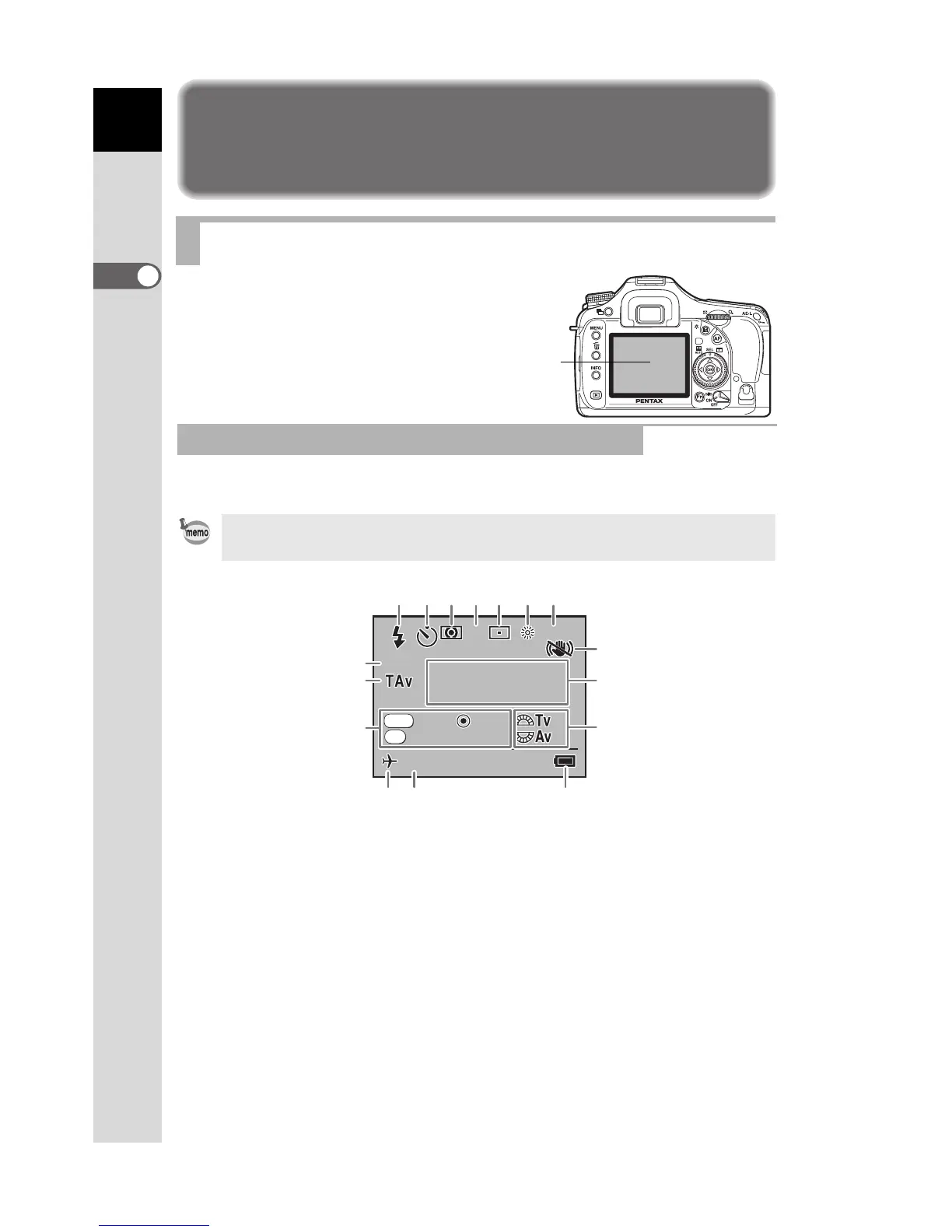
Display Indicators
The following indicators appear
on the monitor depending on
the status of the camera.
Guides appear on the monitor for 3 seconds when the camera is switched
on or the mode dial is turned.
* Indicators 3, 5, 6 and 7 only appear when a setting other than the default
setting is selected. 8 only appears when Shake Reduction is Off. 13 only
appears when World Time is On.
Monitor
At Start-up or when Operating the Mode Dial
Select Off for [Guide display] in [R Set-up] menu to not show indicators.
(p.216)
1 Flash mode
(Active mode appears) (p.61)
8 Shake Reduction (p.65)
9 Exposure mode name (p.32)
2 Drive mode/Auto bracket/
Multi-exposure (p.75)
10 e-dial guide
11 Battery level
3 AE metering (p.98) 12 Date and time (p.220)
4 Focus mode (p.104) 13 World Time (p.221)
5 AF point position (p.107) 14 Button guide
6 White balance (p.160) 15 Exposure mode
7 Sensitivity (p.78) 16 USER mode
Monitor
1600



 To Next Page
 Loading...













