190
Changing Additional Settings
8
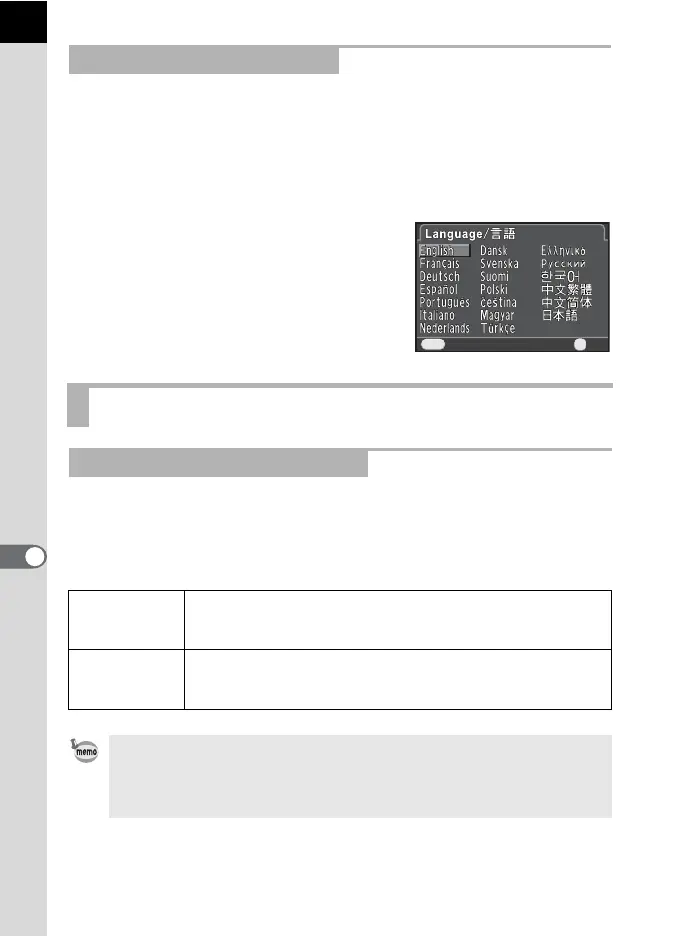
You can change the language in which the menus, error messages, etc.
are displayed.
The camera supports the following languages: English, French, German,
Spanish, Portuguese, Italian, Dutch, Danish, Swedish, Finnish, Polish,
Czech, Hungarian, Turkish, Greek, Russian, Korean, Traditional Chinese,
Simplified Chinese and Japanese.
Set in [Language/u] (p.184) of the
[R Set-up 1] menu.
1Setting the Display Language (p.48)
You can set the monitor to dim and the camera to turn off automatically if
unused for a certain length of time.
Set in [Power Saving] and [Auto Power Off] (p.185) of the [R Set-up 2]
menu.
Setting the Display Language
Setting the Monitor and the Menu Display
Minimizing Battery Consumption
Power Saving
The monitor brightness goes dim if the camera is unused for 10
seconds. The default setting is O (On).
Press any button to return it to the normal brightness.
Auto Power Off
The power turns off automatically. Select from [1min.] (default
setting), [3min.], [5min.], or [Off].
To turn it back on, press the power switch.
• The Power Saving function does not work while recording a movie.
• The Auto Power Off function does not work in the following situations.
- when a slideshow is played back
- when the camera is connected to a computer with an USB cable
Cancel
OK
OK
MENU



 To Next Page