Instrument Methods . 41
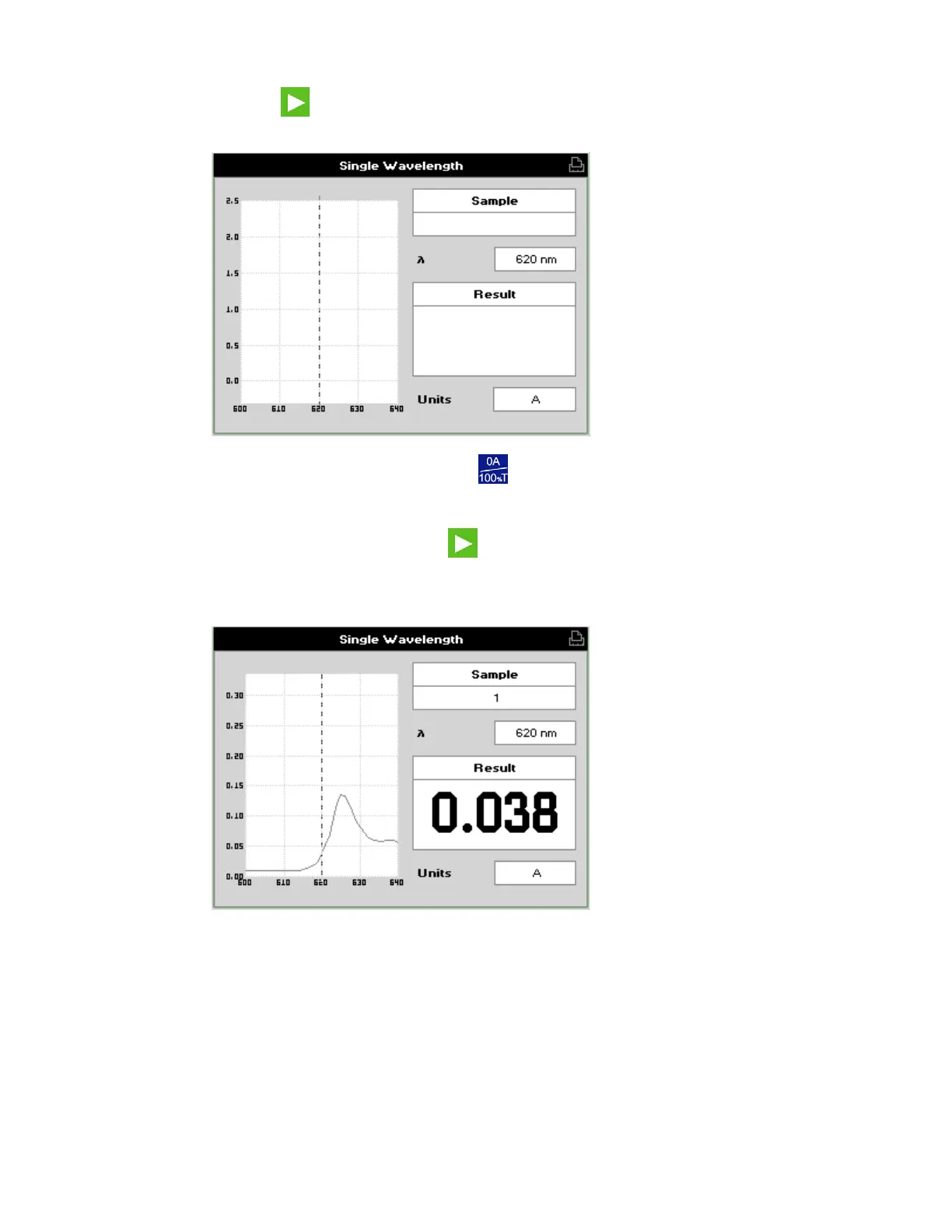
5. Press OK to start measurements.
The Single Wavelength results screen is displayed.
6. Insert the reference sample and press
.
This reference measurement will be used for all subsequent samples until repeated.
7. Insert your first sample and press
.
The result at the selected wavelength is displayed on screen. Use the left and right
arrows to move the cursor and display the value at the cursor position (±20 nm from
the set wavelength).
8. Repeat Step 7 for each sample.





 To Next Page