68 . Lambda XLS/XLS+ User's Guide
6. If background correction is On, enter Wavelength 3, from which the background
correction will be obtained.
7. Press Next
.
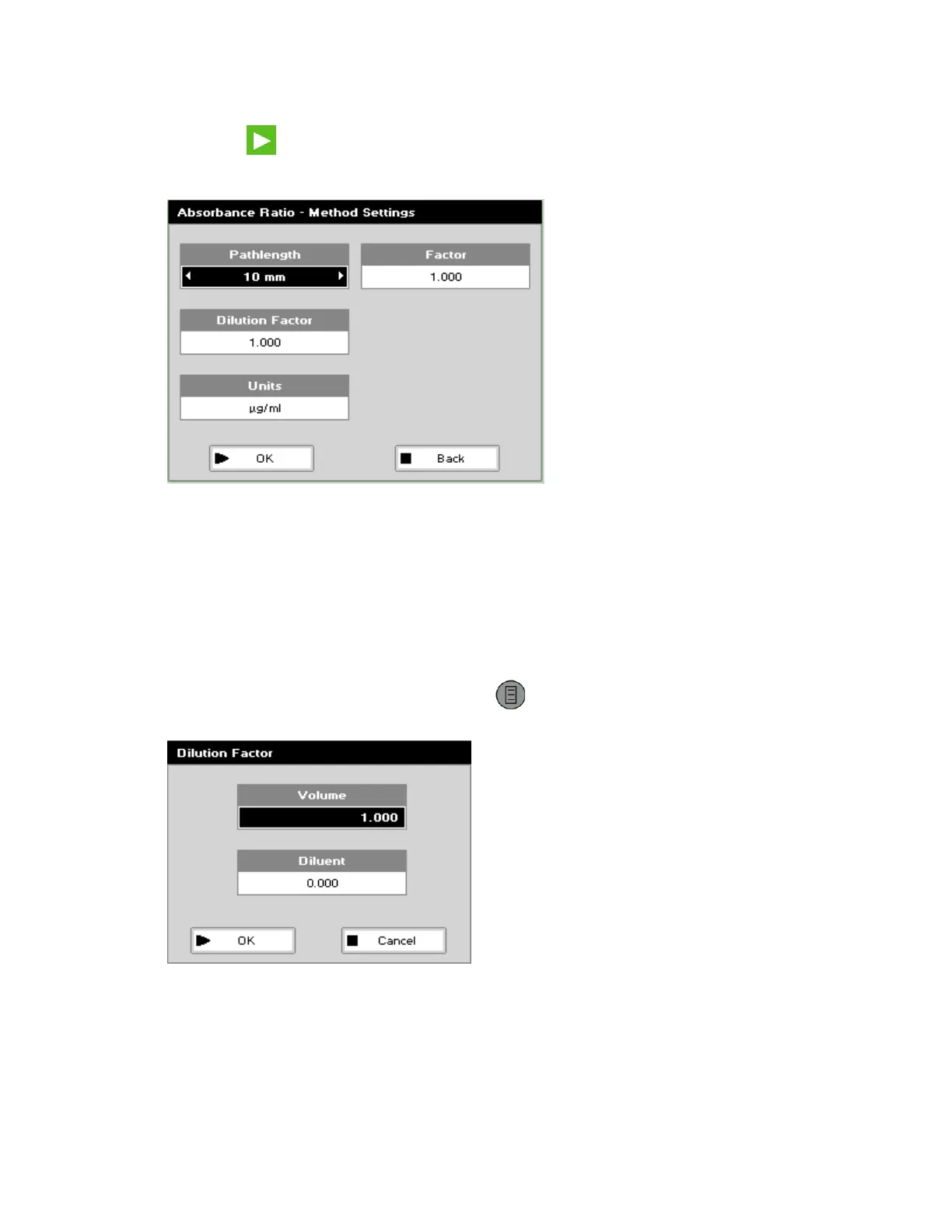
The Absorbance Ratio – Method Settings screen is displayed.
8. Select the Pathlength using the left and right arrows, and then press the down arrow.
The options are 5 mm or 10 mm.
9. If the Dilution Factor is known, enter a dilution factor by using the keypad numbers,
press the down arrow and then go to Step 13.
The available range is from 1.00 to 9999.
OR
If the dilution factor is unknown, press Options
to display the Dilution Factor
screen.
10. Enter the Volume of the sample using the keypad numbers and then press the down
arrow.
The available range is from 0.01 to 9999.




 To Next Page