122 KENR6933
Troubleshooting Section
g01131276
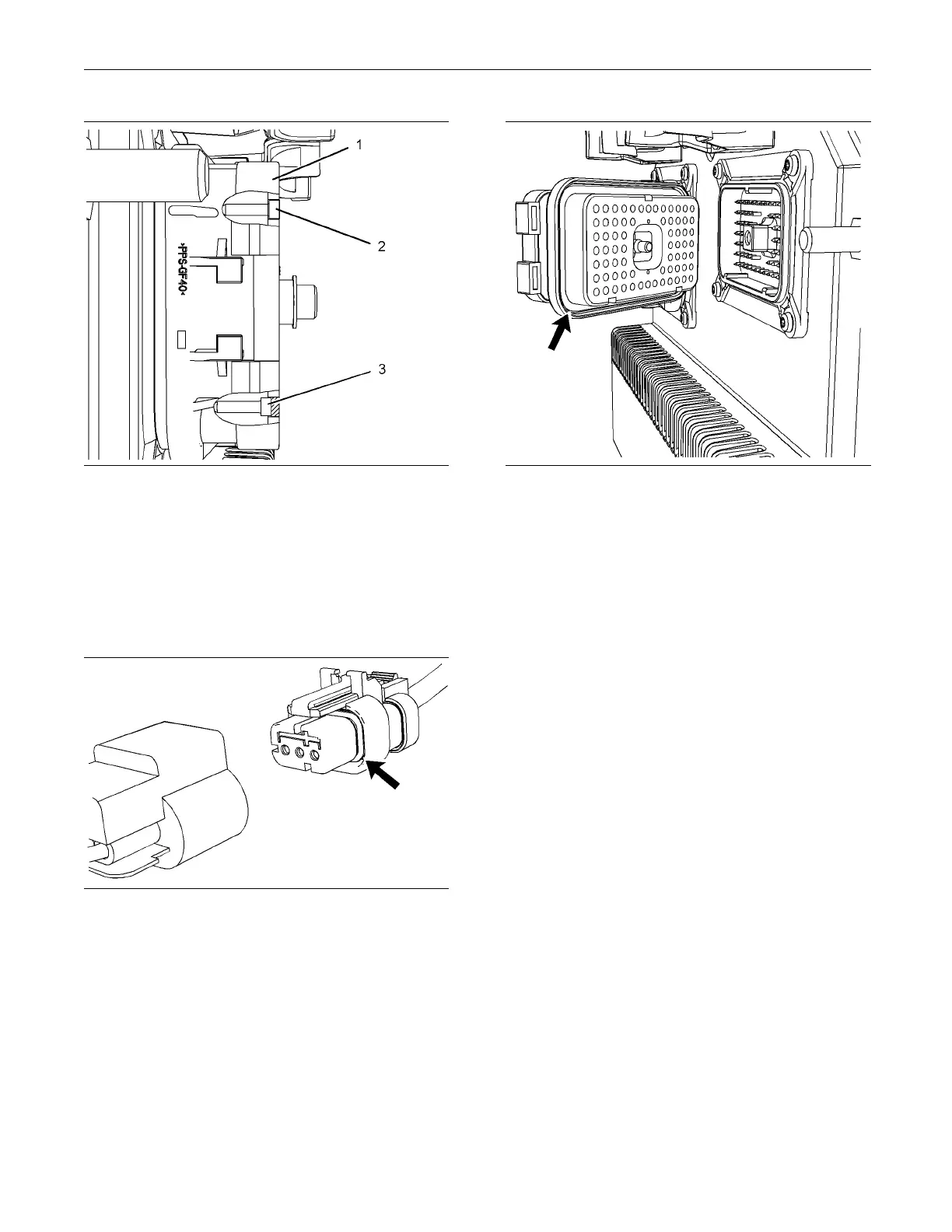
Illustration 34
Diagram for the installatio n of a connector plug (typical example)
(1) ECM connector
(2) Corre ctly inserted plug
(3) Incorrectly inserted plug
B. Ensure that the sealing plugs are in place. If
any of the plugs are missing, replace the plug.
Ensure that the plugs are inserted correctly into
the connector. Refer to Illustration 34.
g01131019
Illustration 35
Seal for a three-pin connector (typical exam ple)
g01131165
Illustration 36
Seal for ECM connector (typical example)
C. Disconnect the suspect connector and inspect the
connector seal. Ensure that the seal is in good
condition. If necessary, replace the connector.
D. Thoroughly inspect the connectors for evidence
of moisture entry.
Note: It is normal to see some minor seal abrasion
on connector seals. Minor seal abrasion will not allow
the entry of moisture.
If moisture or corrosion is evident in the connector,
the source of the moisture entry must be found
and the source of the moisture entry must be
repaired. If the source of the moisture entry is not
repaired, the fault will recur. Simply drying the
connector will not fix the fault. Check the following
items for the possible moisture entry path:
•
Missing seals
•
Incorrectly installed seals
•
Nicks in exposed insulation
•
Improperly mated connectors
Moisture can also travel to a connector through the
inside of a wire. If moisture is found in a connector,
thoroughly check the connector harness for
damage. Also check other connectors that share
the harness for moisture.
Note: The ECM is a sealed unit. If moisture is found
in an ECM connector, the ECM is not the source of
the moisture. Do not replace the ECM.


 To Next Page
 Loading...






