Sewing
41
10.04 Creating / changing seam construction diagrams
10
.04.01 Creating a seam construction diagram in "teach-in mode"
The "teach-in" function is particularly suitable for creating completely new seam construc-
tion diagrams. The seam construction diagram is saved directly in the machine memory by
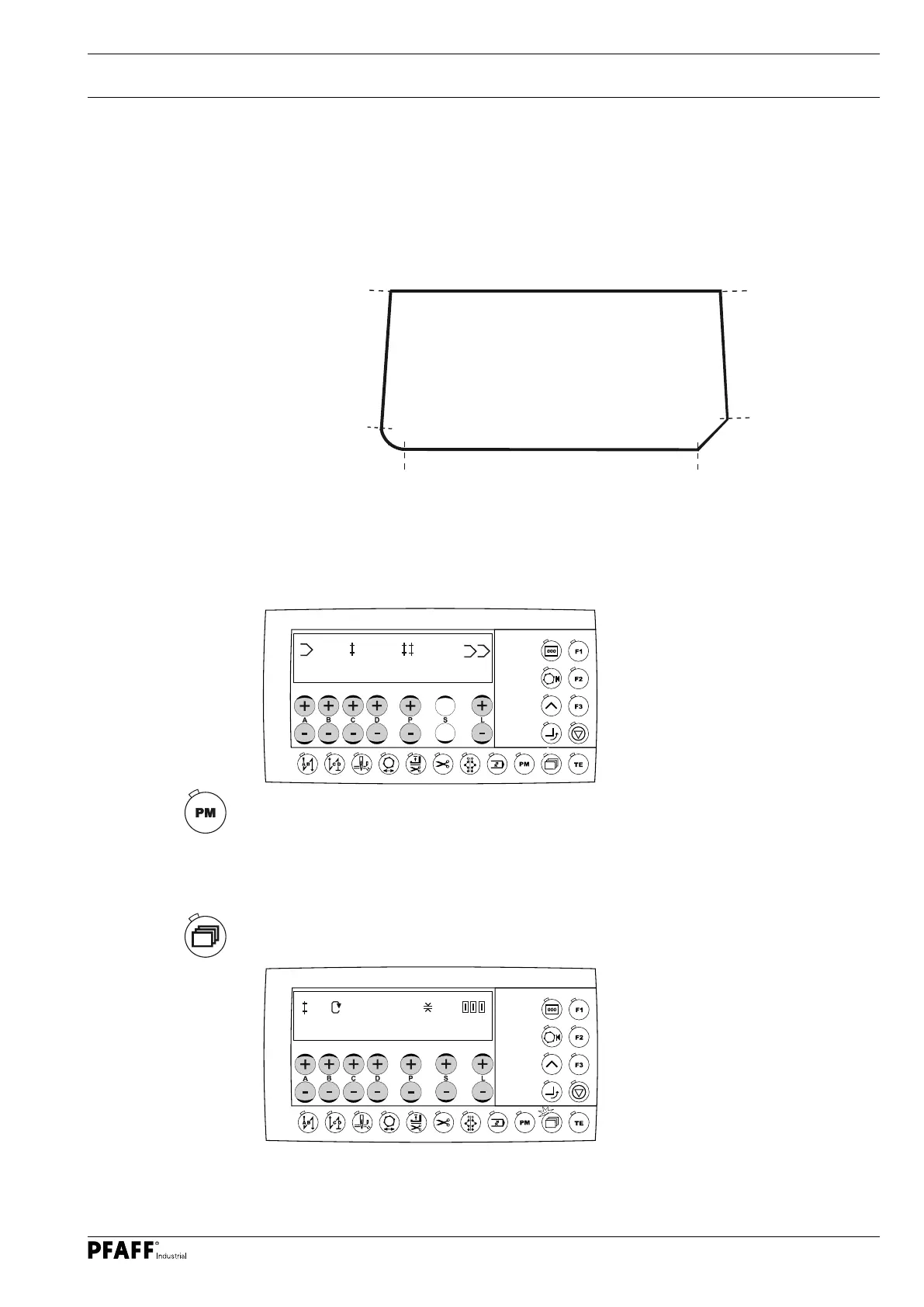
stitching the seam zones. The creation of a seam construction diagram is explained below
by means of an example.
Seam zone 1
Stitches: 32
Stitch length: 2.2 mm
Speed: 2200 min
-1
Turn: 23 mm
Seam zone 2
Stitches: 7
Stitch length: 2.2 mm
Speed: 2200 min
-1
Turn: 10 mm
Seam zone 3
Stitches: 66
Stitch length: 2.2 mm
Speed: 2200 min
-1
Seam zone 4
Stitches: 5
Theoretical stitch length: 1.2 mm
Actual stitch length: 8.0 mm
Speed: 1500 min
-1
Seam zone 5
Stitches: 35
Stitch length: 2.2 mm
Speed: 2200 min
-1
Turn: 23 mm
O Switch the machine on.
O Activate mechanic level "b", see chapter 11.02.01 Selecting the user level or enter the
authorisation code, see chapter 10.03 Entering the authorisation code.
O Switch on programmed sewing if required (LED in the key lights up).
O Select the desired program number (e.g. 10) by pressing the +/- key (A).
O Limit the number of seam zones (e.g. 5) by pressing the +/- key (P).
O Select the program linkage (0 = none) by pressing the +/- key (L).
O Select the seam section menu by pressing the scroll key
10
1 5
0
1
2200 2.2
32
O Select the desired value for the stitch length (e.g. 2.2 mm) by pressing the +/- keys (P; S).
O Select the desired speed (e.g. 2200) by pressing the +/- key (B; C)




 To Next Page