Directions for Use
GB 13L01.1A 3.
22
¸
U
SING
THE
T
IMER
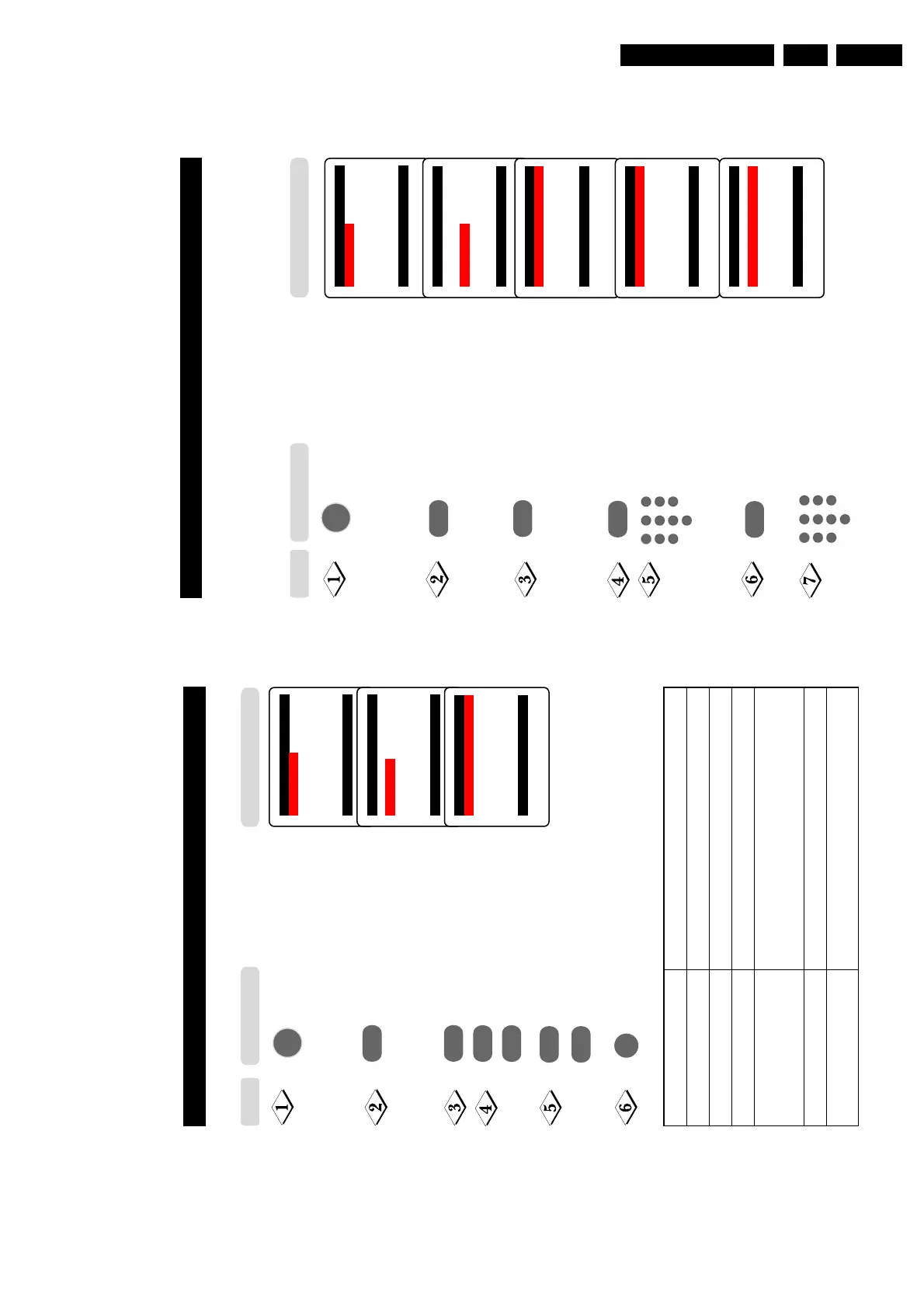
The Timer feature allows you to set the timer to switch to another channel at a specified
time while you are watching another channel or when the TV is on standby mode.
Note : For the timer to function, the set must not be switched off. Once the set is switched
off, the timer is disabled.
Main o
✔ Picture π Brightness
■
Sound Colour
■
Features Contrast
■
Install Sharpness
Colour Temp.
More...
œ
Main o
■
Picture Timer
■
Sound Child Lock
✔
Features π Format
■
Install
œ
Features o
✔ Timer π Time
■
Child Lock Start Time
■
Format Stop Time
Channel Activate
Display
œ
˙
Display the main menu on screen.
Select Features.
Enter the Features menu.
Enter Timer menu.
Key in the current time starting from
the hour follow by minute.
This is the time where the “start time”
and “stop time” will take reference
from.
Select Start Time.
Key in the time you want the
programme to be switched on.
Timer o
✔ Time π 08:30
■
Start Time
■
Stop Time
■
Channel
■
Activate
■
Display
œ
˙
Timer o
■
Time
✔
Start Timeπ 10:30
■
Stop Time
■
Channel
■
Activate
■
Display
œ
¸
MENU
5
1
3
2
4
6
7
9
8
0
5
1
3
2
4
6
7
9
8
0
Step
Press button
21
A
DUSTING
THE
TV S
OUND
The sound menu allows you to make adjustments to the sound.
Display the main menu on screen.
Select Sound menu.
Enter Sound menu.
Select item.
Adjust level or select desired
setting.
Exit menu from screen.
Main o
✔ Picture π Brightness
■
Sound Colour
■
Features Contrast
■
Install Sharpness
Colour Temp.
More...
œ
Main o
■
Picture Treble
✔
Sound π Bass
■
Features Balance
■
Install AVL
Incr. Surround
Ultra Bass
œ
Sound o
✔ Treble p
❘❘❘❘❘❘❘❘❘❘❘
❘
❘❘❘❘❘❘❘❘❘❘❘
0π
■
Bass
■
Balance
■
AVL
■
Incr. Surround
■
Ultra Bass
œ
¸
˙
˝
˙
or
˚
or
¸
Sound menu items Activities
Treble Increase or decrease high frequency level.
Bass Increase or decrease low frequency level.
Balance Increase or decrease to adjust balance level.
AVL (Auto Volume Leveller) Select On to enable volume to remain at a pre-
determined level should there be a sudden change in
volume during commercial breaks or channel switching.
Incredible Surround Select On to boost the effect of stereo sound.
Ultra Bass Select On to enjoy enhanced bass output.
Step Result on TV Screen
Press button
MENU
m



 To Next Page