Directions for Use
GB 5L01.1A 3.
3. Directions for Use
6
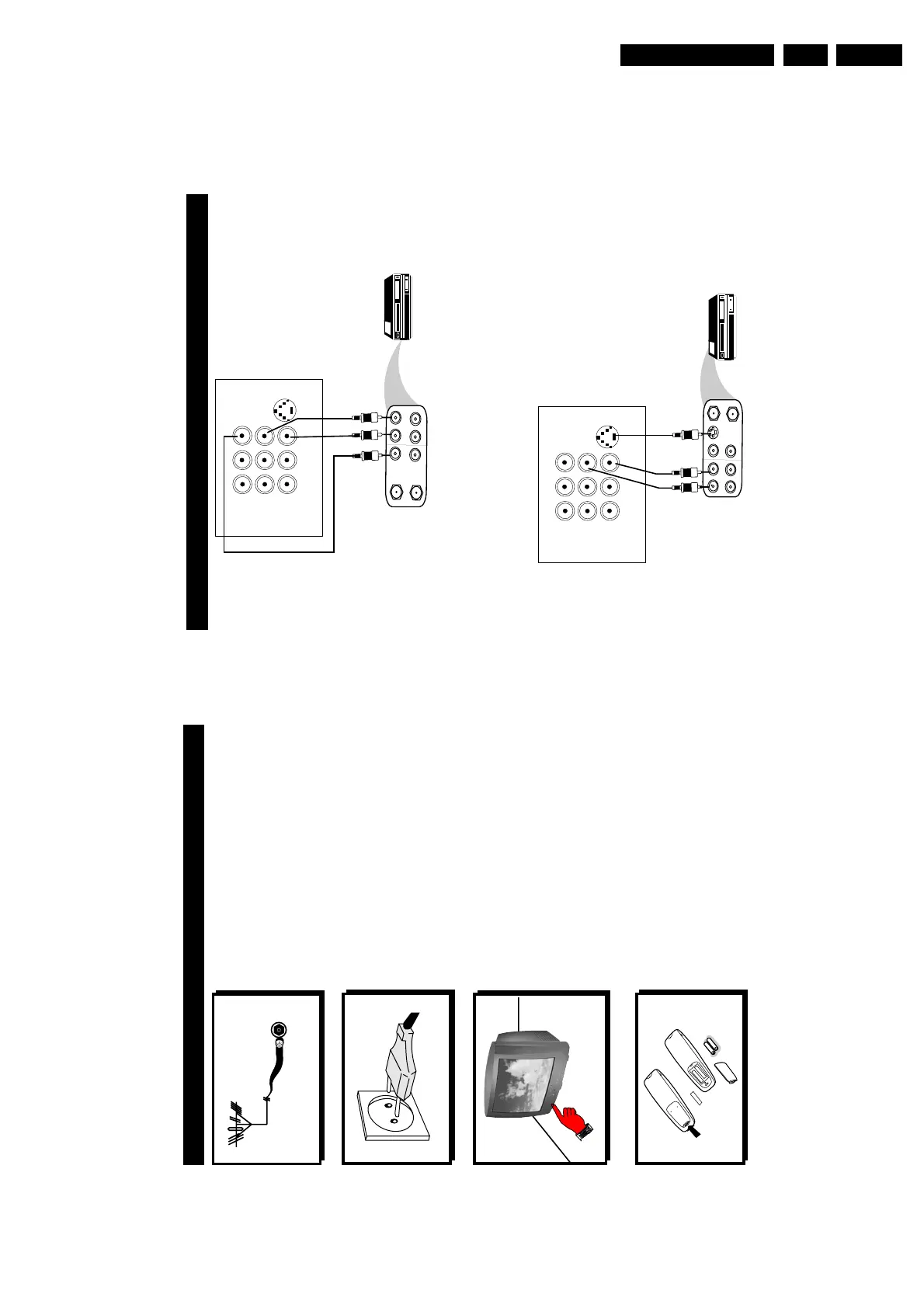
You can view the playback of VCR tapes (Video Disc players, camcorders, etc.) by using the AUDIO
and VIDEO INPUT sockets on the rear of the TV.
– Connect the VIDEO and AUDIO IN sockets on the rear of the TV to the AUDIO and
VIDEO OUT sockets on the VCR.
The S-Video connection on the rear of the TV is used for the playback of S-VHS VCR tapes, Video Discs,
Video Games or Compact Disc-Interactive (cd-i) discs. Better picture detail and clarity is possible with
the S-Video playback as compared to the picture from a normal antenna (RF) connection.
– Connect the S-VIDEO socket on the rear of the TV to the S-VHS OUT socket on a
S-VHS VCR.
– Connect the AUDIO IN sockets from the rear of the TV to the AUDIO OUT sockets
on the VCR. Note : You need not connect the VIDEO IN socket of the TV if S-VIDEO IN
socket is connected.
C
ONNECTING THE AUDIO/VIDEO SOCKETS (PLAYBACK)
ANTENNA
OUT
IN
OUT
IN
AUDIO RL
VIDEO
IN
OUT
L
R
S-VIDEO
VIDEO
AUDIO
AV1
in
AV2
in
Monitor
out
Back of VCR
VCR (Equipped with
Video and Audio
Output sockets
AV sockets on
rear of TV
ANTENNA
OUT
IN
OUT
IN
AUDIO RL VIDEO
IN
OUT
OUT
S-VIDEO
L
R
S-VIDEO
VIDEO
AUDIO
AV1
in
AV2
in
Monitor
out
Back of S-VHS VCR
AV sockets on
rear of TV
5
Antenna Connection
• Connect the aerial plug to the antenna socket
¬¬
¬¬
¬
on the backcover.
• Insert the mains plug into the wall socket.
Mains Connection
• For correct mains voltage, refer to type sticker at
the rear of the TV set
• Consult your dealer if mains supply is different.
Note : This diagram is not representative of the
actual plug and socket.
Switching on the Set
• Press the main power button to switch on/
off the TV.
• If the set is on standby (indicator is red),
press the Power button on the remote
control to switch on set.
75 Ω
g
PREPARATION
Using the Remote Control
• Insert the correct type of batteries into the
compartment.
• Ensure the batteries are placed in the right
direction.
+
–



 To Next Page