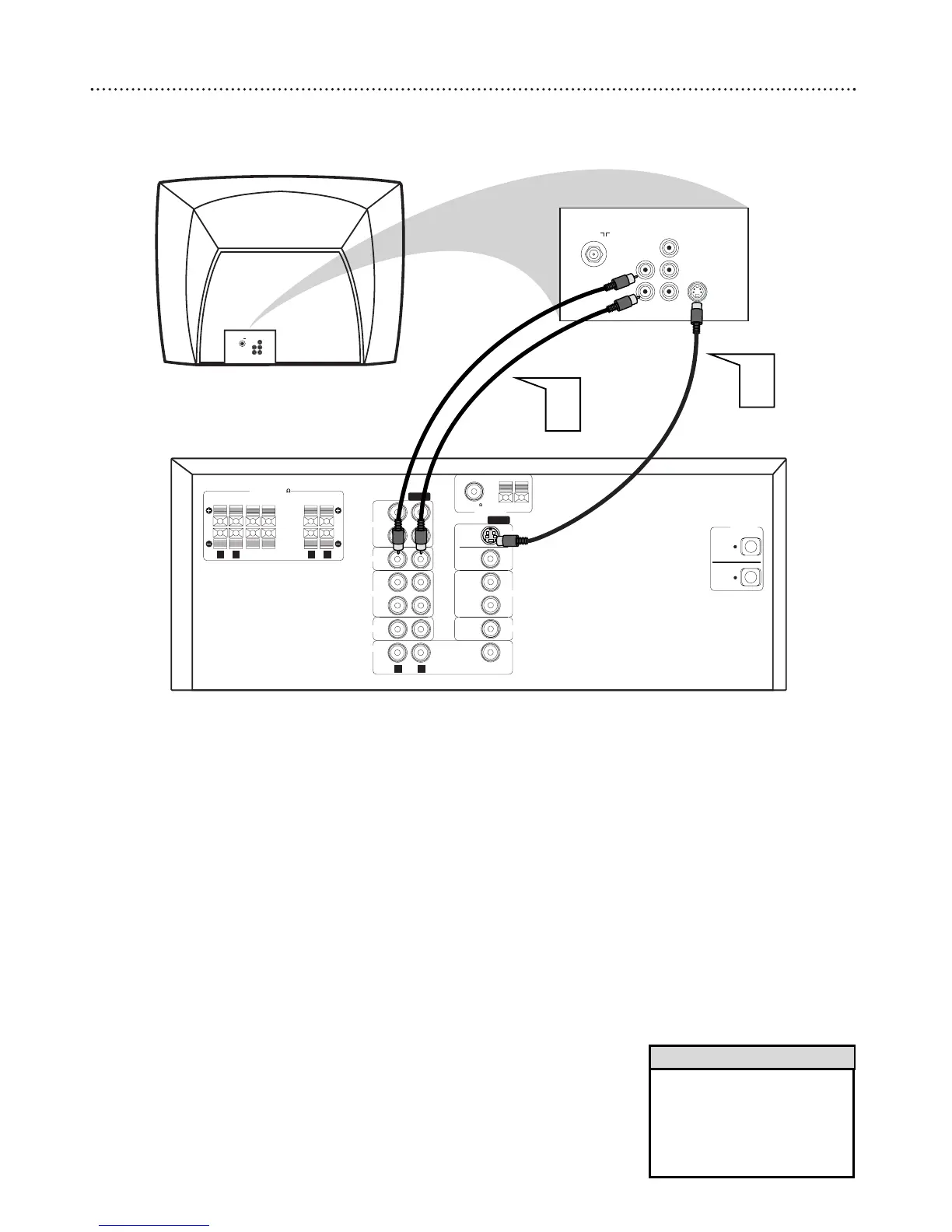
12 Hookups - TV (cont’d)
Connecting to a TV with an S-Video In jack
1
Connect the DVD Receiver’s S-VIDEO OUT jack to the
S-VIDEO IN jack on your TV. You will need an S-Video cable
(not supplied).
2
To hear TV channels through the DVD Home Cinema System,
connect the supplied red and white audio cables to the
DVD Receiver’s red/white, right/left AUDIO IN jacks and to
the TV’S right/left AUDIO OUT jacks. Match the cable colors
to the jack colors.
3
Connect the power cords of the DVD Receiver and TV to a
power outlet.
4
Turn on the TV and set it to the correct S-Video In chan-
nel. Go to the lowest TV channel and change channels down until
you find the S-Video In channel. (It is not channel 3 or 4 as it might
be when using a VCR.) See your TV owner’s manual for details.
5
Press STANDBY-ON
yy
on the front of the DVD Receiver to
turn on the DVD Receiver. The red Standby light will disappear.
• The S-Video connection will only
play DVDs. If you plan to use
a VCR or Cable/Satellite box
with your receiver, you must
connect your TV to the MONI-
TOR OUT jack.
Helpful Hints



 To Next Page