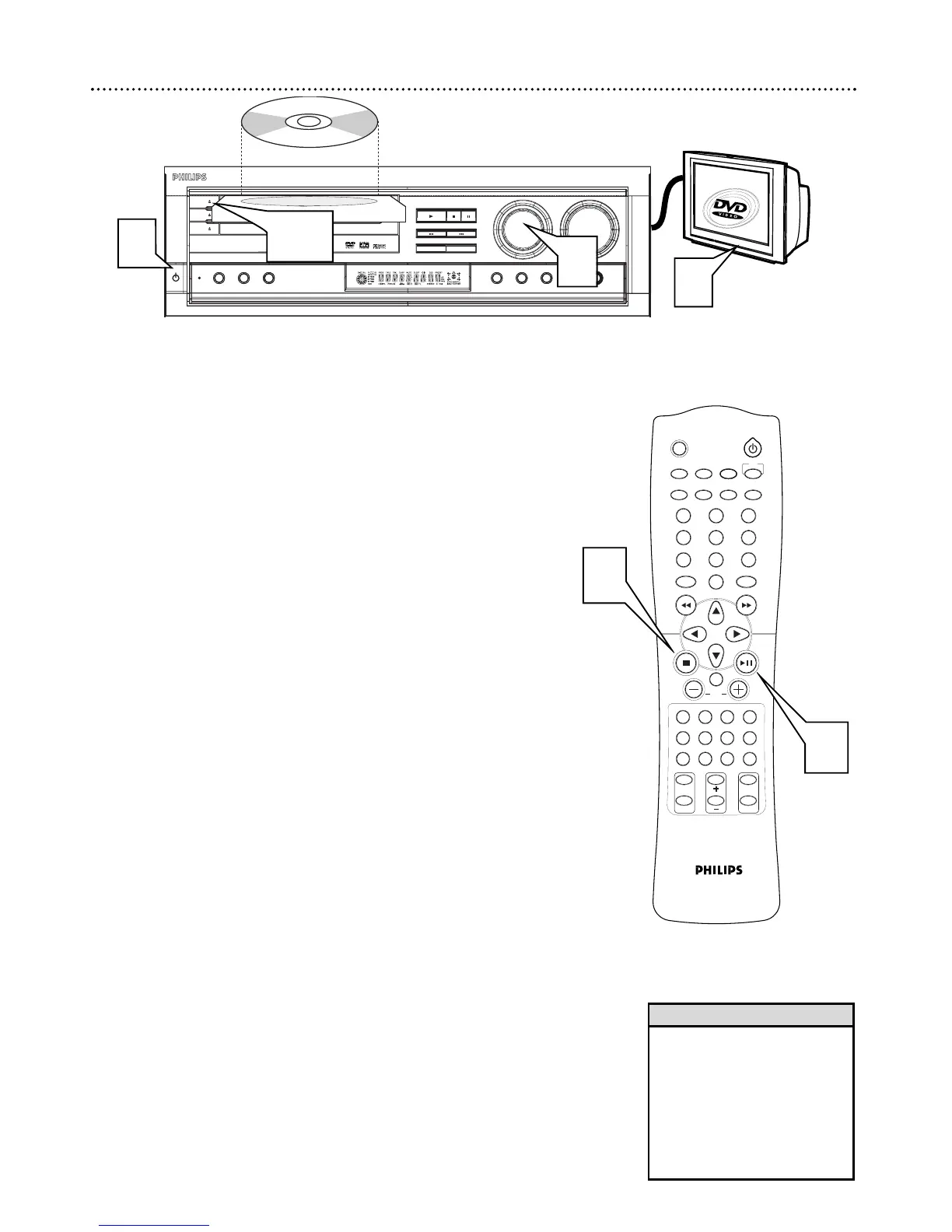
There are many playback features and options available on Discs. After learn-
ing the basic operations of the DVD Receiver and the remote control, refer
to the later sections of this manual to learn playback features.
1
Press STANDBY-ON
yy
(or DISC) to turn on the DVD
Receiver. The red Standby light will disappear from the front of the
DVD Receiver.
2
Turn the SOURCE dial on the DVD Receiver (or press DVD/CD,
TV/AV, TUNER, TV, VCR, SAT, AUX or CDR on the remote con-
trol) to select a sound source.
● The DVD Receiver’s display panel will show the selected source
(DVD/CD, TV/AV, TUNER, etc.).
3
Turn on your TV and set it to the correct Video In channel.
You should see the DVD Receiver’s background screen on the TV.
4
Press OPEN/CLOSE c on the front of the DVD Receiver to open
the Disc tray. Load your Disc in the tray, with the label facing up as
you place the Disc in the tray.
● If the Disc is two-sided, make sure the label of the side you want
to play is facing up.
5
Press OPEN/CLOSE c again to close the tray. Playback may begin
automatically.
6
If playback does not start automatically, press PLAY/PAUSE
Bk.
● If DVD playback does not start automatically, a DVD Disc Menu
may appear.
● If the Titles or Chapters are numbered, press a Number button to
select an item. Or, press 98 ; : to select an item, then press
OK.
7
To stop playback at any time, press STOP C.
• If the Disc is Locked by Parental
Control, you must enter the four-
digit code to unlock the Disc.
Details are on pages 25-26.
• DVDs have a region code. Your
DVD Receiver will not play Discs
that have a region code other
than 1 (one). Details are on
page 5.
Helpful Hints
6
4,5
7
2
3
1
NTSC/PAL Automatic Conversion
The MX 5000 is equipped with an NTSC/PAL automatic conversion feature
that converts the video output for the disc to match your TV system. No
additional configuration is needed.



 To Next Page