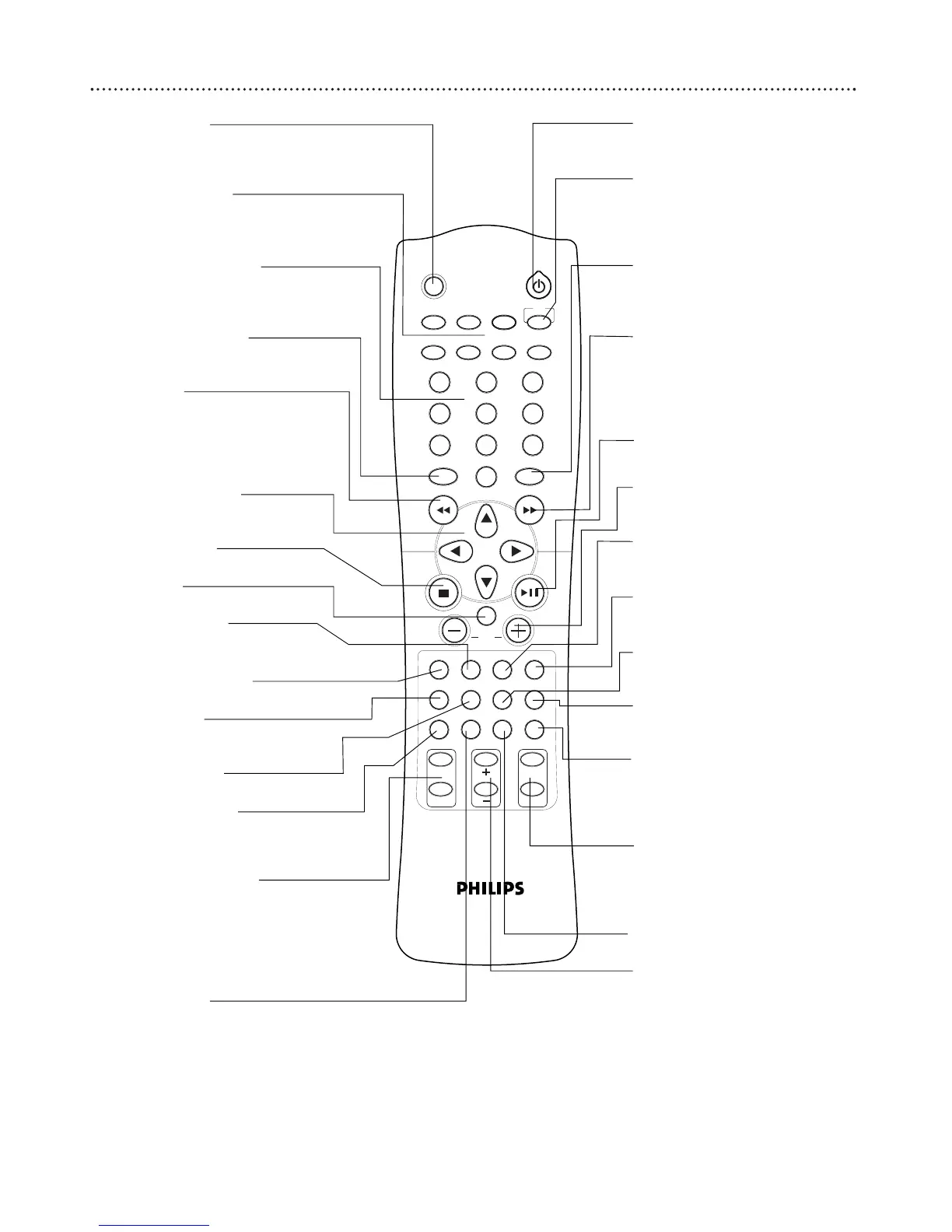
6 Remote Control
MUTE Button
Press to turn off the sound. Press
again to restore the sound to its pre-
vious level.
SOURCE Buttons
Press to select an input source for
the Receiver (DVD/CD, TV/AV
TUNER, VCR, SAT, AUX, or CDR)
Numeric Keypad (0-9)
Press to enter a Track/Title number,
radio station, or TV channel, depend-
ing on the mode of the remote.
DISC MENU Button
Press to access or remove a DVD
menu (remote must be in disc mode).
H Button
In DISC mode, press to go to the
previous Chapter or Track. Press and
hold to search backward. In TUNER
Mode, press to tune to a radio sta-
tion.
∞∞ 55 22 33
Buttons
Press to move through the GUI, sys-
tem setup, or DVD menu.
STOP
77
Button
Press to stop playback.
OK Button
Press to confirm menu selections
VIRTUAL Button
Press to select the virtual sound
effect (Stadium, Hall, or Theater).
SURROUND Button
Press to select surround sound mode.
TITLE Button
Press to display the Title menu (if it is
available on the disc).
SPEAKER Button
Press to select speaker settings.
PROGRAM Button
Press to program tracks in DVD/CD
mode and radio stations in TUNER
mode.
LANGUAGE Buttons
AUDIO: Press to select different
audio languages (or commentary
tracks) available on the DVD.
SUBTITLE: Press to select the
subtitle language available on the
DVD.
REPEAT Button
Press to repeat playback of a specific
section on disc.
Standby or Power y Button
Press to turn the DVD Receiver on
or off (Standby).
TV Button
Press to enter a Track/Title number,
radio station, or TV channel,
depending on the mode of the
remote.
SYSTEM MENU Button
Press to enter or exit the System
Menu (remote must be in DISC
mode).
G Button
In DISC mode, press to go to the
next Chapter or Track. Press and
hold to search forward. In TUNER
Mode, press to tune to a radio sta-
tion.
PLAY/PAUSE
38 Button
Press to start or pause Disc play-
back.
VOLUME +/– Buttons
Press to increase or decrease the
volume.
TONE Button
Press to select Bass or Treble for
adjustment.
TEST TONE Button
Press to check the sound level of
the speakers.
GUI Button
Press to display options and infor-
mation about the disc.
RETURN Button
Press to return to the previous
menu level during playback.
NIGHT Button
Press to reduce the range of volume
between the loudest and softest
sounds during DVD playback. Details
are on page 29.
PICTURE Buttons
ANGLE: Press to select a differ-
ent camera angle.
ZOOM: Press to enlarge a still
picture on the TV screen.
SLEEP Button
Press to set the Sleep Timer.
SLOW MOTION +/– Buttons
Press to watch a disc at a slower
speed.



 To Next Page